
 Arabic
  English
  Turkish
  Chinese
  Japanese
  Russian
  Spanish
  German
  French
  Hindi
Hindi Download Aryson OFT Converter 1.0 for Windows
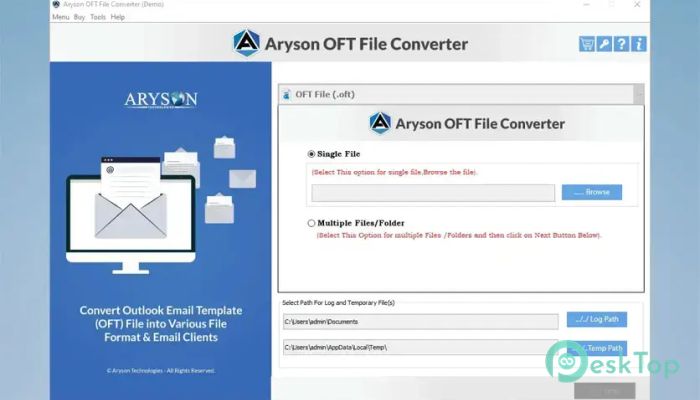
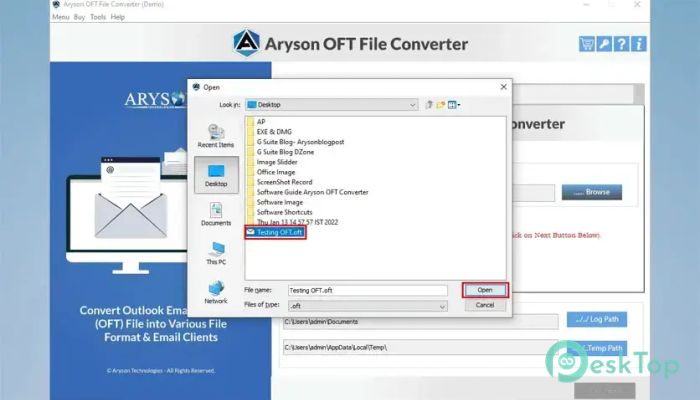
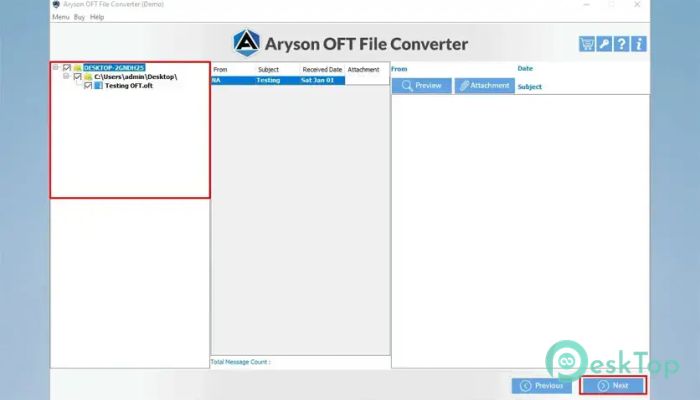
Download Aryson OFT Converter 1.0 for Windows.
Aryson OFT Converter Overview
Managing Outlook Template files can become challenging when you need to access them in different email clients or storage platforms. This software is designed to make that process simple by converting tool files into a wide range of popular formats while preserving every important detail. Whether you are an individual user, an IT administrator, or part of a large organization, the tool provides a reliable way to convert, export, migrate, and back up your mailbox data. It handles both single and bulk files efficiently while maintaining the original structure and integrity of the data.Features of Aryson OFT Converter
Convert OFT Files into Multiple Formats
One of the biggest advantages of the software is its ability to convert tool files into numerous formats. Users can export mailbox data to PST, PDF, MSG, MBOX, EML, EMLX, and many other widely used formats.
This flexibility allows users to move their data between different email platforms without worrying about compatibility issues. It acts as a universal translator, helping tool files communicate with various email applications.
Supports Complete Mailbox Data Conversion
The tool does much more than convert emails. It can process contacts, calendars, notes, journals, and other mailbox components stored within tool files.
Every item is transferred with precision, ensuring that no important information is lost during the conversion process. This makes it suitable for both personal and business use where data accuracy is critical.
Preserves Folder Structure and Metadata
Data organization is often just as important as the data itself. During conversion, the software preserves the original folder hierarchy, email formatting, metadata, sender details, recipient information, and other mailbox properties.
This means users receive converted files that look and behave exactly like the originals, reducing confusion and saving valuable time.
Preview Mailbox Data Before Conversion
Before starting the export process, users can preview all mailbox items within the application. This feature provides complete visibility into the data and helps verify the contents before conversion.
Being able to inspect emails and other mailbox components beforehand minimizes mistakes and gives users greater control over the migration process.
Direct Migration to Cloud Platforms
Modern businesses increasingly rely on cloud-based email services. The software supports direct migration of tool files to platforms such as Google Workspace and Microsoft Office 365.
Instead of performing multiple manual steps, users can move their data directly to the cloud. This reduces migration time and simplifies large-scale deployment projects.
Advanced Duplicate Email Removal
Duplicate emails can consume storage space and create unnecessary clutter. The software includes an advanced duplicate removal feature that identifies duplicate messages based on the To, From, Subject, Bcc, and Body fields.
By eliminating duplicate items, organizations can maintain cleaner mailboxes and improve storage efficiency.
Export Emails Without Attachments
Sometimes attachments consume significant storage space and are not required for archiving. The tool allows users to export or migrate emails without attachments when needed.
This feature is particularly useful for creating lightweight backups and reducing storage consumption on local drives or cloud platforms.
Split Large PST Files Easily
Large PST files can become difficult to manage and may affect performance. To solve this issue, the software provides a PST splitting feature that divides large files into smaller, more manageable parts.
This functionality improves organization and makes long-term email management more convenient for users managing extensive mailbox data.
Date-Based Filtering Options
Not every migration requires all available emails. The tool includes smart date filtering options that allow users to export messages from a specific time period.
This targeted approach saves time and enables businesses to migrate only the information they truly need while leaving older content untouched.
Custom Naming and Bulk Processing
Users can assign custom names to output folders, making it easier to organize converted data. In addition, the software supports bulk conversion, allowing multiple tool files to be processed simultaneously.
This capability dramatically reduces manual effort and increases productivity, especially in enterprise environments where large volumes of files must be handled regularly.
No File Size Restrictions
Large mailbox files are often challenging for many conversion utilities. Fortunately, the software can process large-sized tool files without imposing file size limitations.
This ensures smooth performance regardless of mailbox volume, making it a dependable solution for organizations with extensive email archives.
Broad Compatibility
The software works with virtually all Windows operating systems, ranging from older editions to the latest releases. It also supports Outlook versions from 97 through 2021.
Such extensive compatibility allows users to perform conversions across different environments without worrying about software conflicts or limitations.
Free Demo Version
For users who want to test the functionality before purchasing, a free demo edition is available. The trial version allows exporting up to 50 items per folder.
This gives potential users an opportunity to evaluate features, performance, and accuracy before committing to the full version.
System Requirements and Technical Details
Operating System: Windows 11 / 10 / 8.1 / 7
Processor: Minimum 1 GHz Processor (2.4 GHz recommended)
RAM: 2GB (4GB or more recommended)
Free Hard Disk Space: 200MB or more is recommended

-
Program size112.59 MB
-
Version1.0
-
Program languagemultilanguage
-
Last updatedBefore 4 Month
-
Downloads7Ralated programs
![Operant Peak Spectroscopy]() Operant Peak Spectroscopy
Operant Peak Spectroscopy ![NeverWrite]() NeverWrite
NeverWrite![FluentCleaner]() FluentCleaner
FluentCleaner![Snippai]() Snippai
Snippai![ChillShot AI]() ChillShot AI
ChillShot AI![Splunk Enterprise]() Splunk Enterprise
Splunk Enterprise
 Operant Peak Spectroscopy
  NeverWrite
 FluentCleaner
 Snippai
 ChillShot AI
 Splunk Enterprise