
 Arabic
  English
  Turkish
  Chinese
  Japanese
  Russian
  Spanish
  German
  French
  Hindi
Hindi Download Aescripts AE Glass 1.0 for Windows
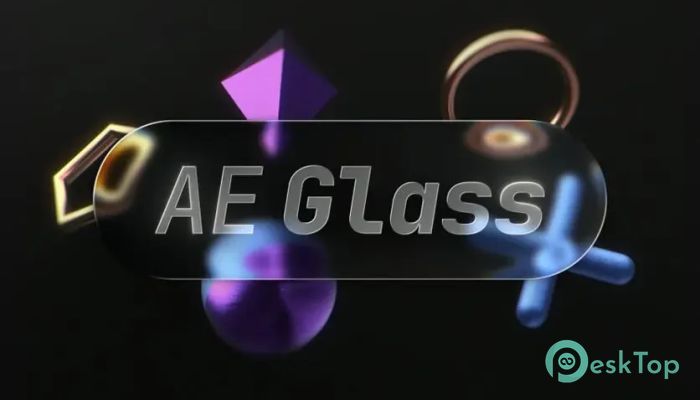
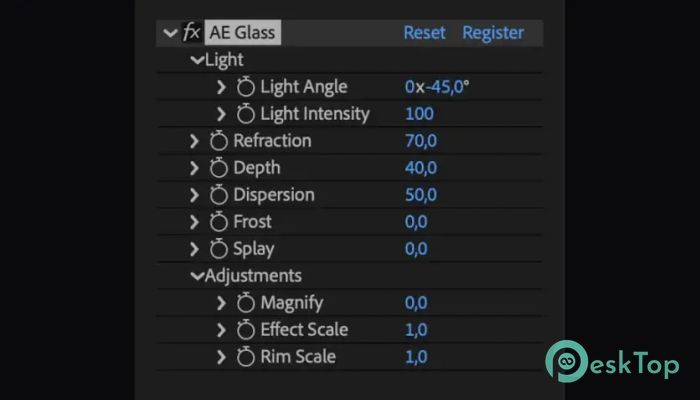
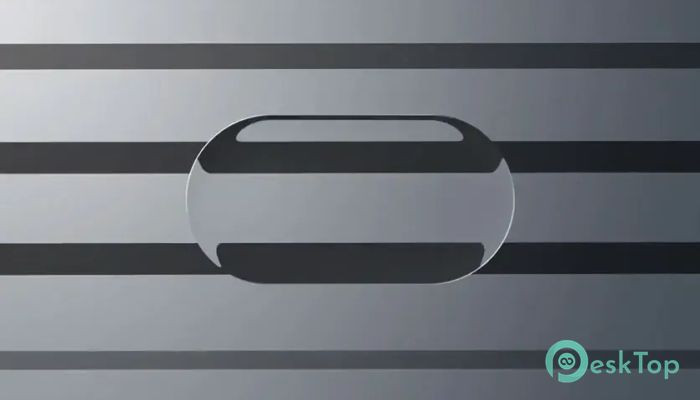
Download Aescripts AE Glass 1.0 for Windows.
Aescripts AE Glass Overview
Creating realistic glass effects inside After Effects often takes time and requires complicated setups. This plugin changes that by making the whole process simple and fast. With a single effect, you can transform text, logos, masks, shapes, or graphics into convincing glass objects without building complex compositions. The software runs entirely in real time, so every change you make is updated instantly. There is no need to prepare displacement maps, create multiple layers, or spend hours adjusting settings. It gives artists a quick way to create professional-looking glass effects while keeping the editing process smooth.Features of Aescripts AE Glass
One-Click Glass Effects
The biggest advantage of the tool is its simplicity. Just drag and drop the effect onto your layer, and it instantly creates realistic glass. Whether you are working with text, icons, logos, masks, or custom shapes, everything becomes transparent with natural-looking refraction.
Instead of spending time creating manual effects, you can focus on your creativity. It feels like placing a real piece of glass over your artwork.
Fully Live Refraction
Real glass bends light, and this plugin recreates that effect beautifully. The refraction is fully live, meaning every movement or animation updates automatically as you edit your project.
This dynamic behavior makes animations look more natural. Whether the background changes or objects move, the glass always reacts correctly without requiring extra adjustments.
Beautiful Frosted Glass Appearance
Modern motion graphics often use frosted glass for a clean and elegant look. The software makes creating this style incredibly easy. You can add soft blur and transparent surfaces that look polished and professional.
This effect is perfect for UI animations, presentations, product videos, social media content, and title sequences. It delivers a premium appearance without adding unnecessary complexity.
Realistic Edge Lighting
Glass is not complete without light reflecting around its edges. The plugin automatically creates attractive edge highlights that help objects stand out from the background.
These lighting effects add depth and realism, making even simple graphics appear more detailed. It gives projects the same polished finish often seen in high-end commercials.
Natural Color Dispersion
Another impressive feature is color dispersion. Just like a real crystal or prism, the glass can separate light into subtle rainbow colors around its edges.
This small detail adds extra realism and makes animations feel more alive. It is especially useful for premium branding videos, cinematic intros, and creative visual effects.
No Displacement Maps Required
Traditional glass effects usually depend on displacement maps and multiple layers. Managing all those elements can quickly become confusing, especially in large projects.
The software removes that entire workflow. Everything works inside a single effect, making projects cleaner and easier to edit. Less setup means more time creating great content.
Works with Multiple Layer Types
Flexibility is one of its strongest qualities. The plugin supports text, vector shapes, masks, logos, illustrations, and many other layer types. This allows creators to use the same effect across different projects without changing their workflow.
Whether you are designing animated titles, user interface elements, promotional videos, or logo reveals, it adapts easily to your needs.
Fast Rendering and Smooth Workflow
Speed matters when deadlines are close. The plugin is designed to work efficiently while keeping previews responsive. Artists can experiment with different styles without waiting long for updates.
The fully live workflow encourages creativity because every adjustment appears immediately. It feels more like sculpting than waiting for software to catch up.
Perfect for Motion Designers
The software is an excellent choice for motion designers, video editors, VFX artists, and content creators. It helps produce premium-quality glass effects that normally require advanced techniques.
From YouTube intros and advertising videos to cinematic animations and broadcast graphics, it provides an easy way to make projects look more modern and visually impressive.
System Requirements and Technical Details
Operating System: Windows 11 / 10 / 8.1 / 7
Processor: Minimum 1 GHz Processor (2.4 GHz recommended)
RAM: 2GB (4GB or more recommended)
Free Hard Disk Space: 200MB or more is recommended
After Effects: 2026, 2025

-
Program size401.88 KB
-
Version1.0
-
Program languagemultilanguage
-
Last updatedBefore 2 Month
-
Downloads65
 Paragon Hard Disk Manager 18 Business
 Aescripts MaskMotion
 Aescripts AE Glass
 Aescripts PreFlight
 Aescripts Risograph
 Aescripts Folder Fanatic