
 Arabic
  English
  Turkish
  Chinese
  Japanese
  Russian
  Spanish
  German
  French
  Hindi
Hindi Download Aescripts Folder Fanatic 1.0.1 for Windows
Download Aescripts Folder Fanatic 1.0.1 for Windows.
Aescripts Folder Fanatic Overview
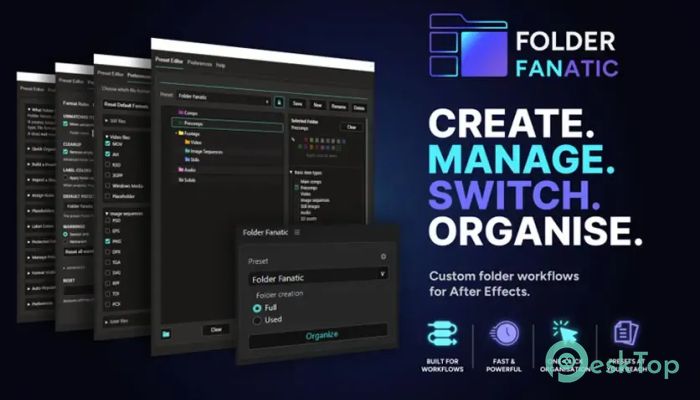
Keeping an After Effects project neat can become difficult as more files, compositions, and assets are added. The software simplifies this process by allowing you to create custom folder templates that you can reuse in any project. Instead of manually building the same folder structure every time, you can organize everything instantly with a single click. The tool is designed for motion designers, editors, freelancers, and creative teams who want a cleaner workflow. Whether you work on small projects or large productions, it keeps everything organized so you can spend more time creating and less time managing files.Features of Aescripts Folder Fanatic
Create Custom Folder Templates
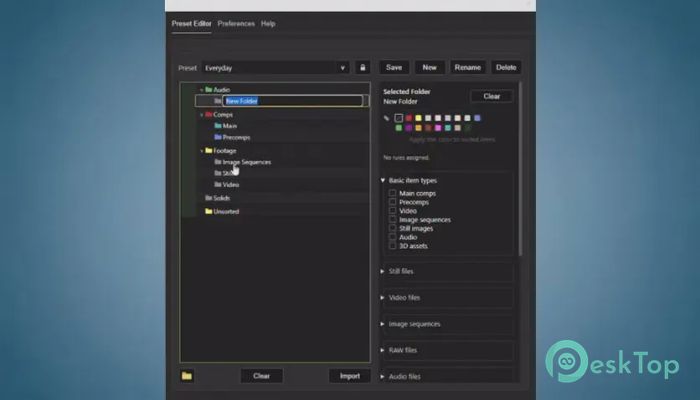
The software allows you to build personalized folder structures that match your workflow. You can create templates for animations, advertisements, YouTube videos, social media projects, or any other type of production.
Once a template is saved, it can be reused whenever you start a new project. Think of it like having a perfectly organized toolbox that's always ready whenever inspiration strikes.
One-Click Project Organization
Nobody enjoys dragging files into folders one by one. The tool removes that repetitive work by organizing project assets with a single click. It automatically creates the required folders based on your predefined structure.
This feature saves valuable time while reducing mistakes that often happen during manual organization. Every project begins with the same professional layout, making navigation much easier.
Powerful Rule-Based Sorting
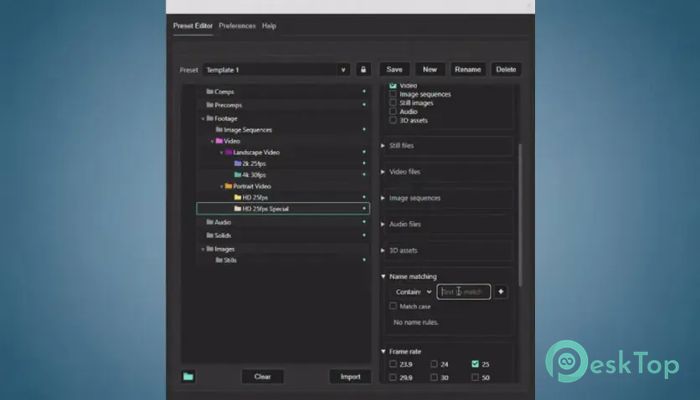
The software includes flexible rule sets that automatically place assets into the correct folders. You can organize items based on file names, composition names, asset types, or other custom conditions.
Instead of sorting hundreds of files yourself, the tool follows your rules and performs the work in seconds. This creates a consistent workflow across multiple projects.
Reusable Workflow Presets
Creative professionals often repeat similar project setups. The software lets you save complete folder presets so they can be loaded whenever needed.
This means every project starts with the same organized structure. Teams can even share presets to ensure everyone follows identical project standards, making collaboration much smoother.
Perfect for Large After Effects Projects
As projects grow, finding assets becomes more difficult. The tool keeps everything grouped into logical folders, making it easy to locate compositions, images, videos, audio files, and renders.
A clean project structure also improves editing speed because you always know where everything belongs. It reduces clutter and creates a much more enjoyable editing experience.
Flexible Customization Options
Every editor works differently, and the software respects that. You can customize folder names, nesting levels, organization rules, and template layouts to match your own preferences.
Whether you prefer simple folder structures or detailed project hierarchies, it adapts to your workflow instead of forcing you into a fixed system.
Improves Team Collaboration
Working with multiple editors becomes much easier when every project follows the same structure. The tool helps maintain consistency across shared projects, allowing teammates to quickly understand where files are stored.
This organized approach reduces confusion, speeds up handoffs, and makes collaborative editing much more efficient.
Easy to Learn and Use
You do not need advanced technical knowledge to start using the software. Its clean interface makes creating templates and organizing projects straightforward, even for beginners.
Most users can build their first folder template within minutes. After that, organizing future projects becomes almost effortless.
Boosts Productivity Every Day
Small, repetitive tasks often take longer than expected. By automating folder creation and asset organization, the tool removes unnecessary manual work from your daily routine.
Instead of wasting energy managing project files, you can focus on animation, visual effects, and creative storytelling. Like an efficient personal assistant, it quietly keeps everything in perfect order behind the scenes.
System Requirements and Technical Details
Operating System: Windows 11 / 10 / 8.1 / 7
Processor: Minimum 1 GHz Processor (2.4 GHz recommended)
RAM: 2GB (4GB or more recommended)
Free Hard Disk Space: 200MB or more is recommended
After Effects: 2026, 2025, 2024

-
Program size3.71 MB
-
Version1.0.1
-
Program languagemultilanguage
-
Last updatedBefore 2 Month
-
Downloads26
 Paragon Hard Disk Manager 18 Business
 Aescripts MaskMotion
 Aescripts AE Glass
 Aescripts PreFlight
 Aescripts Risograph
 Aescripts Folder Fanatic