
 Arabic
  English
  Turkish
  Chinese
  Japanese
  Russian
  Spanish
  German
  French
  Hindi
Hindi Download AlomWare Toolbox v8002 for Windows
Download AlomWare Toolbox v8002 for Windows.
AlomWare Toolbox Overview
Working on a computer every day can sometimes feel like driving a car through heavy traffic. Tasks pile up, windows get cluttered, and repetitive actions eat away at valuable time. This software is designed to remove those roadblocks and help users work faster, smarter, and more efficiently. The tool combines dozens of useful Windows enhancements into one lightweight portable application. Unlike many programs that require lengthy installations and complex configurations, it runs from a single executable file. Simply launch it and gain instant access to a collection of productivity features, automation tools, and system tweaks. Whether you are a casual user, an office worker, a student, or a power user, it provides practical solutions that can significantly improve your daily workflow.Features of AlomWare Toolbox
Portable and Lightweight Design
One of the biggest advantages of the software is its portability. There is no installation process, no complicated setup, and no unnecessary background services consuming system resources.
You can carry the executable file on a USB drive and run it on different computers whenever needed. This flexibility makes it perfect for users who frequently work across multiple devices or simply prefer portable applications.
Despite offering a large collection of features, the tool remains lightweight and responsive. It launches quickly and consumes minimal system resources.
Boost Productivity Instantly
Modern Windows systems include many useful functions, but accessing them often requires navigating through multiple menus and settings. The software serves as a shortcut hub, putting powerful features at your fingertips.
Users can perform tasks faster, manage applications more efficiently, and reduce repetitive actions during daily computer use. Small time savings may not seem important at first, but they add up quickly over weeks and months.
Think of it as having a personal assistant quietly handling routine tasks while you focus on more important work.
Powerful Automation Features
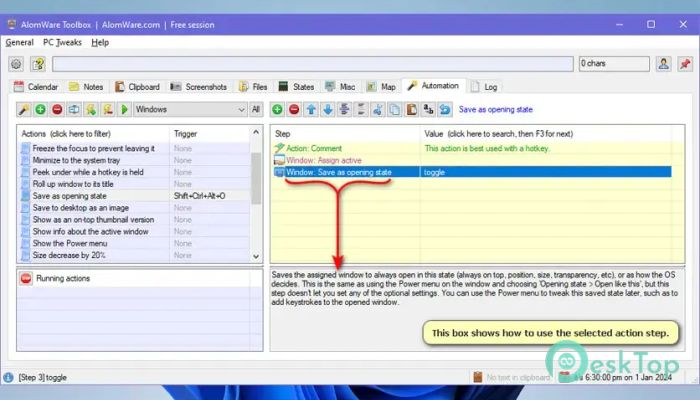
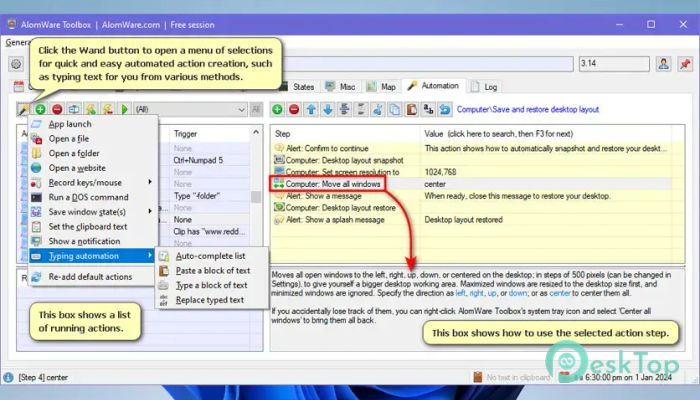
Automation is one of the strongest aspects of the tool. Many computer activities involve repeating the same actions over and over again. These repetitive tasks can become frustrating and time-consuming.
The software allows users to automate various operations, helping eliminate unnecessary manual work. Instead of repeating the same sequence, you can create automated processes that complete tasks in seconds.
This capability can save significant time and reduce the risk of human error during routine operations.
Advanced Window Management
Managing multiple open windows can become overwhelming, especially when working on large projects. The software provides tools that make window organization simple and efficient.
Users can arrange applications, switch between tasks quickly, and keep their desktop organized. This creates a cleaner workspace and helps improve concentration throughout the day.
By reducing desktop clutter, the tool helps users stay focused and productive even during busy work sessions.
Useful Windows Tweaks
Many Windows settings are hidden deep within menus or system controls. Accessing them often requires several clicks and considerable searching.
The software brings many useful tweaks together in one convenient location. This allows users to modify settings quickly without digging through multiple system panels.
These enhancements make Windows feel more personalized and responsive to individual preferences.
Clipboard and Text Handling Tools
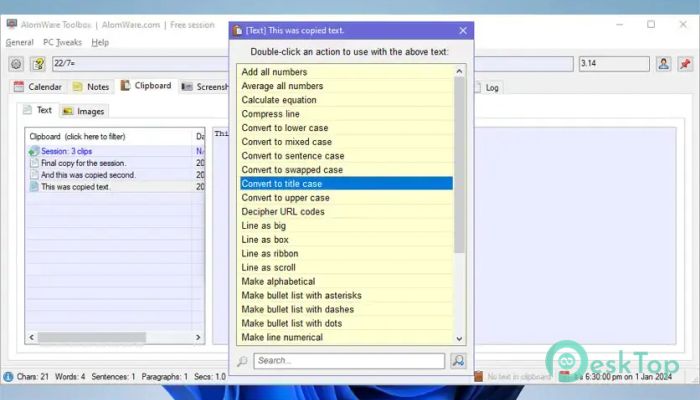
Copying and pasting information is something most users do countless times each day. The software improves this process by providing additional clipboard-related functions that make handling text easier.
Users can work with copied content more efficiently, reducing the need to repeatedly search for previously copied information. This is especially valuable for writers, developers, researchers, and office professionals.
Simple improvements to everyday tasks can result in noticeable productivity gains over time.
Quick Access to Everyday Functions
The tool provides convenient access to many commonly used features through easy-to-reach menus and pop-up controls. Instead of opening multiple applications, users can access various functions from a central location.
This approach saves time and creates a smoother workflow. Everything feels more connected and accessible, making daily computing less stressful and more enjoyable.
For users who appreciate efficiency, these quick-access capabilities can become indispensable.
Ideal for Power Users and Beginners
Some productivity tools are designed exclusively for advanced users, while others focus only on beginners. This software strikes a balance between the two.
New users can immediately benefit from its straightforward features, while experienced users can explore advanced customization and automation options. The interface remains approachable without sacrificing powerful functionality.
This combination makes it suitable for a wide variety of users with different skill levels.
Inspired by Classic Productivity Utilities
Those who remember the famous DOS-era productivity utilities will appreciate the philosophy behind this application. It follows a similar goal: giving users fast access to useful tools without interrupting their workflow.
Instead of opening numerous separate programs, everything is consolidated into a single efficient package. This old-school efficiency combined with modern Windows functionality creates a unique and highly practical experience.
The result is a productivity environment that feels both familiar and refreshingly modern.
Improved Workflow Efficiency
Every feature included in the software is designed with efficiency in mind. From automation and customization to quick access controls and window management, each tool contributes to a smoother computing experience.
By reducing friction in everyday tasks, it allows users to spend less time managing their computer and more time accomplishing meaningful work. The cumulative effect can be surprisingly significant.
For anyone seeking better control over their Windows environment, this solution offers a compelling set of features in a remarkably compact package.
System Requirements and Technical Details
Operating System: Windows 11 / 10 / 8.1 / 7
Processor: Minimum 1 GHz Processor (2.4 GHz recommended)
RAM: 2GB (4GB or more recommended)
Free Hard Disk Space: 200MB or more is recommended

-
Program size3.39 MB
-
Versionv8002
-
Program languagemultilanguage
-
Last updatedBefore 3 Month
-
Downloads10Ralated programs
![Operant Peak Spectroscopy]() Operant Peak Spectroscopy
Operant Peak Spectroscopy ![NeverWrite]() NeverWrite
NeverWrite![FluentCleaner]() FluentCleaner
FluentCleaner![Snippai]() Snippai
Snippai![ChillShot AI]() ChillShot AI
ChillShot AI![Splunk Enterprise]() Splunk Enterprise
Splunk Enterprise
 Operant Peak Spectroscopy
  NeverWrite
 FluentCleaner
 Snippai
 ChillShot AI
 Splunk Enterprise