
 Arabic
  English
  Turkish
  Chinese
  Japanese
  Russian
  Spanish
  German
  French
  Hindi
Hindi Download AlterSend 1.8.0 for Windows
Download AlterSend 1.8.0 for Windows.
AlterSend Overview
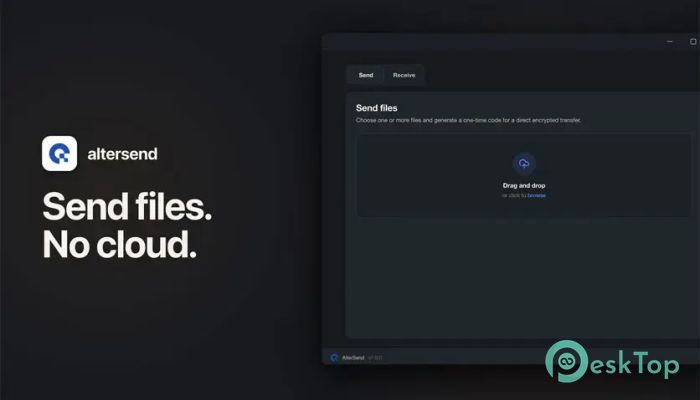
Sharing files should be simple, fast, and private. This software takes a fresh approach by allowing files to move directly between devices without uploading them to external servers. Whether you are transferring a small image or a massive video archive, the process remains smooth and straightforward. The platform connects devices through a quick QR code scan or a short sharing code. There are no accounts to create, no subscriptions to manage, and no complicated setup steps. Just connect your devices and start transferring data instantly.Features of AlterSend
Direct Device-to-Device Transfers
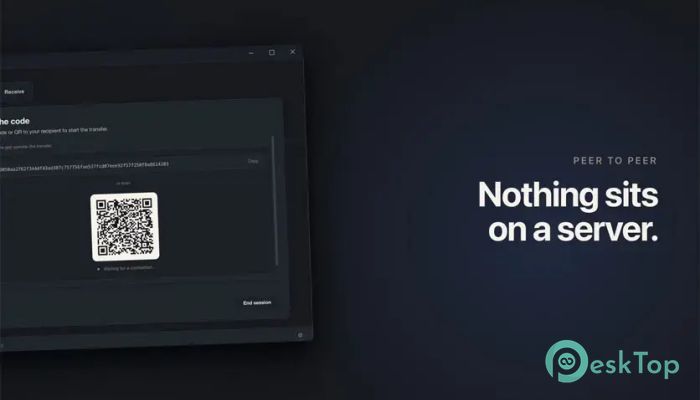
The tool works like a private bridge between your devices. Instead of sending files through a cloud server, it establishes a direct connection between the sender and receiver. This means your data travels along the shortest path possible.
By eliminating unnecessary middlemen, transfers become more efficient and secure. Files remain under your control throughout the entire process.
No Cloud Storage Required
Many file-sharing services require users to upload content to a server before it can be downloaded elsewhere. This software removes that extra step completely. Files never sit on a cloud platform waiting to be accessed.
This approach improves privacy while also reducing waiting times. What you send moves directly to the destination device without being stored online.
Strong End-to-End Encryption
Security is one of the most important aspects of modern file sharing. Every transfer is protected with end-to-end encryption, ensuring that only the intended devices can access the contents.
Think of it as placing your files inside a locked digital vault before sending them. Even if someone intercepts the connection, the data remains unreadable without the proper encryption keys.
No Accounts or Registration
One of the most convenient features is the complete absence of account requirements. Users do not need to register, verify email addresses, or create profiles before sending files.
This saves time and removes unnecessary barriers. You can launch the software and start sharing files within seconds.
Unlimited File Size Support
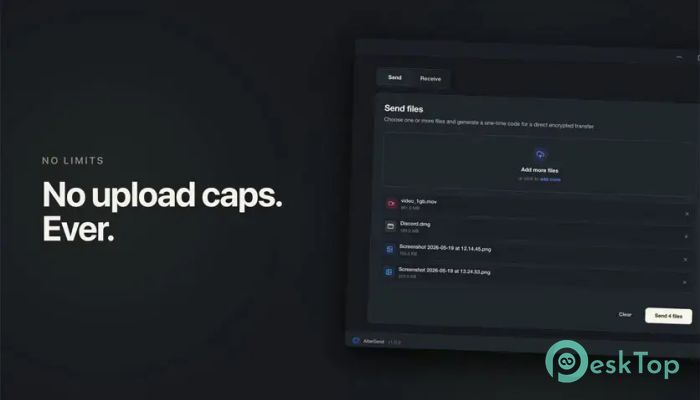
Large files often cause problems on traditional sharing platforms due to upload limits and storage restrictions. The software avoids these limitations by transferring data directly between devices.
Whether it is a 5 MB photo, a project folder, or a 500 GB video archive, the transfer experience remains consistent. There are no artificial size restrictions to worry about.
Simple QR Code Pairing
Connecting devices is incredibly easy. Users can pair systems by scanning a QR code, eliminating the need to manually enter lengthy network details.
This process feels almost instant. Within moments, devices recognize each other and become ready for secure file transfers.
Fast and Efficient Performance
Because data does not travel through remote servers, transfers can often complete more quickly than traditional cloud-based solutions. The direct connection helps maximize available network performance.
The result is a smooth experience that feels responsive and efficient, even when moving large amounts of data.
Privacy-Focused Design
Privacy is built into every aspect of the platform. Since files are not uploaded to servers and no accounts are required, there is very little personal information involved in the transfer process.
Once a transfer is complete, no cloud copies are left behind. This makes the software an attractive option for users who value confidentiality.
Perfect for Personal and Professional Use
The tool is suitable for a wide range of situations. Students can move assignments between devices, photographers can transfer high-resolution images, and professionals can share large project files without waiting for lengthy uploads.
Its simplicity makes it useful for everyday users, while its security features provide the reliability needed for business environments.
Easy User Experience
The interface focuses on simplicity. Users select a file, connect devices using a code or QR scan, and start the transfer. There are no confusing menus or technical settings to learn.
This streamlined workflow helps both beginners and experienced users move files quickly and confidently.
System Requirements and Technical Details
Operating System: Windows 11 / 10 / 8.1 / 7
Processor: Minimum 1 GHz Processor (2.4 GHz recommended)
RAM: 2GB (4GB or more recommended)
Free Hard Disk Space: 200MB or more is recommended

-
Program size197.46 MB
-
Version1.8.0
-
Program languagemultilanguage
-
Last updatedBefore 2 Month
-
Downloads46Ralated programs
![Operant Peak Spectroscopy]() Operant Peak Spectroscopy
Operant Peak Spectroscopy ![NeverWrite]() NeverWrite
NeverWrite![FluentCleaner]() FluentCleaner
FluentCleaner![Snippai]() Snippai
Snippai![ChillShot AI]() ChillShot AI
ChillShot AI![Splunk Enterprise]() Splunk Enterprise
Splunk Enterprise
 Operant Peak Spectroscopy
  NeverWrite
 FluentCleaner
 Snippai
 ChillShot AI
 Splunk Enterprise