
 Arabic
  English
  Turkish
  Chinese
  Japanese
  Russian
  Spanish
  German
  French
  Hindi
Hindi Download Application Blocker 2.5.0 for Windows
Download Application Blocker 2.5.0 for Windows.
Application Blocker Overview
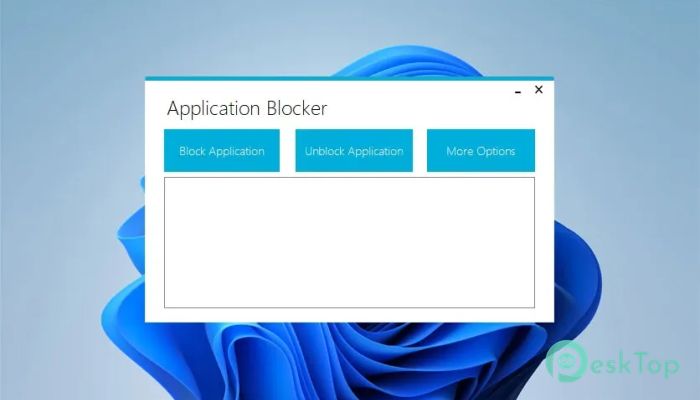
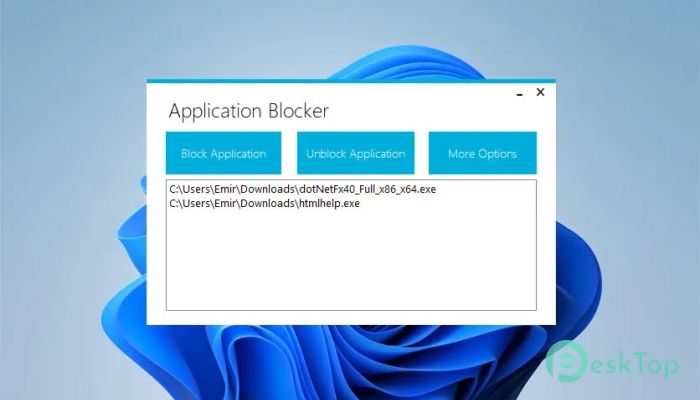
This powerful utility is designed to block applications and restrict users from running specific software. Whether you want to secure your system against unauthorized access, set parental controls, or prevent distractions at work or school, this tool gives you full control over what can run. It offers a simple, intuitive interface, making it perfect even for beginners who want to protect or manage software use efficiently. How It Works The tool allows users to add executable files (.exe) to a blocklist. Once a program is added, it can no longer be launched unless it’s unblocked in the software's control panel. The program doesn’t require constant background activity, ensuring your PC’s performance remains unaffected. It simply enforces restrictions whenever someone attempts to open a blocked application.Features of Application Blocker
Security and Control Features
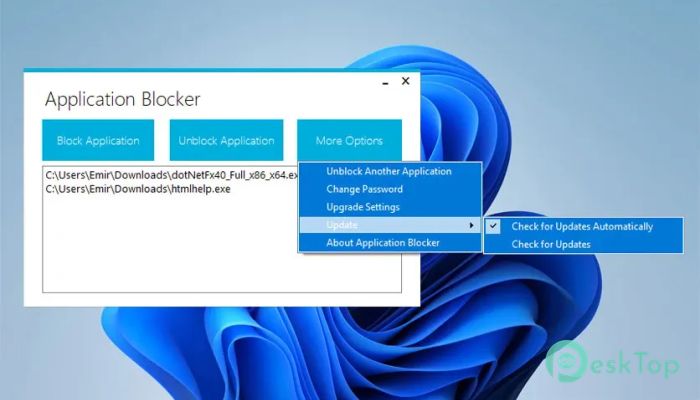
One of the best aspects of this software is its focus on security and ease of management. You can create a master password to lock the user interface and prevent unauthorized changes. This is particularly useful for administrators or parents who want to ensure settings cannot be tampered with. The locking mechanism is reliable and nearly impossible for normal users to bypass, maintaining full system protection.
Automatic Updates and Maintenance
The program can automatically check for new versions. If an update is available, it notifies the user and can even download and install it automatically. This ensures the software stays up to date with the latest features and security patches automatically. The self-maintaining nature makes it convenient for both home and professional users.
Ease of Use
The interface is minimalistic and user-friendly. Users can add or remove applications with just a few clicks. It’s designed to be light on resources, which means it won’t slow down your computer. Since it doesn’t run continuously in the background, you can enjoy smooth performance while keeping the system secure and controlled.
Parental and Administrative Use
This software is particularly beneficial for parents who want to regulate what their children can access on the computer. It can prevent the launch of games, social media applications, or any software that might distract them from studies. Similarly, in office or educational settings, administrators can use it to maintain discipline by blocking access to entertainment or non-productive programs.
Customization and Flexibility
The tool offers flexibility in managing restrictions. You can easily modify the blocklist, allowing specific programs temporarily and re-blocking them later. You can even export or import settings, making it easy to apply the same configuration to multiple systems. This is particularly valuable for IT departments managing several computers within a network.
Game and Productivity Management
Many users also find this tool helpful in maintaining productivity. For example, you can block games, messaging apps, or browsers during work hours to stay focused. Once work is done, you can easily unlock them with the password. It’s a practical way to avoid distractions and maintain discipline, whether you’re working from home or in an office environment.
Lightweight Performance
The software’s performance efficiency is one of its key advantages. It does not consume unnecessary CPU or memory power. Once the restriction is set, the system functions normally. This makes it suitable for older computers or low-spec devices where background services can impact performance.
System Requirements and Technical Details
Operating System: Windows 11 / 10 / 8.1 / 7
Processor: Minimum 1 GHz Processor (2.4 GHz recommended)
RAM: 2GB (4GB or more recommended)
Free Hard Disk Space: 200MB or more is recommended

-
Program size650.38 KB
-
Version2.5.0
-
Program languagemultilanguage
-
Last updatedBefore 3 Month
-
Downloads34Ralated programs
![Operant Peak Spectroscopy]() Operant Peak Spectroscopy
Operant Peak Spectroscopy ![NeverWrite]() NeverWrite
NeverWrite![FluentCleaner]() FluentCleaner
FluentCleaner![Snippai]() Snippai
Snippai![ChillShot AI]() ChillShot AI
ChillShot AI![Splunk Enterprise]() Splunk Enterprise
Splunk Enterprise
 Operant Peak Spectroscopy
  NeverWrite
 FluentCleaner
 Snippai
 ChillShot AI
 Splunk Enterprise