
 Arabic
  English
  Turkish
  Chinese
  Japanese
  Russian
  Spanish
  German
  French
  Hindi
Hindi Download Atola Technology MultiDrive 1.4 for Windows
Download Atola Technology MultiDrive 1.4 for Windows.
Atola Technology MultiDrive Overview
It is a powerful Windows utility designed for users who need reliable disk management in one place. Whether you want to create backups, clone storage devices, restore lost data, or permanently erase drives, it offers fast, efficient tools for every task. It combines speed, reliability, and flexibility, making it suitable for both home users and IT professionals. The software supports multiple backup formats, secure data-wiping methods, and advanced automation via its command-line interface. It also performs several tasks simultaneously, helping users save valuable time while managing multiple storage devices.Features of Atola Technology MultiDrive
Complete Backup Solution
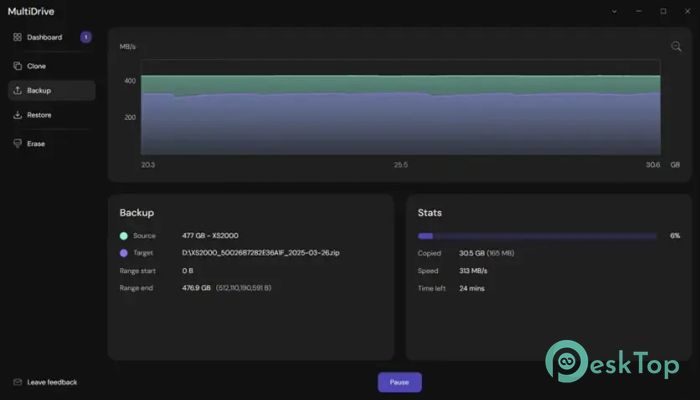
The software makes creating backups simple and reliable. You can back up an entire drive or only selected partitions, depending on your needs. It supports ZIP, RAW, and ZSTD backup formats, giving you the freedom to choose between compressed or uncompressed storage.
To make backups even more dependable, it verifies data integrity using hash verification. This means you can restore your files later with confidence, knowing the backup has remained unchanged.
Fast and Accurate Drive Cloning
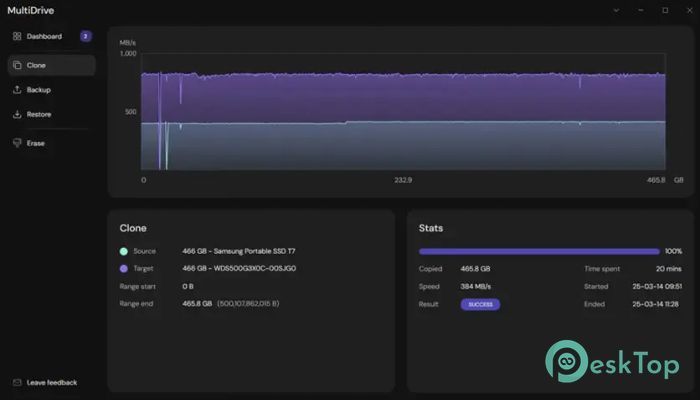
Cloning a drive is as easy as making a photocopy of an important document. The tool creates an exact duplicate of your storage device, including its partitions and file system. This makes it perfect when replacing an old drive with a new SSD or HDD.
Since every bit of data is copied, the cloned drive is immediately ready to use. It is also an excellent option for creating bootable backups or for quickly preparing multiple systems.
Reliable Drive Restoration
Restoring data is straightforward with the built-in recovery tools. It allows you to recover an entire drive or restore only specific sections from previously created backup files. ZIP, RAW, and ZSTD formats are fully supported, including split backup files.
This flexibility gives users more control over the recovery process. Instead of restoring everything, you can restore only the parts you actually need.
Secure Data Erasing
Deleting files normally does not completely remove them. The software solves this problem by permanently wiping drives with secure erase methods. Once the process is finished, recovering the erased information becomes extremely difficult.
You can erase an entire drive or selected areas. It even allows custom hexadecimal patterns for users who require specialized wiping procedures.
Handles Failing Drives with Ease
Working with damaged storage devices can be frustrating, but the tool is built to handle such situations. If bad sectors are detected, it automatically skips them and continues the operation instead of stopping completely.
This feature improves the chances of recovering as much usable data as possible from failing drives. It is especially valuable when dealing with aging hard drives that contain important information.
Run Multiple Tasks at the Same Time
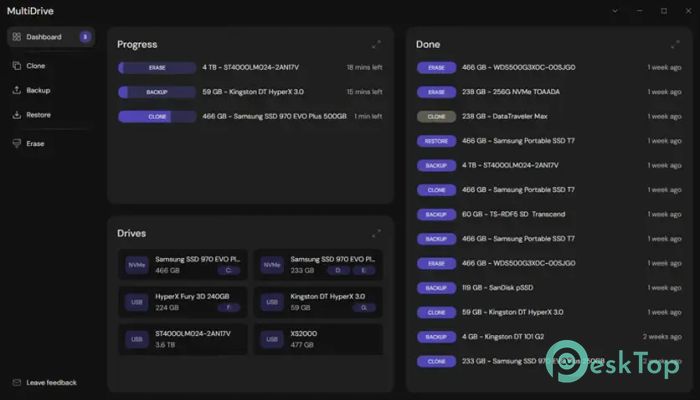
One of its biggest strengths is the ability to perform several disk operations simultaneously. Instead of waiting for one task to finish before starting another, users can launch multiple jobs in parallel.
Everything is displayed on a central dashboard, where progress can be easily monitored. Tasks can also be paused and resumed whenever necessary, giving users complete control over ongoing operations.
Detailed Reports and Easy Monitoring
After every operation, the software generates detailed reports that help users review completed tasks. Reports can be sorted by date, name, or file size, making it easy to locate previous jobs.
This organized reporting system is particularly useful for technicians and businesses that regularly manage multiple storage devices and need a clear history of completed work.
Powerful Command-Line Automation
For advanced users, the software includes a comprehensive command-line interface. It allows repetitive tasks to be automated without having to manually open the graphical interface each time.
System administrators can integrate disk operations into scripts, scheduled tasks, or maintenance routines. This saves time while ensuring consistent results across multiple systems.
Simple Interface with Professional Performance
Although packed with advanced features, the interface remains clean and easy to understand. Large buttons, organized menus, and clear progress indicators help users perform complex disk operations without confusion.
Whether you are creating backups for personal files or managing storage devices in a professional environment, the software keeps everything straightforward while delivering high-speed performance.
System Requirements and Technical Details
Operating System: Windows 11 / 10 / 8.1 / 7
Processor: Minimum 1 GHz Processor (2.4 GHz recommended)
RAM: 2GB (4GB or more recommended)
Free Hard Disk Space: 200MB or more is recommended

-
Program size110.05 MB
-
Version1.4
-
Program languagemultilanguage
-
Last updatedBefore 2 Month
-
Downloads14
 Windows Backup & Restore Tool
 gSyncing
 ASBYTE Syncing.NET
 Reuschtools CopyWin
  Lazesoft Disk Image and Clone
  Hekasoft Backup.Restore