
 Arabic
  English
  Turkish
  Chinese
  Japanese
  Russian
  Spanish
  German
  French
  Hindi
Hindi Download AuthPass 1.0 for Windows
Download AuthPass 1.0 for Windows.
AuthPass Overview
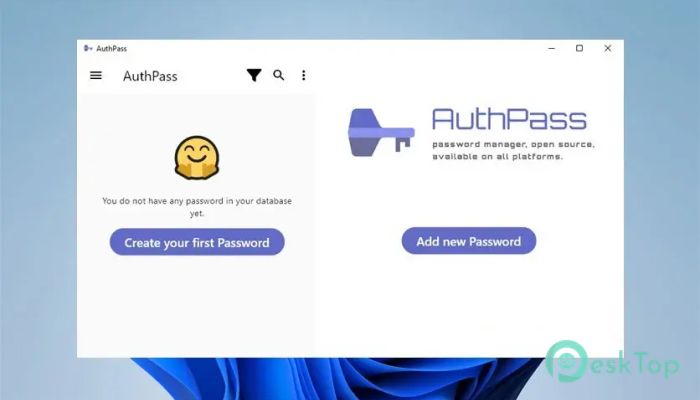
It is a standalone password manager built to keep your digital life organized and protected. It supports the popular, trusted KeePass kdbx 3.x and 4.x file formats, so you can safely store all your login details in a secure, widely accepted format. Instead of juggling dozens of passwords in your head or writing them down on paper, you place them inside one protected vault. The tool works smoothly across Windows and other platforms like iPhone, iPad, and Android devices. That means you can create a password file on your PC and access it on your phone whenever you need it. Everything stays synced, so you have full control. You decide where your file is stored, whether it is on a cloud drive, USB, or local storage.Features of AuthPass
All Your Passwords in One Safe Place
Think of the software as a digital locker. Instead of having keys scattered everywhere, you keep them in one strong box. Every website login, email account, social media profile, and banking credential can be stored inside a single encrypted file.
This approach makes life simpler. You no longer need to remember dozens of complex combinations. Just remember one master password, and the tool takes care of the rest. It keeps everything neat and easy to find with search and category options.
Support for KeePass kdbx Files
One of the tool's biggest strengths is its support for KeePass kdbx 3.x and 4.x formats. These formats are trusted by millions of users worldwide. If you already use KeePass, you can open your existing database without converting anything.
This compatibility gives you flexibility. You are not locked into one ecosystem. You can move your password file between different compatible apps if needed. It is like using a universal charger instead of one that works for only one device.
Strong Password Generator
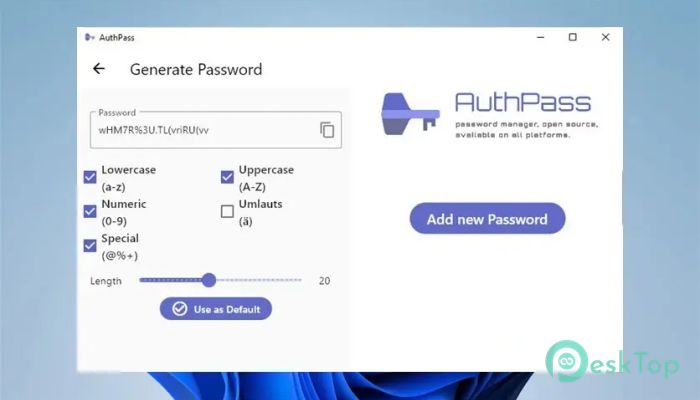
Weak passwords are like thin doors. Anyone can break through them. That is why the built-in password generator is so important. It generates strong, random passwords containing letters, numbers, and symbols.
You can adjust the length and complexity based on your needs. For banking and sensitive accounts, you can create longer and more complex strings. For simple sites, you can still use secure but manageable combinations. This way, each account gets its own unique shield.
Access Across All Devices
The software is available for Windows, iPhone, iPad, and Android phones and tablets. This means your password vault travels with you. Whether you are at your office desk or sitting in a café with your phone, you can access your login details instantly.
You can store your password file in a cloud service and open it on different devices. The experience feels consistent. The layout is clean, and navigation is smooth. Switching between devices feels natural, not confusing.
Open Multiple Password Files
Life is not always simple. Many people manage separate accounts for work and personal use. The tool lets you open multiple password files at once. You can keep one database for work and another for personal accounts.
This separation is helpful if you share a file with coworkers. For example, a team can maintain a shared database for project-related logins while you keep your private vault separate. It is like having different drawers in the same cabinet.
Track and Organize Accounts Easily
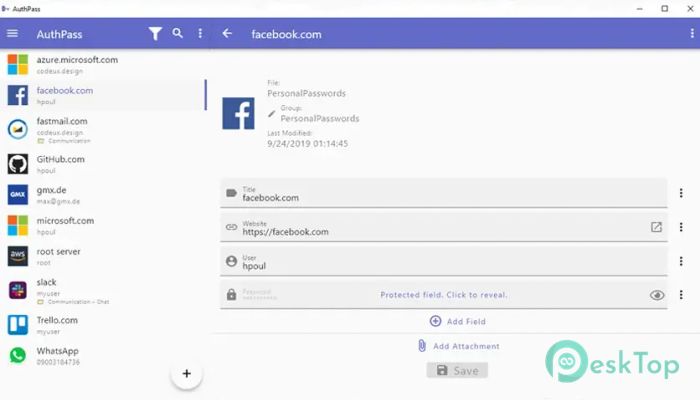
Managing accounts across the web can feel overwhelming. There are shopping sites, subscription platforms, streaming services, and more. The software helps you organize them with folders, titles, and notes.
You can add extra details such as website URLs, usernames, and custom fields. This makes logging in faster because everything you need is right in front of you. Instead of searching through emails for reset links, you simply open your vault and copy the correct password.
Dark Theme for Comfortable Use
Spending long hours in front of a screen can strain your eyes. That is why the dark theme is a welcome feature. It provides a softer visual experience, especially in low-light environments.
The darker interface also gives the tool a modern and professional look. It feels calm and focused, helping you concentrate on what matters instead of being distracted by bright colors.
Free and Open Source Advantage
Being free and open source means transparency. Anyone can review the code, which increases trust. There are no hidden tricks. The community can contribute, fix bugs, and improve features over time.
This openness also means you are not tied to expensive subscription plans. You get strong security features without monthly payments. It is like owning your house instead of renting it.
System Requirements and Technical Details
Operating System: Windows 11 / 10 / 8.1 / 7
Processor: Minimum 1 GHz Processor (2.4 GHz recommended)
RAM: 2GB (4GB or more recommended)
Free Hard Disk Space: 200MB or more is recommended

-
Program size13.01 MB
-
Version1.0
-
Program languagemultilanguage
-
Last updatedBefore 7 Month
-
Downloads75
 Trellix Endpoint Security
 Abelssoft KeyDepot 2026
 Bitdefender Antivirus Free
 PDFZilla SecureDrive
 Passbolt
 RoboForm Password Manager