
 Arabic
  English
  Turkish
  Chinese
  Japanese
  Russian
  Spanish
  German
  French
  Hindi
Hindi Download Blitzit 1.0 for Windows
Download Blitzit 1.0 for Windows.
Blitzit Overview
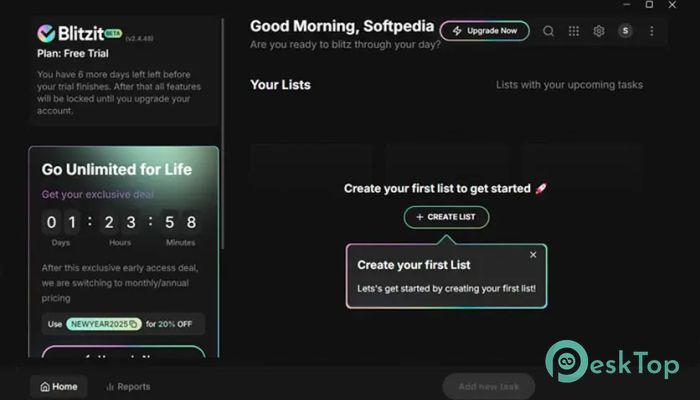
It is built for people who want clarity, not chaos, in their daily work routine. It blends task management with time awareness, so you always know what to do and how long to focus. Instead of juggling multiple apps, it brings planning and execution into one clean workspace. The goal is simple: help you enter a flow state and keep distractions out of your way.Features of Blitzit
Designed for Focused Work
It works like a personal productivity assistant, quietly staying in the background. The ever-visible timer serves as a gentle reminder to stay focused without being intrusive. Think of it as a traffic signal for your brain: green means focus, red means pause, and yellow means get ready.
Smart Task Organization
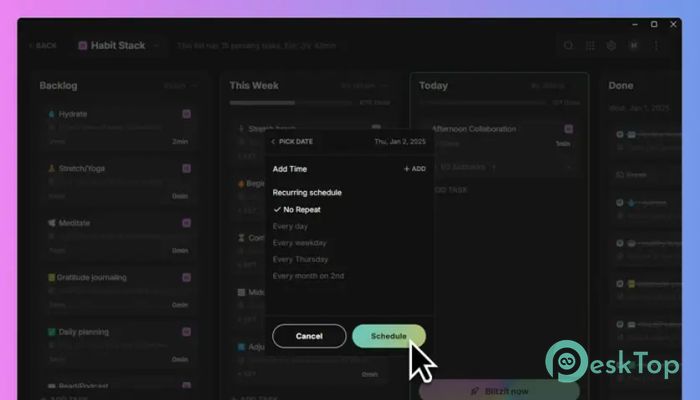
The software turns messy brain dumps into structured tasks. You can quickly jot down ideas, then break them into subtasks, notes, and schedules. Everything feels natural, like writing on sticky notes, but with the order of a well-organized notebook. This makes planning less stressful and more intuitive.
Context-Aware Task Management
One of its strongest features is its ability to understand context. It reads your task titles, notes, and past activity to surface what matters most at the right time. Instead of scrolling endlessly, you see relevant tasks when they are actually useful. It feels like the tool is learning how you work and adapting to your rhythm.
Focus Timer and Pomodoro Support
The built-in focus timer helps you work in short, effective bursts. Pomodoro-style sessions make large tasks feel smaller and more manageable. You work at a set intensity for a set time, then take a short break. It is like sprinting instead of running a marathon without rest.
Always-Visible Timer Advantage
Unlike hidden timers that you forget about, this one stays visible on your screen. That constant presence keeps you honest with your time. You can see minutes ticking away, which naturally pushes you to avoid distractions and finish what you started.
Notes and Subtasks for Clarity
Tasks are rarely simple, and the software understands that. You can add notes, checklists, and subtasks to keep everything clear. This is especially useful for complex projects where missing one small step can slow everything down. It feels like breaking a big box into smaller, easy-to-carry packages.
Anti-Distraction Alerts
Distractions are everywhere, and it helps you fight them. Anti-distraction alerts gently pull you back when your focus drifts. These alerts are not harsh or noisy; they are more like a gentle reminder: “Hey, you planned to focus right now.”
Flow State Friendly Interface
The interface is clean and minimal, designed to keep your mind calm. There are no flashy animations or cluttered menus. Everything is where you expect it to be. This simplicity helps you stay in a flow state, where work feels smooth and time passes quickly.
Time Estimation Made Simple
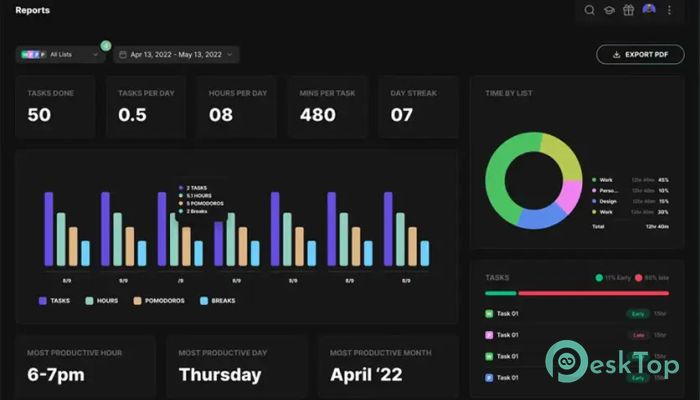
Estimating time is often difficult, but the tool makes it easier. You can assign expected durations to tasks and compare them with the actual time spent. Over time, this helps you plan more realistically and avoid overloading your day.
Integrations That Fit Your Workflow
It integrates seamlessly with popular tools such as Notion and Google Calendar. Tasks and schedules can sync with your existing setup, so nothing feels disconnected. This makes it easier to adopt without changing how you already work.
Windows Desktop Experience
The Windows desktop app is fast, stable, and easy to use. It runs smoothly without slowing down your system. Since it lives on your desktop, you do not need to rely on a browser tab that can get lost among dozens of others.
Built for Daily Productivity
This tool is not about fancy productivity theories. It focuses on daily execution. You open it, plan your tasks, start the timer, and work. That simplicity is its real strength. It helps you build a habit instead of overwhelming you with options.
System Requirements and Technical Details
Operating System: Windows 11 / 10
Processor: Minimum 1 GHz Processor (2.4 GHz recommended)
RAM: 2GB (4GB or more recommended)
Free Hard Disk Space: 200MB or more is recommended

-
Program size80.07 MB
-
Version1.0
-
Program languagemultilanguage
-
Last updatedBefore 8 Month
-
Downloads35Ralated programs
![Operant Peak Spectroscopy]() Operant Peak Spectroscopy
Operant Peak Spectroscopy ![NeverWrite]() NeverWrite
NeverWrite![FluentCleaner]() FluentCleaner
FluentCleaner![Snippai]() Snippai
Snippai![ChillShot AI]() ChillShot AI
ChillShot AI![Splunk Enterprise]() Splunk Enterprise
Splunk Enterprise
 Operant Peak Spectroscopy
  NeverWrite
 FluentCleaner
 Snippai
 ChillShot AI
 Splunk Enterprise