
 Arabic
  English
  Turkish
  Chinese
  Japanese
  Russian
  Spanish
  German
  French
  Hindi
Hindi Download Bravely Scry 1.0 for Windows
Download Bravely Scry 1.0 for Windows.
Bravely Scry Overview
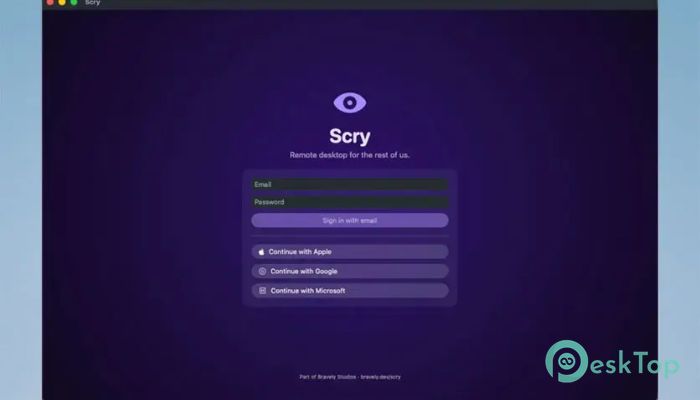
It is designed for people who want a private and secure way to connect to their own PCs remotely. Whether you are working from another location, traveling, or simply accessing files from a different device, it provides a smooth connection without sending your screen data through third-party servers. Unlike many traditional remote desktop services, the software focuses on direct device-to-device communication. This means your screen activity, keyboard input, mouse movements, and clipboard data stay protected throughout the entire session. It creates a private bridge between your devices while keeping your information secure.Features of Bravely Scry
Direct Personal Remote Access
The software makes remote access feel simple and natural. You can connect to your own computers as if you were sitting right in front of them. This is especially useful for managing files, running applications, or performing maintenance tasks from another location.
Instead of relying heavily on cloud-based routing, the tool establishes a direct connection whenever possible. Think of it as a private tunnel between your devices that helps maintain speed and security.
Strong End-to-End Encryption
Security is one of the biggest strengths of this platform. Every remote session is protected with end-to-end encryption. Data is encrypted before it leaves one device and can only be decrypted by the connected device.
This approach ensures that sensitive information remains private. Whether you are viewing documents, controlling applications, or transferring clipboard content, your activities stay protected from unauthorized access.
Device-to-Device Communication
Many remote desktop solutions send traffic through external servers. The tool takes a different approach by allowing devices to communicate directly. This reduces unnecessary exposure and gives users more control over their data.
Because the connection happens between your devices, the experience feels more personal and secure. It is like having a dedicated communication line that belongs only to you.
Secure Screen Sharing
Remote desktop software depends heavily on screen transmission. The platform ensures that screen content remains encrypted during the entire session. This means visual information never travels in plain text.
Whether you are editing spreadsheets, viewing presentations, or accessing personal files, the displayed content remains protected from interception.
Protected Keyboard and Mouse Input
Remote control requires exchanging keystrokes and mouse actions. The software encrypts these interactions before transmission, helping prevent unauthorized monitoring.
This level of protection is especially important when entering passwords, working with confidential documents, or managing sensitive business information remotely.
Clipboard Security
Clipboard sharing can make remote work far more convenient. You can copy and paste text between connected devices without repeatedly switching applications.
At the same time, clipboard data remains encrypted throughout the session. This allows users to enjoy productivity benefits without sacrificing privacy and security.
Powered by Modern WebRTC Technology
The software uses WebRTC technology along with DTLS-SRTP encryption standards. These technologies are widely trusted and are commonly used for secure real-time communications.
Rather than inventing custom encryption systems, the platform relies on proven security methods. This helps provide confidence that communications remain protected in line with established industry practices.
Private Encryption Key Exchange
One of the most impressive aspects of the platform is its key negotiation process. Encryption keys are exchanged directly between connected devices during the secure handshake procedure.
The keys never exist on external servers, which significantly reduces security risks. This design keeps sensitive cryptographic information under the control of the connected devices.
Cross-Platform Future Support
While Windows users can already benefit from remote access capabilities, support for additional devices continues to expand. Compatibility plans include smartphones and tablets, making remote access even more flexible.
This allows users to manage their computers from a variety of devices, creating a seamless experience across different platforms.
Simple Yet Powerful Experience
The tool balances ease of use with advanced security. Beginners can quickly establish connections, while experienced users appreciate the privacy-focused architecture operating behind the scenes.
Everything works together to provide reliable remote access without unnecessary complexity. The result is a streamlined experience that focuses on security, performance, and convenience.
System Requirements and Technical Details
Operating System: Windows 11 / 10 / 8.1 / 7
Processor: Minimum 1 GHz Processor (2.4 GHz recommended)
RAM: 2GB (4GB or more recommended)
Free Hard Disk Space: 500MB or more is recommended

-
Program size270.39 MB
-
Version1.0
-
Program languagemultilanguage
-
Last updatedBefore 3 Month
-
Downloads11Ralated programs
![Operant Peak Spectroscopy]() Operant Peak Spectroscopy
Operant Peak Spectroscopy ![NeverWrite]() NeverWrite
NeverWrite![FluentCleaner]() FluentCleaner
FluentCleaner![Snippai]() Snippai
Snippai![ChillShot AI]() ChillShot AI
ChillShot AI![Splunk Enterprise]() Splunk Enterprise
Splunk Enterprise
 Operant Peak Spectroscopy
  NeverWrite
 FluentCleaner
 Snippai
 ChillShot AI
 Splunk Enterprise