
 Arabic
  English
  Turkish
  Chinese
  Japanese
  Russian
  Spanish
  German
  French
  Hindi
Hindi Download Bravely Stickily 1.0 for Windows
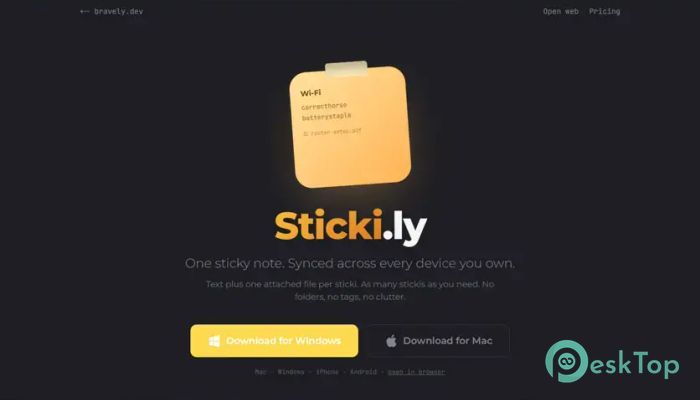
Download Bravely Stickily 1.0 for Windows.
Bravely Stickily Overview
Keeping track of ideas should be easy, not complicated. This tool is designed around a simple concept: create sticky notes that follow you across all your devices. Whether you're using a Windows PC, smartphone, tablet, or browser, your notes stay available wherever you need them. Unlike many note-taking platforms packed with folders, tags, and endless menus, the software focuses on simplicity. Every feature has a purpose. It gives you a clean workspace where important information remains easy to access without unnecessary distractions.Features of Bravely Stickily
Simple Sticky Notes Without Clutter
The software takes a minimalist approach to note management. Instead of overwhelming users with complex organization systems, it keeps everything straightforward. You create a note, add your information, and access it whenever needed.
Think of it like having a digital sticky note attached to your desk that magically appears on every device you own. There are no complicated setups or confusing options standing in your way.
Text and File in One Place
Every note contains a title, a note body, and a single attached file. This simple structure makes it easy to keep related information together. Whether it's a PDF document, image, spreadsheet, presentation, or text file, everything stays connected to the note.
Instead of searching through folders for an important attachment, you can store it directly with the information it belongs to. This helps reduce confusion and saves valuable time during busy workdays.
Sync Across All Devices
One of its strongest features is its ability to keep information synchronized across all locations. Notes created on one device automatically become available on your other registered devices.
The software works through the Windows system tray, Mac menu bar, mobile home screens, and web browsers. No matter where you access it, your information remains consistent and up to date.
Easy Sign-In Experience
Getting started is quick and convenient. Users can sign in through a Bravely Account using multiple authentication methods. Options include Google accounts, Apple accounts, traditional email and password login, or secure magic links.
This flexibility allows users to choose the method that feels most comfortable while maintaining a smooth sign-in experience across all supported platforms.
Support for Multiple Devices
Modern users often switch between several devices throughout the day. The tool understands this need by allowing up to ten registered devices per account.
Users can manage all connected devices directly from the settings area. If an old phone, tablet, or computer is no longer being used, it can be removed quickly to keep the account organized and secure.
Privacy Comes First
Privacy remains a major concern when storing personal information online. The software addresses this by making privacy a core feature rather than an afterthought.
All stored information is encrypted at rest, helping protect notes and attached files from unauthorized access. The service does not use user content for advertising purposes or AI training, allowing users to maintain greater control over their information.
Works Even Without Internet Access
Internet connections are not always reliable. Whether you're traveling by plane, riding the subway, or working in an area with poor connectivity, productivity should not stop.
The software continues working offline, allowing users to create and edit notes without interruption. Once a connection becomes available again, changes automatically synchronize across devices.
Clean and Focused User Experience
Many productivity applications become overloaded with features over time. This tool avoids that problem by concentrating on what users actually need. Every function is included because it improves note-taking and accessibility.
The result is a focused experience that feels fast, responsive, and easy to understand. New users can start working immediately without spending time learning complicated workflows.
Perfect for Personal and Professional Use
The software adapts well to many situations. Students can keep their study materials and documents together. Professionals can store meeting notes and related files. Freelancers can organize project details, while everyday users can save reminders, lists, and important documents.
Because everything remains automatically synchronized, switching between work and personal devices is seamless and stress-free.
Reliable Note Management
Managing important information does not need to feel like organizing a giant filing cabinet. The software provides a lightweight and reliable way to capture ideas, save files, and access them anywhere.
Its balance of simplicity, synchronization, privacy, and offline functionality makes it a practical solution for people who value efficiency without complexity.
System Requirements and Technical Details
Operating System: Windows 11 / 10 / 8.1 / 7
Processor: Minimum 1 GHz Processor (2.4 GHz recommended)
RAM: 2GB (4GB or more recommended)
Free Hard Disk Space: 200MB or more is recommended

-
Program size72.27 MB
-
Version1.0
-
Program languagemultilanguage
-
Last updatedBefore 4 Month
-
Downloads9Ralated programs
![Operant Peak Spectroscopy]() Operant Peak Spectroscopy
Operant Peak Spectroscopy ![NeverWrite]() NeverWrite
NeverWrite![FluentCleaner]() FluentCleaner
FluentCleaner![Snippai]() Snippai
Snippai![ChillShot AI]() ChillShot AI
ChillShot AI![Splunk Enterprise]() Splunk Enterprise
Splunk Enterprise
 Operant Peak Spectroscopy
  NeverWrite
 FluentCleaner
 Snippai
 ChillShot AI
 Splunk Enterprise