
 Arabic
  English
  Turkish
  Chinese
  Japanese
  Russian
  Spanish
  German
  French
  Hindi
Hindi Download Bravely Todoingly 1.0 for Windows
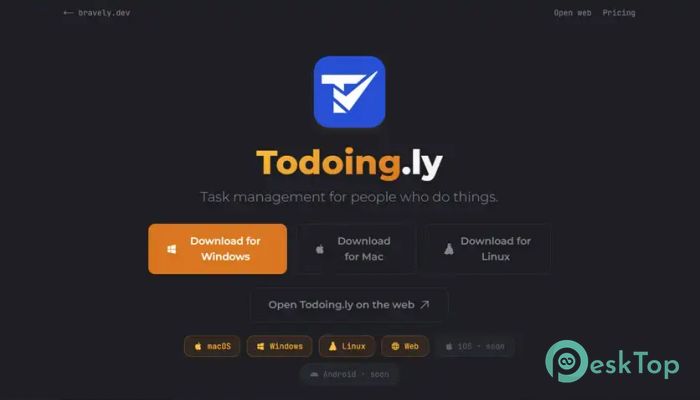
Download Bravely Todoingly 1.0 for Windows.
Bravely Todoingly Overview
Managing daily tasks can sometimes feel like juggling several balls at once. Missing one can throw everything off balance. This software helps keep your personal and professional responsibilities organized in one place. Whether you're planning your day, tracking long-term goals, or coordinating with a team, it provides a smooth and distraction-free experience. The platform focuses on simplicity while still offering powerful features. Instead of overwhelming users with complicated menus and settings, it keeps everything clear and easy to access. This allows you to spend less time organizing tasks and more time completing them.Features of Bravely Todoingly
Simple Task Management
The software makes task management feel effortless. Users can quickly create tasks, organize them into lists, and mark them as completed when finished. The clean interface ensures that important information is always visible without unnecessary clutter.
Whether you're tracking household chores, work assignments, study plans, or personal projects, the tool provides a convenient way to keep everything under control. It acts like a digital notebook that never loses your important reminders.
Shared Projects for Better Collaboration
Working alone is one thing, but managing tasks with others can be challenging. The tool solves this problem through shared project functionality. Users can collaborate with friends, family members, coworkers, or teammates using shared task lists.
Everyone involved can stay updated on project progress. Tasks can be assigned, monitored, and completed together, making teamwork much more efficient. It creates a central place where everyone stays on the same page.
Cross-Platform Accessibility
One of the biggest advantages of the software is its cross-platform support. It works seamlessly on both Windows and web platforms, allowing users to access their tasks from different devices.
You might start planning your day on a desktop computer and later check your progress from a web browser. The transition feels natural because your information stays synchronized wherever you go. This flexibility makes productivity easier in today's connected world.
Automatic Synchronization
Keeping information up to date across multiple devices can be frustrating. Fortunately, the tool handles synchronization automatically. Every task, project, and update remains consistent across connected devices.
This means users do not have to worry about manually transferring information. Changes made on one device appear on another, ensuring that the latest version of every task list is always available.
Privacy-Focused Experience
Many productivity applications rely on advertisements or collect user data for marketing purposes. This software takes a different approach. It focuses on providing a clean and private experience without intrusive advertisements.
Your task information remains yours. There are no distractions competing for your attention, allowing you to concentrate entirely on productivity. This commitment to privacy creates a more comfortable and trustworthy environment.
Organized Project Planning
Large projects often involve many small steps. Without proper organization, important tasks can easily be forgotten. The software helps break complex projects into manageable pieces.
Users can create structured lists, prioritize important items, and monitor overall progress. This approach transforms overwhelming projects into achievable goals, making work feel less stressful and more rewarding.
Clean and User-Friendly Interface
A productivity application should help users focus rather than create confusion. The interface is designed with clarity in mind. Navigation is straightforward, and important tools are easy to find.
New users can quickly understand how everything works without spending hours learning complicated features. The result is a smoother workflow and a better overall experience.
Ideal for Personal and Professional Use
The software adapts easily to different situations. Students can use it to organize assignments and exam schedules. Professionals can manage projects, deadlines, and team responsibilities. Families can coordinate household activities and shopping lists.
This versatility makes it useful for almost anyone looking to improve organization and productivity. No matter the goal, it provides the structure needed to stay on track.
Reliable Productivity Companion
Think of the tool as a dependable assistant that never forgets a task. It helps users capture ideas, plan activities, and follow through on commitments. Instead of relying on memory alone, everything is stored safely in organized lists.
By reducing mental clutter, users can focus more energy on completing meaningful work. This simple change often leads to better efficiency and less stress throughout the day.
System Requirements and Technical Details
Operating System: Windows 11 / 10 / 8.1 / 7
Processor: Minimum 1 GHz Processor (2.4 GHz recommended)
RAM: 2GB (4GB or more recommended)
Free Hard Disk Space: 200MB or more is recommended

-
Program size45.47 MB
-
Version1.0
-
Program languagemultilanguage
-
Last updatedBefore 3 Month
-
Downloads8Ralated programs
![Operant Peak Spectroscopy]() Operant Peak Spectroscopy
Operant Peak Spectroscopy ![NeverWrite]() NeverWrite
NeverWrite![FluentCleaner]() FluentCleaner
FluentCleaner![Snippai]() Snippai
Snippai![ChillShot AI]() ChillShot AI
ChillShot AI![Splunk Enterprise]() Splunk Enterprise
Splunk Enterprise
 Operant Peak Spectroscopy
  NeverWrite
 FluentCleaner
 Snippai
 ChillShot AI
 Splunk Enterprise