
 Arabic
  English
  Turkish
  Chinese
  Japanese
  Russian
  Spanish
  German
  French
  Hindi
Hindi Download BreviSoft OST to PST Converter Tool 1.0 for Windows
Download BreviSoft OST to PST Converter Tool 1.0 for Windows.
BreviSoft OST to PST Converter Tool Overview
Managing Outlook data files can sometimes feel like organizing a huge library filled with important information. This software simplifies the process by helping users convert Outlook OST and PST files to various formats without compromising data quality. Whether you need to move emails to another platform or create backups for future use, it provides an easy and secure way to handle the task. The tool is designed for both technical and non-technical users. Its clean interface and step-by-step workflow allow anyone to perform file conversions without needing advanced knowledge. From individual users to businesses managing large mailboxes, it offers a practical solution for email migration and backup needs.Features of BreviSoft OST to PST Converter Tool
Convert Outlook Data into Multiple Formats
One of the strongest features is its ability to convert Outlook data into many popular file formats. Users can export emails and mailbox information into PST, MSG, EML, MBOX, PDF, CSV, TXT, DOC, DOCX, and several other formats.
This flexibility allows users to access their data in different applications and environments. Whether creating a backup, moving to another email platform, or sharing information with colleagues, the conversion process remains smooth and efficient.
Supports Cloud and Web-Based Email Platforms
The software is not limited to local file conversion. It also supports importing mailbox data into various cloud-based and web email services. Users can transfer data directly to Office 365, Gmail, Outlook.com, Exchange Server, Zoho Mail, Yahoo Mail, IMAP accounts, and other email platforms.
This feature helps organizations and individuals migrate their mailbox data without manually moving files. The process saves time and minimizes the risk of missing important emails.
Bulk Conversion without Size Restrictions
Large mailbox files often create challenges during migration. Fortunately, the tool allows users to process one or more files simultaneously without worrying about file size limitations.
This capability is especially useful for businesses handling years of email communication. Instead of converting files one by one, users can process multiple mailboxes in a single operation, completing projects much faster.
Preview Data Before Conversion
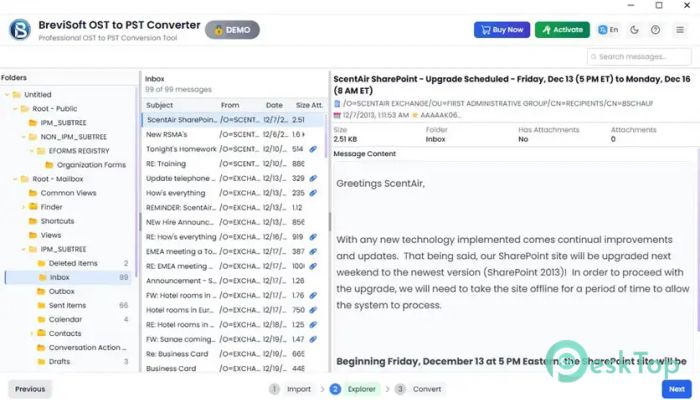
Before starting the export process, users can preview mailbox content in detail. Emails, attachments, contacts, calendars, tasks, and other mailbox items can be viewed directly within the interface.
This preview feature acts like a window into the mailbox, allowing users to verify information before converting it. It helps reduce mistakes and ensures that the correct data is selected for export.
Maintains Original Data Quality
Data integrity is critical when working with business or personal emails. The software preserves folder structure, formatting, attachments, metadata, and other important information during the conversion process.
As a result, exported files remain accurate and organized. Users can access converted data without worrying about missing information or damaged mailbox content.
Advanced Date Filter Options
Sometimes users only need specific emails rather than an entire mailbox. To make this easier, the tool includes date-based filtering options that allow selective conversion.
By choosing a specific date range, users can export only the required mailbox items. This reduces processing time and creates smaller, more manageable output files.
Duplicate Removal Feature
Duplicate emails can clutter mailboxes and increase storage requirements. The software includes a smart duplicate-removal option that identifies and skips repeated items during conversion.
This feature helps keep exported data clean and organized. It also saves valuable storage space and improves mailbox management efficiency.
Automatic Outlook File Detection
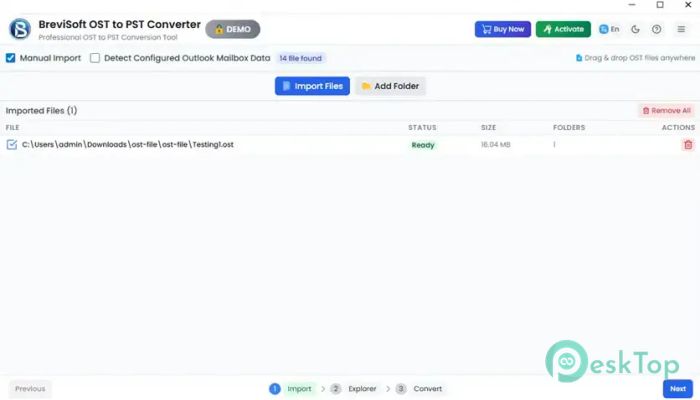
Finding Outlook data files manually can sometimes be difficult. The tool simplifies the process by automatically detecting Outlook data files available on the system.
Once detected, users can quickly load the files and begin the conversion process. This saves time and eliminates the need to search through multiple folders.
Export Attachments Separately
Email attachments often contain valuable documents, images, and reports. The software provides an option to save attachments separately into a dedicated folder.
This makes document management much easier and allows users to access important files without opening individual emails.
User-Friendly Interface
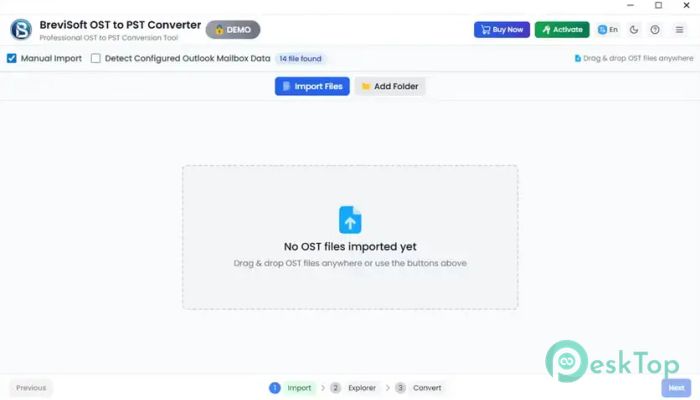
The interface is designed with simplicity in mind. Even users with limited technical experience can navigate the conversion process comfortably. Clear menus, organized options, and guided steps make the software easy to operate.
The straightforward design reduces confusion and helps users complete tasks quickly. It feels more like following a simple roadmap than dealing with a complex technical utility.
Free Version Availability
The free edition allows users to evaluate the functionality before purchasing the full version. It supports converting up to 50 items per folder, making it useful for testing features and checking results.
This trial capability helps users understand how the software works and determine whether it meets their requirements before upgrading.
System Requirements and Technical Details
Operating System: Windows 11 / 10 / 8.1 / 7
Processor: Minimum 1 GHz Processor (2.4 GHz recommended)
RAM: 2GB (4GB or more recommended)
Free Hard Disk Space: 200MB or more is recommended

-
Program size36.95 MB
-
Version1.0
-
Program languagemultilanguage
-
Last updatedBefore 4 Month
-
Downloads8Ralated programs
![Operant Peak Spectroscopy]() Operant Peak Spectroscopy
Operant Peak Spectroscopy ![NeverWrite]() NeverWrite
NeverWrite![FluentCleaner]() FluentCleaner
FluentCleaner![Snippai]() Snippai
Snippai![ChillShot AI]() ChillShot AI
ChillShot AI![Splunk Enterprise]() Splunk Enterprise
Splunk Enterprise
 Operant Peak Spectroscopy
  NeverWrite
 FluentCleaner
 Snippai
 ChillShot AI
 Splunk Enterprise