
 Arabic
  English
  Turkish
  Chinese
  Japanese
  Russian
  Spanish
  German
  French
  Hindi
Hindi Download BullZip Copy File Name 2.2.0.22 for Windows
Download BullZip Copy File Name 2.2.0.22 for Windows.
BullZip Copy File Name Overview
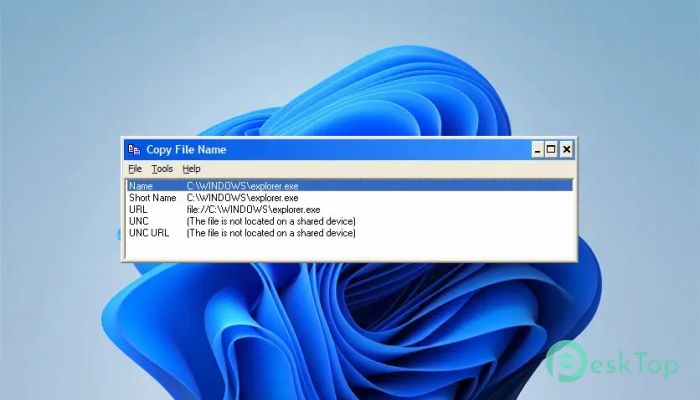
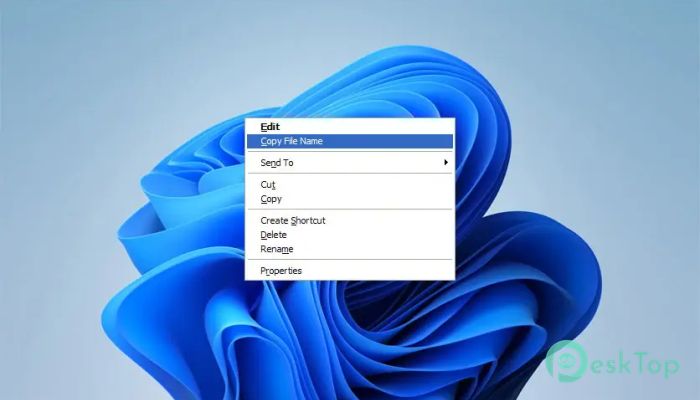
It is a small yet powerful Windows utility designed to make copying file names fast and flexible. Instead of manually typing long file names or paths, you simply right-click any file and choose a special option from the context menu. Within seconds, the name is ready on your clipboard. It works quietly in the background and blends naturally into Windows Explorer. Once installed, it adds a new option, "Copy File," to the right-click menu for files. No complicated setup. No confusing dashboard. Just simple functionality that saves time every day.Features of BullZip Copy File Name
Easy Selection Process
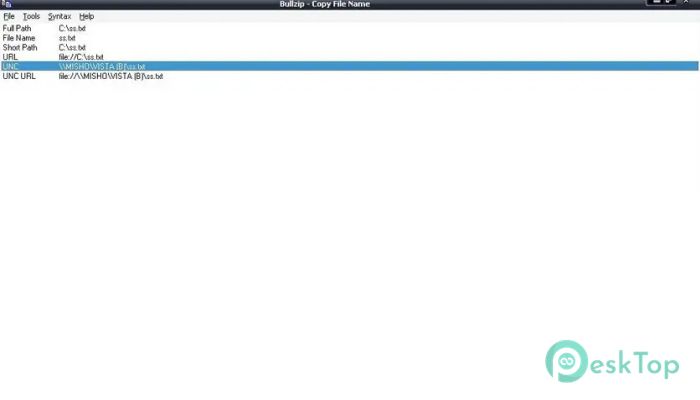
After the list appears, selecting the desired format is simple. You can press the Return key to confirm your choice or left-click it with your mouse. Once selected, the representation is copied to the clipboard immediately.
Think of it like having multiple ready-made labels for the same file. You choose the one you need, and it is immediately available to paste anywhere. Whether you are working in a document, an email, a command prompt, or a development environment, the process stays smooth.
If you work with many files daily, even saving a few seconds per task adds up. Over time, it becomes one of those tools you cannot imagine working without. It turns repetitive actions into one-click tasks.
Perfect for Developers and Power Users
The tool is especially helpful for developers, IT professionals, and content creators. Command-line operations often require exact file paths. Manually entering them can lead to errors.
With this program, the correct format is always ready. If you need quotes around the path, you select that option. If you only need the file name without the extension, select it. It feels like having a smart assistant that prepares everything before you paste it.
Lightweight and Simple
One of the best parts is its lightweight. It does not slow down your system. It does not run heavy background services. It simply extends the right-click menu and does its job when needed.
The interface is clean and straightforward. There are no complicated settings to learn. Even beginners can use it without reading any manual. Install it, right-click a file, and you are ready to go.
Flexible File Name Representations
Different tasks demand different file formats. For example:
Uploading a file name into a form
Referencing a file inside a script
Sharing a file path in an email
Logging file details in documentation
Instead of editing the file name manually each time, the software provides multiple ready-to-use formats. It is like having different versions of the same key that open different doors.
Clean Integration with Windows
It feels like a native part of the operating system. Once installed, it behaves as if it has always been there. The right-click menu option appears naturally and does not clutter the interface.
This seamless integration makes daily file management easier. You stay focused on your work instead of wasting time adjusting file names.
Safe and Reliable Operation
The tool only reads file names and copies text to the clipboard. It does not modify or move files. This means you can use it without worrying about your data.
It performs a single task and does so well. That kind of simplicity often leads to reliability. No unnecessary features, no risk of accidental file changes.
System Requirements and Technical Details
Operating System: Windows 11 / 10 / 8.1 / 7
Processor: Minimum 1 GHz Processor (2.4 GHz recommended)
RAM: 2GB (4GB or more recommended)
Free Hard Disk Space: 200MB or more is recommended

-
Program size1.91 MB
-
Version2.2.0.22
-
Program languagemultilanguage
-
Last updatedBefore 8 Month
-
Downloads9Ralated programs
![Operant Peak Spectroscopy]() Operant Peak Spectroscopy
Operant Peak Spectroscopy ![NeverWrite]() NeverWrite
NeverWrite![FluentCleaner]() FluentCleaner
FluentCleaner![Snippai]() Snippai
Snippai![ChillShot AI]() ChillShot AI
ChillShot AI![Splunk Enterprise]() Splunk Enterprise
Splunk Enterprise
 Operant Peak Spectroscopy
  NeverWrite
 FluentCleaner
 Snippai
 ChillShot AI
 Splunk Enterprise