
 Arabic
  English
  Turkish
  Chinese
  Japanese
  Russian
  Spanish
  German
  French
  Hindi
Hindi Download BytesMorph USB History Viewer 2.0 for Windows
Download BytesMorph USB History Viewer 2.0 for Windows.
BytesMorph USB History Viewer Overview
This utility is built for people who need clear answers about USB activity on a Windows system. It aggregates device records from multiple trusted system locations and presents them in a single, clean interface. Everything stays local, making it suitable for sensitive environments where privacy and accuracy matter.Features of BytesMorph USB History Viewer
Complete USB Device History Tracking
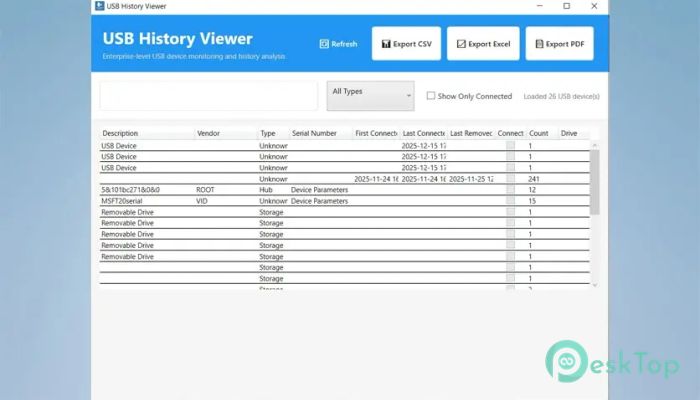
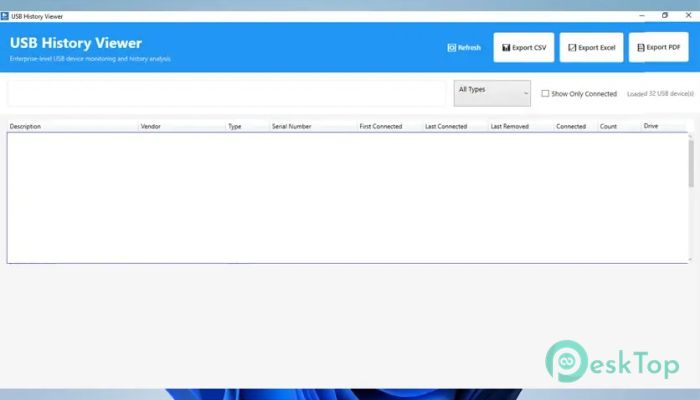
It shows every USB device that has ever been connected, even if that device is no longer present. Think of it like a detailed guestbook for your computer’s USB ports. Connection times, removal times, and usage patterns are clearly laid out, helping you understand what happened and when.
Deep Device Identification Details
The software goes far beyond basic device names. It reveals technical identifiers, including vendor and product codes, serial numbers, and unique IDs. Storage devices also display drive letters, volume labels, and total capacity, making it easy to distinguish similar devices.
Forensic-Grade Data Collection
To ensure accuracy, the tool reads data from more than twenty Windows sources. These include system registries, event logs, setup logs, and hardware management interfaces. Cross-checking multiple locations helps build a reliable timeline that withstands audits and investigations.
Registry and Log Analysis
Information is gathered from sources such as storage devices, printers, cameras, hubs, and other devices. Event logs add another layer by confirming when devices were installed, connected, or removed. This multi-angle approach reduces blind spots and fills in missing details.
Advanced Filtering and Smart Search
Large device lists can feel overwhelming, but here everything is searchable in real time. You can filter by device type, connection status, or usage count. Sorting columns works like rearranging books on a shelf, helping patterns stand out instantly.
Real-Time USB Monitoring
In addition to history, it also watches live activity. When a device is plugged in or removed, the interface updates immediately. Visual indicators make current connections obvious, while alerts ensure nothing slips through the cracks.
Professional Export Options
Collected data can be exported in formats suitable for real-world use. Spreadsheets allow quick analysis, Excel files provide structured reports, and PDFs deliver polished documents for sharing. Each export includes full details, ready for audits or documentation.
Enterprise-Ready Design
The interface is clean and practical, prioritizing clarity over clutter. Basic viewing works without administrator rights, which is helpful in restricted environments. Performance stays smooth even when handling long device histories, saving time during reviews.
Practical Use Cases
IT teams use it to audit device access and enforce policies. Investigators rely on it to rebuild timelines and recover deleted traces. Security professionals look for risky patterns, while system administrators use it to troubleshoot hardware issues. Compliance officers generate reports without digging through raw logs.
Privacy and Local Security
All processing happens on the local machine. No information is uploaded or shared externally. Device records remain private, giving peace of mind when working with sensitive systems or confidential investigations.
System Requirements and Technical Details
Operating System: Windows 11 / 10
Processor: Minimum 1 GHz Processor (2.4 GHz recommended)
RAM: 2GB (4GB or more recommended)
Free Hard Disk Space: 200MB or more is recommended

-
Program size61.08 MB
-
Version2.0
-
Program languagemultilanguage
-
Last updatedBefore 9 Month
-
Downloads29
 Trellix Endpoint Security
 Abelssoft KeyDepot 2026
 Bitdefender Antivirus Free
 PDFZilla SecureDrive
 Passbolt
 RoboForm Password Manager