
 Arabic
  English
  Turkish
  Chinese
  Japanese
  Russian
  Spanish
  German
  French
  Hindi
Hindi Download Canary Mail 1.0 for Windows

Download Canary Mail 1.0 for Windows.
Canary Mail Overview
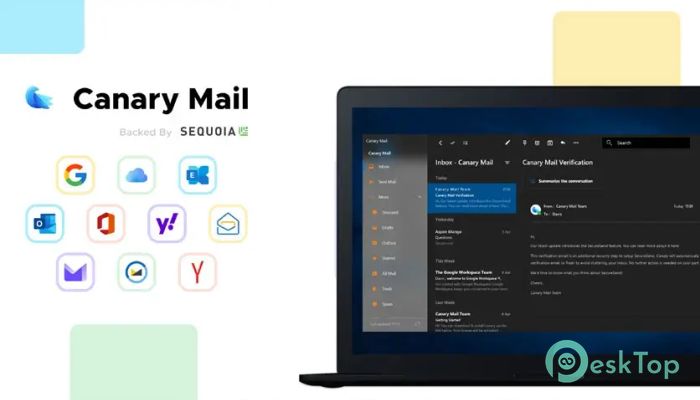
This modern email client is more than a place to read and send messages. It works like a personal assistant that sits inside your inbox and helps you stay organized, focused, and productive. Instead of drowning in endless emails, you get a clean and structured environment where everything feels under control. Designed for professionals, teams, and everyday users, the software blends artificial intelligence with privacy-first security. It helps you write better emails, filter distractions, and collaborate smoothly without switching between different apps. Think of it as a command center for your digital communication.Features of Canary Mail
AI-Powered Email Writing
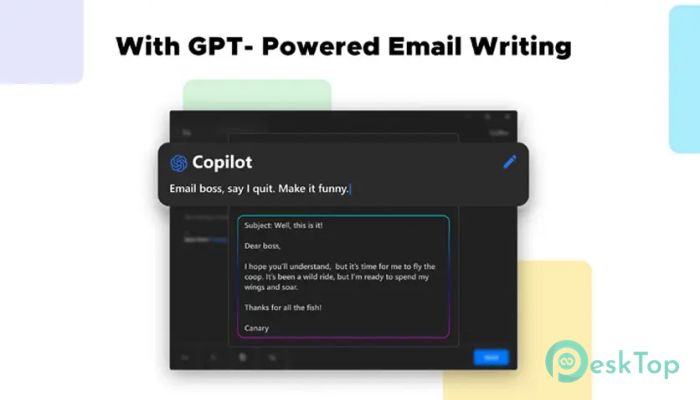
Writing emails can sometimes feel like staring at a blank page. That is where the built-in AI steps in. The tool can draft replies, summarize long conversations, and even adjust tone depending on the situation. Whether you need a formal business message or a friendly follow-up, it handles the heavy lifting.
You can save time by generating quick responses with just a few clicks. It is like having a writing assistant who understands context and helps you communicate clearly. Instead of typing long explanations, you simply guide the AI and refine the result.
Smart Inbox Prioritization
An overflowing inbox often feels like a noisy marketplace. Important emails get buried under promotions and notifications. The software solves this by automatically prioritizing messages that truly matter.
Using intelligent filtering, it highlights urgent conversations and moves less important items aside. You can focus on tasks that require action instead of wasting time scrolling. It acts like a smart gatekeeper, letting only the right messages demand your attention.
Inbox Copilot for Daily Productivity
One of the most impressive features is the Inbox Copilot. This built-in assistant works quietly in the background, suggesting replies, flagging important emails, and even helping you clean up clutter.
If your inbox feels chaotic, the Copilot brings order. It can silence spam, organize threads, and offer quick insights into ongoing discussions. Imagine having a co-pilot on a long flight, helping you navigate through clouds of messages safely and efficiently.
Advanced Security and Privacy Tools
Email security is not something you can ignore. With cyber threats increasing daily, robust protection is essential. The software includes robust encryption and privacy-focused features to keep your communication safe.
It supports secure email protocols and ensures that sensitive data stays protected. For users handling confidential information, this provides peace of mind. You can communicate freely without constantly worrying about data leaks or unauthorized access.
Seamless Collaboration Features
Modern work often involves teamwork. Instead of switching between email and messaging platforms, this client brings collaboration tools directly into your inbox.
You can assign tasks, share notes, and manage discussions within email threads. This reduces confusion and keeps everyone on the same page. It feels like turning your inbox into a small project management space where communication and action meet.
Clean and User-Friendly Interface
A cluttered interface can slow you down. That is why the design focuses on simplicity. The layout is clean, intuitive, and easy to navigate, even for beginners.
Menus are straightforward, and customization options let you tailor the workspace to your preferences. Whether you prefer a minimal look or a detailed view, the tool adapts to your style.
Multi-Account Support
Managing multiple email accounts can be frustrating. Switching between tabs and apps wastes time. This client brings all your accounts into one unified dashboard.
You can manage personal, business, and project-related emails in one place. Everything stays organized, and you no longer need to juggle separate logins. It is like having all your communication channels under one roof.
Cross-Platform Experience
Consistency matters when you move between devices. The software delivers a seamless experience across platforms, ensuring your emails stay in sync.
Whether you are at your desktop or on another device, your inbox stays up to date. This flexibility supports remote work and on-the-go productivity without interruptions.
System Requirements and Technical Details
Operating System: Windows 11 / 10 / 8.1 / 7
Processor: Minimum 1 GHz Processor (2.4 GHz recommended)
RAM: 2GB (4GB or more recommended)
Free Hard Disk Space: 200MB or more is recommended

-
Program size376.93 KB
-
Version1.0
-
Program languagemultilanguage
-
Last updatedBefore 8 Month
-
Downloads22
 Cyotek WebCopy
 Linphone
 Cinny
Cinny AllMapSoft Bing Maps Downloader
  AllMapSoft Yandex Maps Downloader
  AllMapSoft google earth images downloader