
 Arabic
  English
  Turkish
  Chinese
  Japanese
  Russian
  Spanish
  German
  French
  Hindi
Hindi Download Chocolatey - The Package Manager 2.5.1 for Windows
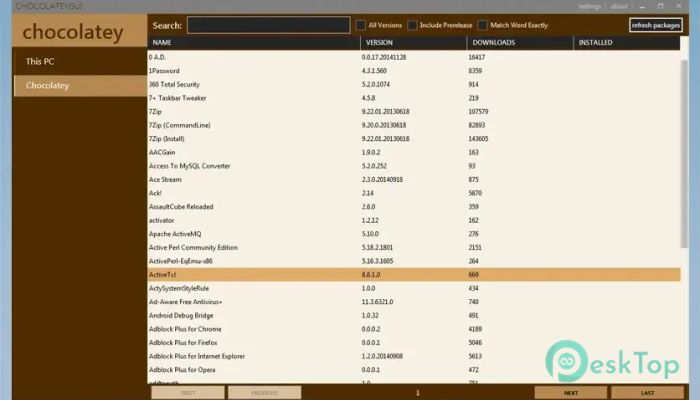
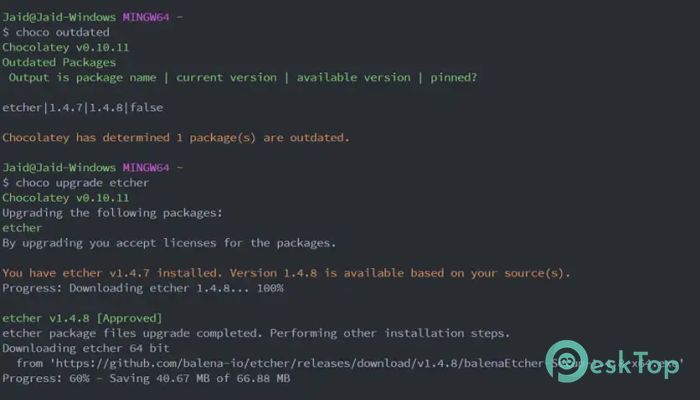
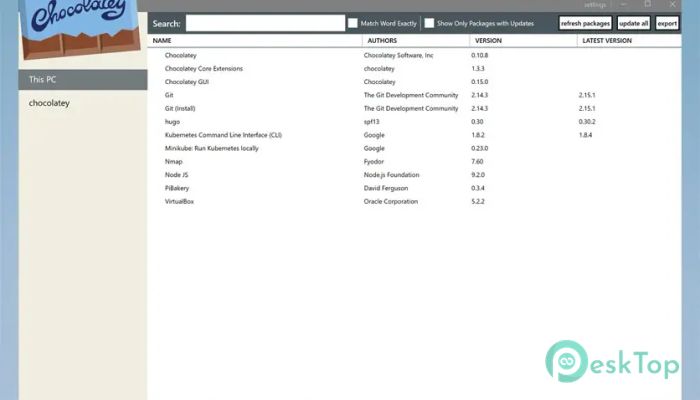
Download Chocolatey - The Package Manager 2.5.1 for Windows.
Chocolatey - The Package Manager Overview
This software is built to make installing and updating programs on Windows simple, smooth, and consistent. Instead of searching for installers on websites, the tool automates everything through a single unified system. It works like package managers on other operating systems, offering a powerful, time-saving experience for both beginners and professionals.Features of Chocolatey - The Package Manager
Easy Software Management
The tool removes the hassle of manually downloading and configuring installers. With one command, you can install apps, update them, or remove unnecessary programs. This saves time and reduces the errors that often occur when doing things manually.
Support for Multiple Installer Types
The software supports many installer formats, enabling it to work with a wide range of Windows applications. Whether the app uses EXE, MSI, or other installer types, it processes them smoothly. This flexibility makes it dependable in different working environments.
Fast Package Creation
Creating custom packages becomes simple because it automates most steps. Instead of spending hours preparing installers, you can build high-quality packages in just a few seconds. Teams use this feature to maintain consistency across multiple systems.
Command-Line Power
The tool is operated through the command line, making tasks quicker and more precise. You can install apps with a single line of text, which feels as convenient as telling your computer precisely what to do. This method keeps everything clean and organized.
Windows-Focused Design
Unlike other package managers, this one is built specifically for Windows. This means it works perfectly with Windows architecture and requires no additional setup. It feels natural on the system and is optimized for smooth performance.
Open Source and Private
You can use this tool freely without worrying about ads or trackers. It is privacy-focused, lightweight, and community-driven. Because it is open source, users can trust how it works and contribute to its improvement.
No Registration Required
You can use the tool without creating an account. Installation is straightforward and does not require sharing personal information. It respects user privacy and focuses only on functionality.
Reliable Updates
Updating software becomes effortless. Instead of visiting several websites, one command updates everything. This reduces security risks and keeps your system in great shape with minimal effort.
Saves Time for IT Teams
Organizations often use this tool to manage dozens or hundreds of computers. Automating software installation saves countless hours. It also ensures every device uses the same versions, helping teams maintain consistency.
Lightweight and Efficient
The tool runs smoothly in the background and consumes a few resources. It feels light, fast, and responsive, making it ideal for both slow and powerful machines.
Beginner-Friendly Experience
Even if you are new to command-line tools, this software has a gentle learning curve. Commands are simple, and there is plenty of documentation. Once you learn the basics, you can handle software tasks with ease.
System Requirements and Technical Details
Operating System: Windows 11 / 10 / 8.1 / 7
Processor: Minimum 1 GHz Processor (2.4 GHz recommended)
RAM: 2GB (4GB or more recommended)
Free Hard Disk Space: 200MB or more is recommended

-
Program size5.50 MB
-
Version2.5.1
-
Program languagemultilanguage
-
Last updatedBefore 10 Month
-
Downloads36Ralated programs
![Operant Peak Spectroscopy]() Operant Peak Spectroscopy
Operant Peak Spectroscopy ![NeverWrite]() NeverWrite
NeverWrite![FluentCleaner]() FluentCleaner
FluentCleaner![Snippai]() Snippai
Snippai![ChillShot AI]() ChillShot AI
ChillShot AI![Splunk Enterprise]() Splunk Enterprise
Splunk Enterprise
 Operant Peak Spectroscopy
  NeverWrite
 FluentCleaner
 Snippai
 ChillShot AI
 Splunk Enterprise