
 Arabic
  English
  Turkish
  Chinese
  Japanese
  Russian
  Spanish
  German
  French
  Hindi
Hindi Download CJWDev AD Tidy 2.6.1 for Windows
Download CJWDev AD Tidy 2.6.1 for Windows.
CJWDev AD Tidy Overview
Managing an Active Directory environment can become difficult as unused accounts accumulate over time. Old user profiles, inactive computer accounts, and outdated records not only create clutter but can also become a security risk. The software is designed to make this process simple by scanning your domain and identifying accounts that are no longer active. It provides an easy way to search your entire Active Directory or focus on specific Organizational Units (OUs). With flexible filtering options and powerful management features, administrators can clean up their environment while saving valuable time and reducing manual work.Features of CJWDev AD Tidy
Find Inactive User and Computer Accounts
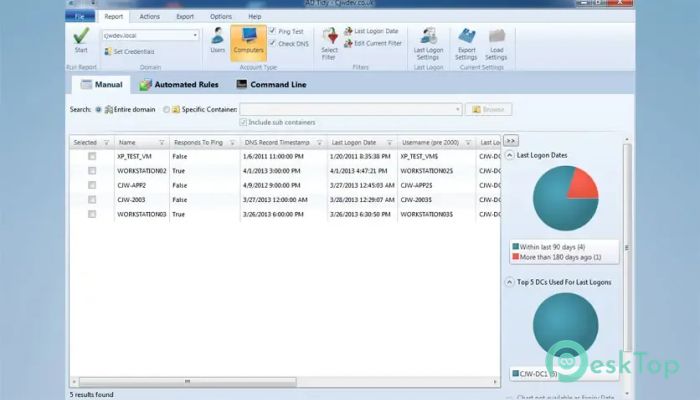
The software can scan both user and computer accounts within your Active Directory domain. It checks key information, such as last logon time, DNS record timestamps, account expiration dates, and other attributes, to determine whether an account is still active.
Instead of manually checking hundreds or even thousands of objects, the tool automatically compiles the information into a single easy-to-read report. Think of it as having a smart assistant that flags everything that needs attention.
Flexible Search and Filtering Options
The tool gives administrators complete control over how searches are performed. You can scan the entire domain or select a specific Organizational Unit if you only want to review certain departments or locations.
Powerful filtering options allow results to be narrowed down based on account name, group membership, expiration date, LDAP attributes, last logon information, and many other conditions. This makes it easy to locate exactly the accounts you are looking for without wasting time.
Accurate Logon Information
Knowing when an account was last used is one of the most important parts of Active Directory maintenance. The software can collect last logon information from all domain controllers or from selected controllers, depending on your needs.
It supports both the lastLogon and lastLogonTimeStamp attributes, allowing administrators to choose the most suitable method for their environment. You can also search for accounts that have not logged on for a specific number of days.
Verify Computer Activity
Inactive computer accounts are not always easy to identify. Some machines may appear unused even though they still exist on the network. The software helps confirm activity by performing Ping tests and checking DNS record timestamps.
This additional verification reduces the chances of accidentally removing active systems and provides greater confidence before taking action.
Multiple Cleanup Actions
Once inactive accounts are identified, the tool provides a wide range of cleanup actions. Instead of performing one task at a time, administrators can quickly manage selected accounts using built-in commands.
Available actions include:
Disable accounts
Delete accounts
Move accounts to another Organizational Unit
Set account descriptions
Configure expiration dates
Add users to groups
Remove users from selected groups
Remove users from all groups
Hide accounts from Exchange Address Lists
Delete home drives
Clear LDAP attribute values
Run external scripts
Generate random passwords
Disable Outlook Web Access
Set passwords to never expire
These options allow administrators to perform both simple and advanced cleanup operations without opening multiple management consoles.
Action Sequences for Faster Administration
Repeating the same administrative tasks every week can quickly become boring. The software solves this problem by allowing multiple actions to be combined into reusable Action Sequences.
For example, you can create a sequence that disables an account, moves it to another OU, removes it from all security groups, and sets a random password—all with a single operation. This greatly improves consistency while reducing human error.
Automation and Multi-Domain Support
The software is designed for organizations of every size. It supports multiple Active Directory domains and even allows alternate credentials when connecting to another domain.
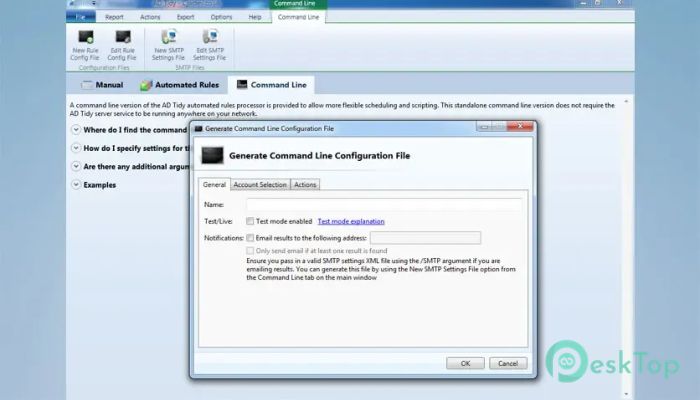
Standard Edition users can automate cleanup jobs through command-line support and Automated Rules. This means regular maintenance can run without manual intervention, helping administrators focus on more important tasks.
Reporting and Export Features
Detailed reports make it easy to review inactive accounts before making changes. The software can export results to CSV and Microsoft Excel XLSX files, making it simple to share reports with colleagues or maintain documentation.
You can also save report settings to a file and reload them later. This feature is especially useful for organizations that perform regular account audits using the same search criteria.
System Requirements and Technical Details
Operating System: Windows 11 / 10 / 8.1 / 7
Processor: Minimum 1 GHz Processor (2.4 GHz recommended)
RAM: 2GB (4GB or more recommended)
Free Hard Disk Space: 200MB or more is recommended

-
Program size3.71 MB
-
Version2.6.1
-
Program languagemultilanguage
-
Last updatedBefore 2 Month
-
Downloads10
 Cyotek WebCopy
 Linphone
 Cinny
Cinny AllMapSoft Bing Maps Downloader
  AllMapSoft Yandex Maps Downloader
  AllMapSoft google earth images downloader