
 Arabic
  English
  Turkish
  Chinese
  Japanese
  Russian
  Spanish
  German
  French
  Hindi
Hindi Download Cloud Crafters Barcode Printer Manager 1.1.0 for Windows
Download Cloud Crafters Barcode Printer Manager 1.1.0 for Windows.
Cloud Crafters Barcode Printer Manager Overview
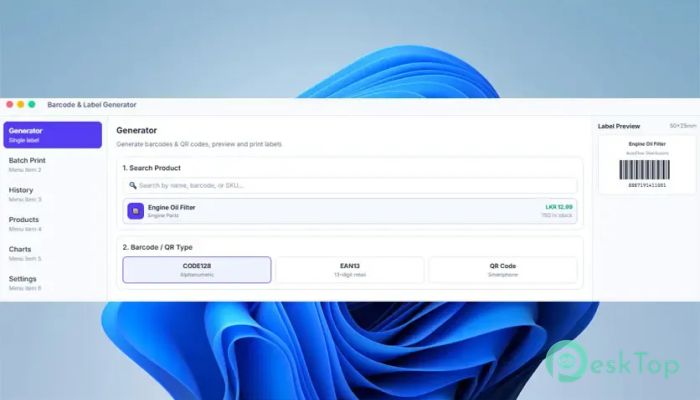
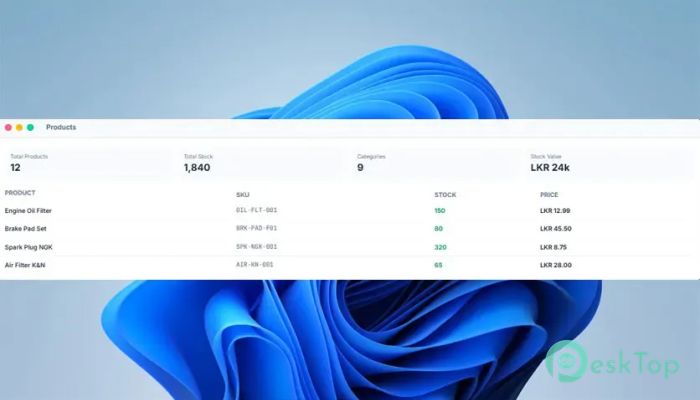
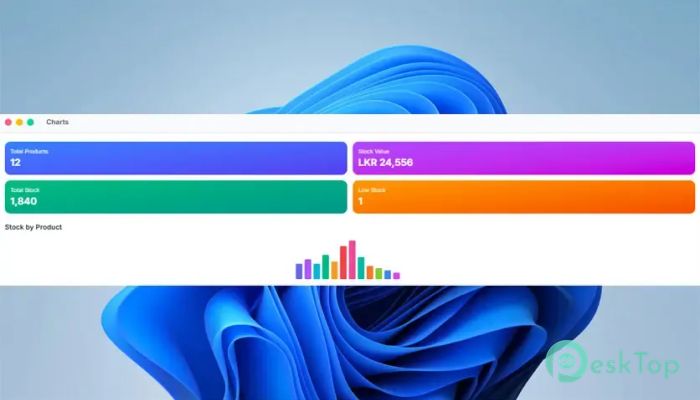
It is built for businesses and individuals who need reliable barcode and label printing every day. Whether you run a retail shop, warehouse, pharmacy, office, or shipping center, the software helps you create professional labels with ease. It combines powerful features with a modern interface, making even complex printing jobs feel simple. The software is designed with a perfect balance of speed, beauty, and functionality. Instead of struggling with outdated tools, you get an intuitive workspace where every feature is easy to find. From designing labels to printing thousands of copies, everything happens in one place without unnecessary complications.Features of Cloud Crafters Barcode Printer Manager
Support for Popular Barcode Formats
The software offers complete support for both 1D and 2D barcode formats. This gives you the flexibility to create labels for almost any industry, including retail, inventory management, logistics, healthcare, and manufacturing.
Supported barcode formats include EAN-13, EAN-8, UPC-A, UPC-E, CODE-128, CODE-39, ITF, CODABAR, QR Code, DataMatrix, PDF417, and Aztec. This wide compatibility ensures your labels can be scanned accurately by barcode readers and mobile devices.
Advanced QR Code Generator
Creating QR codes is as easy as typing your content and clicking a button. The tool allows you to generate attractive QR codes that work perfectly on smartphones and scanners.
You can personalize every code with custom colors, embedded logos, and adjustable error correction levels. This makes it ideal for business cards, websites, product packaging, marketing campaigns, restaurant menus, and payment systems.
Easy Drag-and-Drop Label Designer
Designing labels feels smooth thanks to the built-in drag-and-drop editor. You simply move text, images, shapes, and barcodes exactly where you want them without dealing with complicated settings.
Helpful tools such as rulers, snap guides, alignment options, and ready-made templates make designing much faster. Whether you need a shipping label or a product sticker, creating a professional layout takes only a few minutes.
Works with More Than 60 Thermal Printers
Printer compatibility is one of the software's biggest strengths. It works with over sixty popular thermal printer models, allowing businesses to continue using their existing hardware without extra configuration.
Native support includes Zebra (ZPL), Xprinter, TSC, Brother QL, Citizen, Argox, Gprinter, Godex, Honeywell, Bixolon, and many other leading printer brands. This broad compatibility helps eliminate driver problems and improves printing reliability.
Accurate Live Print Preview
No one likes wasting labels because of incorrect positioning. The software solves this problem with a live WYSIWYG print preview that displays exactly how your label will appear before printing.
Its millimeter-level accuracy helps you align every element perfectly. You can make quick adjustments before printing to reduce errors, save supplies, and improve productivity.
Bulk Import for High-Volume Printing
Printing labels one by one can be slow when dealing with thousands of products. The software simplifies large printing jobs by allowing bulk imports directly from Excel and CSV files.
After importing your data, you can map fields, generate barcodes automatically, and print every label with a single click. This feature saves hours of manual work and minimizes data entry mistakes.
Modern User Interface
The software features a clean and elegant interface that feels natural on Windows. Every tool is placed where you expect it, helping new users become productive almost immediately.
Its dark-mode-ready design is both attractive and comfortable for long working sessions. The polished appearance gives the software a professional feel while keeping everything easy to navigate.
Automatic Updates and Continuous Improvements
The software keeps getting better with regular free updates. New features, performance improvements, bug fixes, and additional printer support are delivered automatically without extra cost.
This means your printing environment stays modern and compatible with the latest hardware while requiring very little maintenance.
Perfect for Many Business Types
The software adapts to a wide variety of industries. Retail stores can print product labels, warehouses can organize inventory, shipping companies can prepare package labels, and healthcare providers can quickly generate barcode identification.
Whether your business is small or growing rapidly, the flexible tools make everyday printing faster, more accurate, and much more organized.
System Requirements and Technical Details
Operating System: Windows 11 / 10 / 8.1 / 7
Processor: Minimum 1 GHz Processor (2.4 GHz recommended)
RAM: 2GB (4GB or more recommended)
Free Hard Disk Space: 200MB or more is recommended

-
Program size86.90 MB
-
Version1.1.0
-
Program languagemultilanguage
-
Last updatedBefore 2 Month
-
Downloads7Ralated programs
![Operant Peak Spectroscopy]() Operant Peak Spectroscopy
Operant Peak Spectroscopy ![NeverWrite]() NeverWrite
NeverWrite![FluentCleaner]() FluentCleaner
FluentCleaner![Snippai]() Snippai
Snippai![ChillShot AI]() ChillShot AI
ChillShot AI![Splunk Enterprise]() Splunk Enterprise
Splunk Enterprise
 Operant Peak Spectroscopy
  NeverWrite
 FluentCleaner
 Snippai
 ChillShot AI
 Splunk Enterprise