
 Arabic
  English
  Turkish
  Chinese
  Japanese
  Russian
  Spanish
  German
  French
  Hindi
Hindi Download Define Studio Nextpad 1.0 for Windows
Download Define Studio Nextpad 1.0 for Windows.
Define Studio Nextpad Overview
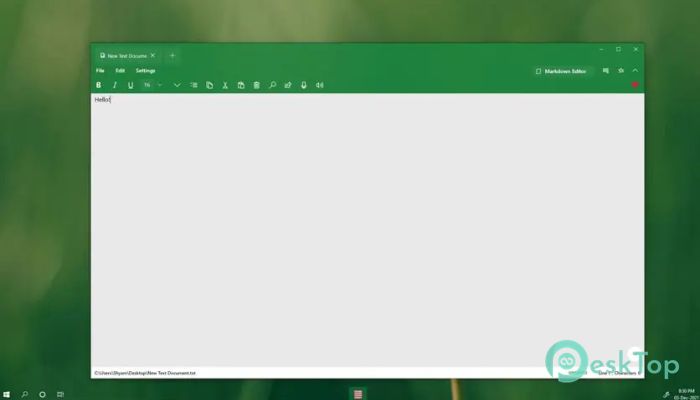
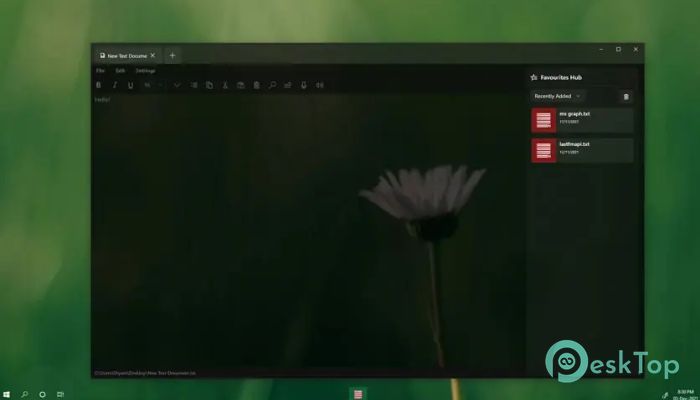
It is a modern notepad application built specifically for Windows users who want speed, simplicity, and flexibility in one place. Unlike traditional editors that feel outdated, this tool delivers a clean interface, smooth performance, and practical features that improve everyday productivity. The software is designed for modern workflows. Whether you are writing notes, editing documents, drafting ideas, or working with markdown content, it handles everything without slowing down your system. It feels lightweight yet powerful, giving users a comfortable environment for both simple and advanced text editing. It supports rich text documents, markdown files, and basic text formats, making it more than just a regular notepad replacement. The experience is smooth, responsive, and built with efficiency in mind.Features of Define Studio Nextpad
Fast and Lightweight Performance
Speed is one of the biggest advantages of this tool. It launches instantly and opens files quickly without delays. Even large documents load smoothly, making it suitable for both casual users and professionals.
The lightweight design ensures that it does not consume heavy system resources. You can keep multiple files open while running other applications without noticing any slowdown. This makes it perfect for multitasking environments.
Clean and Modern User Interface
The clean design makes the software easy to use. Everything is placed where you expect it to be, so you do not waste time searching for features. The modern layout improves readability and reduces distractions.
The interface feels fresh and simple, making writing more comfortable during long sessions. Beginners can start using it immediately, while advanced users benefit from improved workflow.
Rich Text and Markdown Support
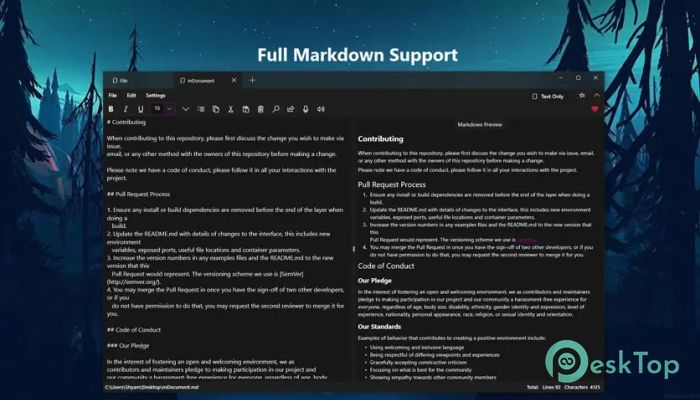
This tool goes beyond plain-text editing by supporting rich text and Markdown documents. You can format your content easily without switching between different applications.
Markdown support is especially helpful for developers, writers, and content creators. Rich text formatting also allows flexible document creation.
Easy File Creation and Editing
Creating and editing files is simple and straightforward. You can quickly open, modify, and save documents without complicated steps.
Common editing features such as copy, paste, undo, redo, and search improve everyday productivity.
Quick Printing and Viewing Options
Viewing and printing files is made easy. The built-in printing feature lets users quickly print documents without additional configuration.
The preview option helps check formatting before printing, saving time and avoiding mistakes.
Designed for Modern Windows
The software is optimized for modern Windows versions and runs smoothly across Windows 7, 8, 10, and 11. It integrates well with the Windows environment and provides stable performance.
Simple Yet Powerful Editing Tools
The editing tools strike a balance between simplicity and power. Users can access essential features easily while still benefiting from advanced capabilities.
Productivity and Workflow Benefits
The software improves productivity by reducing distractions and improving efficiency. It launches fast and handles files effortlessly.
System Requirements and Technical Details
Operating System: Windows 11 / 10
Processor: Minimum 1 GHz Processor (2.4 GHz recommended)
RAM: 2GB (4GB or more recommended)
Free Hard Disk Space: 200MB or more is recommended

-
Program size390.27 KB
-
Version1.0
-
Program languagemultilanguage
-
Last updatedBefore 6 Month
-
Downloads9Ralated programs
![Operant Peak Spectroscopy]() Operant Peak Spectroscopy
Operant Peak Spectroscopy ![NeverWrite]() NeverWrite
NeverWrite![FluentCleaner]() FluentCleaner
FluentCleaner![Snippai]() Snippai
Snippai![ChillShot AI]() ChillShot AI
ChillShot AI![Splunk Enterprise]() Splunk Enterprise
Splunk Enterprise
 Operant Peak Spectroscopy
  NeverWrite
 FluentCleaner
 Snippai
 ChillShot AI
 Splunk Enterprise