
 Arabic
  English
  Turkish
  Chinese
  Japanese
  Russian
  Spanish
  German
  French
  Hindi
Hindi Download DeskCamera 6.0.1 for Windows
Download DeskCamera 6.0.1 for Windows.
DeskCamera Overview
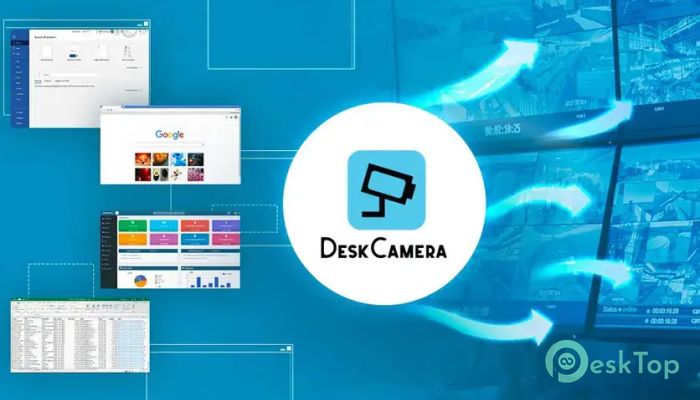
Managing surveillance from different sources can sometimes feel like trying to fit puzzle pieces from different boxes together. This software solves that problem by turning a standard computer into a virtual ONVIF IP camera. It allows users to stream desktop screens, webcams, audio, and other media directly to Video Management Systems (VMS) and Network Video Recorders (NVR) using RTSP and ONVIF protocols. The software-only approach eliminates the need for additional hardware. Instead of purchasing additional IP cameras, users can integrate existing computers into their surveillance infrastructure. This makes monitoring easier, more cost-effective, and highly flexible.Features of DeskCamera
Turn a Computer into a Virtual ONVIF Camera
The tool works entirely through software and operates like a real ONVIF IP camera. Once installed, it runs quietly in the background and continuously streams selected content to supported surveillance platforms.
This capability makes it easy to add workstation monitoring to existing CCTV systems. Organizations can monitor critical computer activities without making major infrastructure changes.
Easy Integration with CCTV Systems
Adding desktop surveillance to a security network is simple. The software allows users to connect computer screens and media sources directly to VMS and NVR solutions with just a few clicks.
Think of it as adding another camera to a security system, except the camera is actually your computer screen. This seamless integration helps organizations improve monitoring and security without additional complexity.
Stream Multiple Screens and Webcams
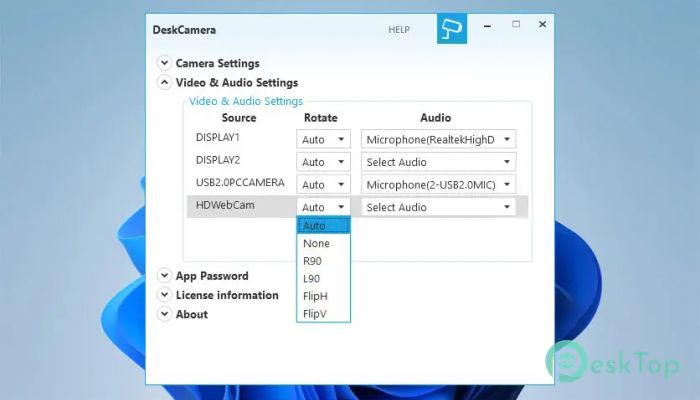
Modern workstations often use more than one monitor. The software supports simultaneous streaming of multiple PC screens and webcam feeds. This allows security teams to monitor several visual sources from a single workstation.
Whether users need to stream one screen, two screens, or multiple displays, the tool handles the task efficiently. Webcam integration further expands monitoring possibilities for professional environments.
Convert HTTP and RTSP Streams
One of the most useful features is the ability to convert external HTTP and RTSP streams into ONVIF-compatible streams. This helps unify different video sources under a single surveillance platform.
Instead of dealing with compatibility issues, users can integrate multiple streams into a single monitoring system. This creates a more organized and manageable surveillance environment.
Dedicated RTSP Streams for Every Media Source
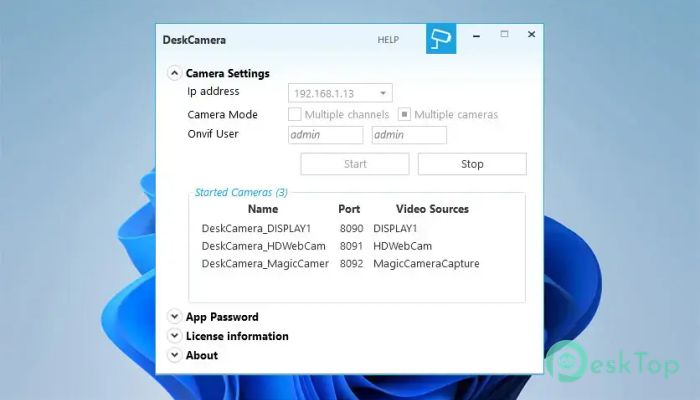
The software creates a separate RTSP stream for each media source. This includes screens, webcams, custom screen areas, and Picture-in-Picture media configurations.
This flexibility allows users to choose exactly what they want to monitor. For example, a specific application window or a selected screen region can be streamed independently from the rest of the desktop.
Picture-in-Picture and Screen Area Monitoring
The tool provides advanced viewing options such as Picture-in-Picture mode. Users can combine different media sources into a single stream, making monitoring more efficient.
Custom screen area streaming is equally valuable. Rather than transmitting an entire desktop, users can focus on important sections that require attention. This reduces unnecessary information and improves surveillance effectiveness.
High-Quality Video and Audio Streaming
Quality matters in monitoring environments. The software supports motion events, audio streaming, 4K video resolution, and frame rates up to 60 FPS.
This combination delivers smooth and detailed video output. Whether monitoring security operations, business processes, or workstation activities, users receive clear and reliable visual information.
GPU-Accelerated Performance
Streaming high-resolution content can often place heavy demands on a system. Fortunately, the software uses GPU-accelerated encoding to improve performance and efficiency.
By taking advantage of graphics hardware, it minimizes CPU usage and consumes fewer system resources. This ensures that computers continue running regular tasks smoothly while streaming media in the background.
Low Resource Consumption
Efficiency is one of the strongest advantages of the tool. Despite offering advanced streaming capabilities, it is designed to use minimal resources.
This lightweight approach makes it suitable for office workstations, monitoring centers, educational institutions, and enterprise environments where performance and stability are important.
Partnerships with Leading VMS Providers
The software benefits from technology partnerships with major VMS manufacturers. These collaborations help ensure compatibility with popular surveillance platforms and improve reliability.
Users can confidently integrate it into existing security systems, knowing it is designed to work alongside widely used video management solutions.
System Requirements and Technical Details
Operating System: Windows 11 / 10 / 8.1 / 7
Processor: Minimum 1 GHz Processor (2.4 GHz recommended)
RAM: 2GB (4GB or more recommended)
Free Hard Disk Space: 200MB or more is recommended

-
Program size89.55 MB
-
Version6.0.1
-
Program languagemultilanguage
-
Last updatedBefore 3 Month
-
Downloads30Ralated programs
![Operant Peak Spectroscopy]() Operant Peak Spectroscopy
Operant Peak Spectroscopy ![NeverWrite]() NeverWrite
NeverWrite![FluentCleaner]() FluentCleaner
FluentCleaner![Snippai]() Snippai
Snippai![ChillShot AI]() ChillShot AI
ChillShot AI![Splunk Enterprise]() Splunk Enterprise
Splunk Enterprise
 Operant Peak Spectroscopy
  NeverWrite
 FluentCleaner
 Snippai
 ChillShot AI
 Splunk Enterprise