
 Arabic
  English
  Turkish
  Chinese
  Japanese
  Russian
  Spanish
  German
  French
  Hindi
Hindi Download Digital Buttes Screen Ping 1.0.3 for Windows
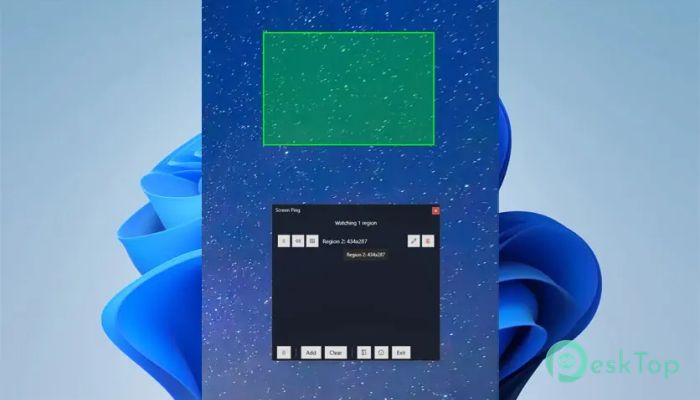
Download Digital Buttes Screen Ping 1.0.3 for Windows.
Digital Buttes Screen Ping Overview
This handy tool is built for people who want updates without staring at their monitor all day. It runs silently in the system tray and keeps an eye on specific parts of your display. Once a visual change happens, you get notified instantly. Think of it like a digital lookout that taps you on the shoulder when something important moves.Features of Digital Buttes Screen Ping
Simple Region-Based Monitoring
Defining watch areas is straightforward. You can draw boxes anywhere on your screen, whether it is a progress bar, a status indicator, or a small notification area. Once set, these regions are monitored continuously in the background. It feels like placing sticky notes on your screen that report back when something shifts.
Smart Alerts That Keep You Focused
Instead of forcing you to constantly check different apps, it notifies you only when something actually changes. You can hear an audio alert the moment activity is detected. This saves time and mental energy, letting you focus on real work while the software acts as your silent assistant.
Optional Screenshot Capture
When a change is detected, the utility can automatically capture a screenshot of the monitored region. This is helpful if you want proof of when something was updated or need a visual record for later review. It is like having a camera that snaps only when something meaningful happens.
Ideal for Background Tasks
This tool shines when you are dealing with long-running tasks. It works great for watching download completion, build pipelines, rendering progress, or streaming buffers. You can step away, work on something else, or even minimize windows while it keeps watch for you.
Runs Quietly in the System Tray
Once launched, it lives neatly in the system tray without cluttering your workspace. It does not interrupt your workflow or demand attention unless a change occurs. This low-profile behavior makes it feel more like a background helper than a full application.
Lightweight and Efficient
The software is designed to be fast and resource-friendly. It uses minimal system resources, so it will not slow down your PC or interfere with other applications. You can leave it running for hours or days without worrying about performance impact.
Useful for Developers and Streamers
Developers can rely on it to monitor build results or automated test outputs. Streamers and content creators can track buffer status or on-screen indicators without switching windows. It adapts easily to different workflows, making it a flexible addition to many setups.
Easy Setup and Control
Getting started does not require deep technical knowledge. The interface is simple, and most actions are done through quick options and tray controls. You can add, remove, or adjust monitored regions in just a few clicks.
System Requirements and Technical Details
Operating System: Windows 11 / 10
Processor: Minimum 1 GHz Processor (2.4 GHz recommended)
RAM: 2GB (4GB or more recommended)
Free Hard Disk Space: 200MB or more is recommended

-
Program size66.58 MB
-
Version1.0.3
-
Program languagemultilanguage
-
Last updatedBefore 8 Month
-
Downloads9Ralated programs
![Operant Peak Spectroscopy]() Operant Peak Spectroscopy
Operant Peak Spectroscopy ![NeverWrite]() NeverWrite
NeverWrite![FluentCleaner]() FluentCleaner
FluentCleaner![Snippai]() Snippai
Snippai![ChillShot AI]() ChillShot AI
ChillShot AI![Splunk Enterprise]() Splunk Enterprise
Splunk Enterprise
 Operant Peak Spectroscopy
  NeverWrite
 FluentCleaner
 Snippai
 ChillShot AI
 Splunk Enterprise