
 Arabic
  English
  Turkish
  Chinese
  Japanese
  Russian
  Spanish
  German
  French
  Hindi
Hindi Download Drive SnapShot WinPE 1.51.0.1813 for Windows
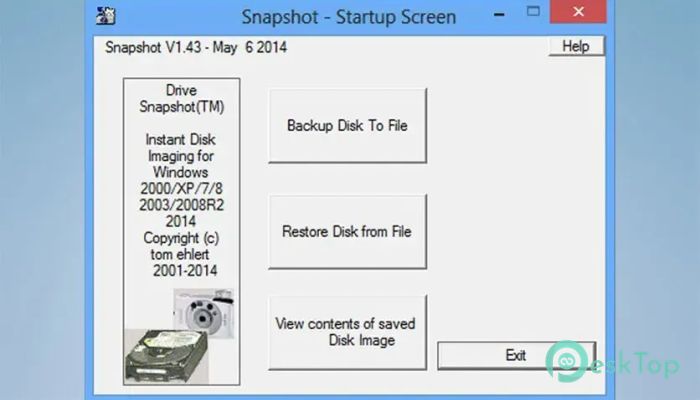
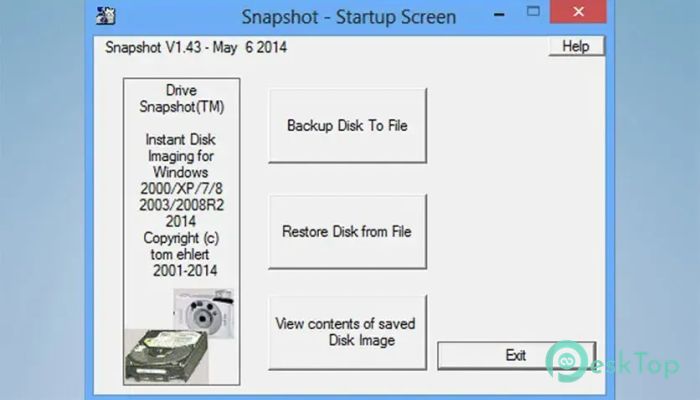
Download Drive SnapShot WinPE 1.51.0.1813 for Windows.
Drive SnapShot WinPE Overview
It is a powerful tool designed to create exact images of hard drives and partitions without interrupting your work. Unlike many backup applications that require restarting the computer, it performs backups while Windows continues running normally. This makes it an excellent choice for home users, professionals, and businesses that need dependable data protection. The software captures everything on a drive, including the operating system, installed applications, personal files, settings, and security information. Think of it as taking a complete photograph of your computer at a specific moment. If anything goes wrong later, that image can be used to restore the system quickly and accurately.Features of Drive SnapShot WinPE
Create Disk Image Backups Without Interruptions
One of the biggest advantages of the tool is its ability to create disk image backups while Windows is running. There is no need to restart the computer or switch to DOS mode before starting the process.
This feature allows users to continue working, browsing, or managing tasks while the backup runs quietly in the background. It saves valuable time and eliminates downtime, making regular backups much easier to perform.
Reliable Snapshot Technology
The software uses advanced snapshot technology to ensure that every backup remains consistent and accurate. Even if files are open and actively being used, the created image reflects the exact state of the system at the moment the backup begins.
This means there is no risk of corrupted backups caused by files changing during the process. The result is a dependable image that can be trusted whenever recovery becomes necessary.
Perfect for Servers and Continuous Operations
Many businesses operate systems that must remain available around the clock. Shutting down a server just to perform a backup can be inconvenient and costly.
The tool solves this challenge by allowing image creation without stopping services or interrupting operations. It works especially well in environments where computers need to stay online 24 hours a day.
Easy Access to Individual Files and Folders
Backing up an entire system is useful, but sometimes users only need a single document or folder. The software makes this process simple by mounting image files as virtual drives.
Once mounted, the backup appears like a regular drive in Windows Explorer. Users can browse, copy, compare, and restore individual files without having to recover the entire system image.
Virtual Drive Functionality
The virtual drive feature turns backup images into easily accessible storage locations. Instead of digging through complicated recovery tools, users can open the image just like any other drive connected to the computer.
This approach simplifies file recovery and provides a convenient way to verify the contents of backups. It feels as natural as opening a folder on a local disk.
Complete Disaster Recovery Solution
Unexpected events such as hard drive failures, malware infections, ransomware attacks, or accidental deletions can cause major problems. The software provides a reliable safety net for these situations.
When restoring an image, the selected drive returns to its exact condition when the backup was created. Every file, setting, and configuration is restored byte-for-byte, ensuring maximum accuracy.
Support for Multiple File Systems
Compatibility is important when working with different storage devices and system configurations. The software supports popular Windows file systems, including FAT16, FAT32, and NTFS.
This broad support allows users to create and restore images across a wide variety of Windows-based environments without worrying about compatibility issues.
RAID Compatibility for Advanced Storage Setups
Many professional workstations and servers use RAID technology to improve performance and data reliability. The tool is fully compatible with Windows RAID methods.
This capability ensures that users with advanced storage configurations can still create reliable backups and restore them when required.
Automation Through Command Line Support
For users who prefer automation, the software includes a straightforward command-line interface. This feature allows backup tasks to be scheduled and executed automatically.
System administrators can create scripts for regular backups, reducing manual work and ensuring that important data remains protected at all times. It turns repetitive maintenance into a simple and efficient process.
Lightweight and Efficient Performance
Despite its powerful capabilities, the tool remains lightweight and efficient. It consumes minimal system resources while performing backup operations, allowing the computer to remain responsive.
This makes it suitable for both older systems and modern machines. Users can enjoy reliable protection without sacrificing performance.
System Requirements and Technical Details
Operating System: Windows XP, Vista, 7, 8, 8.1, 10, 11, 2003 Server, 2008, 2012, 2016, 2019, 2022, 2025, PE,
Processor: Minimum 1 GHz Processor (2.4 GHz recommended)
RAM: 2GB (4GB or more recommended)
Free Hard Disk Space: 2GB or more is recommended

-
Program size437.92 MB
-
Version1.51.0.1813
-
Program languagemultilanguage
-
Last updatedBefore 2 Month
-
Downloads20
 Windows Backup & Restore Tool
 gSyncing
 ASBYTE Syncing.NET
 Reuschtools CopyWin
  Lazesoft Disk Image and Clone
  Hekasoft Backup.Restore