
 Arabic
  English
  Turkish
  Chinese
  Japanese
  Russian
  Spanish
  German
  French
  Hindi
Hindi Download Duplicacy 3.2.5 for Windows
Download Duplicacy 3.2.5 for Windows.
Duplicacy Overview
Data loss can feel like losing a part of your digital life, but this tool steps in like a safety net. It is built around a powerful concept known as lock-free deduplication, which ensures that your files are stored efficiently without unnecessary duplication. Instead of relying on complex locking systems, the software uses simple file system operations to manage data chunks, resulting in faster, more reliable performance. What truly sets it apart is its intelligent approach to backup management. It allows users to store multiple versions of files without consuming excessive storage space. Whether you are a casual user or someone managing critical data, this solution makes backups feel simple and stress-free.Features of Duplicacy
Smart Deduplication Technology
At its core, the software uses a unique lock-free deduplication system. Think of it like a smart librarian who keeps only one copy of each book but knows exactly where to find it when needed. This approach reduces storage usage while maintaining fast access to your data.
Unlike traditional methods that rely on locking mechanisms, this system avoids delays and conflicts. It ensures smooth performance even when multiple backup tasks are running simultaneously. This means you can back up your files without worrying about slowdowns or interruptions.
Efficient Backup Management
Managing backups becomes easy and organized. The tool supports versioning, allowing you to restore older versions of files whenever needed. It works like a time machine for your data, letting you travel back and recover files from previous states.
Its pruning feature helps remove outdated backups without affecting current data. This keeps your storage clean and optimized. The two-step fossil collection algorithm ensures that unused data chunks are safely deleted, even without a centralized database.
User-Friendly Web-Based Interface
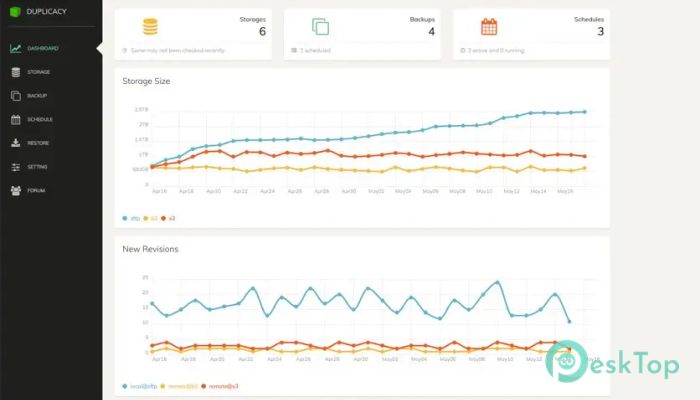
One standout feature is its beautifully designed web-based interface. The dashboard feels modern and intuitive, making it easy for anyone to use. Even if you are new to backup tools, you will find it simple to navigate.
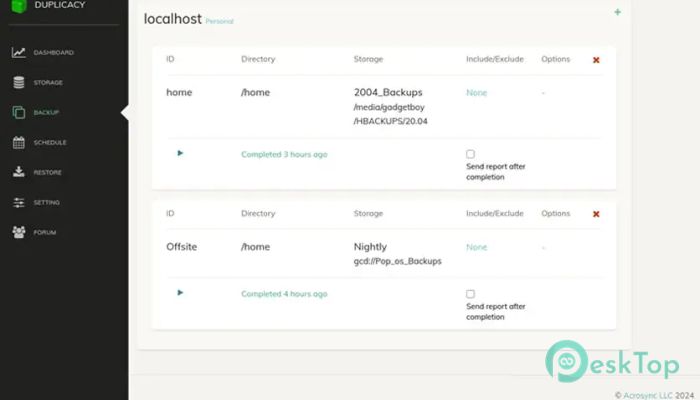
With just a few clicks, you can set up backup tasks, monitor progress, and manage storage. The interface includes visual charts that give you a quick overview of your backup health. It is like having a control panel that shows everything at a glance.
Powerful Command Line Support
For advanced users, the software offers a command-line interface that unlocks deeper control. This feature is perfect for those who like automation or want to integrate backups into scripts.
You can run commands manually or schedule them for automatic execution. This flexibility makes it suitable for both personal and professional use. It adapts to your workflow instead of forcing you to change how you work.
Reliable Data Protection
Keeping your data safe is the main goal, and this tool delivers on that promise. It ensures that your files are securely stored and can be restored whenever needed. The backup process is designed to be consistent and dependable.
It supports multiple storage options, giving you the freedom to choose where your backups are stored. Whether you prefer local storage or cloud solutions, it fits seamlessly into your setup.
Performance and Speed
Speed matters when dealing with large amounts of data, and this solution handles it well. The lock-free design eliminates bottlenecks, allowing backups to run quickly and efficiently.
Even when working with large datasets, it maintains consistent performance. This makes it ideal for users who need fast, reliable backup without sacrificing efficiency.
Flexible Backup Operations
The tool supports various operations, including backup, restore, copy, check, and prune. Each function is designed to give you full control over your data. You can easily duplicate backups across different storage locations or verify data integrity.
This flexibility ensures that your data management process remains smooth and adaptable. It is like having a multi-tool that handles every backup-related task in one place.
System Requirements and Technical Details
Operating System: Windows 11 / 10 / 8.1 / 7
Processor: Minimum 1 GHz Processor (2.4 GHz recommended)
RAM: 2GB (4GB or more recommended)
Free Hard Disk Space: 200MB or more is recommended

-
Program size14.48 MB
-
Version3.2.5
-
Program languagemultilanguage
-
Last updatedBefore 5 Month
-
Downloads17
 Windows Backup & Restore Tool
 gSyncing
 ASBYTE Syncing.NET
 Reuschtools CopyWin
  Lazesoft Disk Image and Clone
  Hekasoft Backup.Restore