
 Arabic
  English
  Turkish
  Chinese
  Japanese
  Russian
  Spanish
  German
  French
  Hindi
Hindi Download Eigent AI 1.0.2 for Windows
Download Eigent AI 1.0.2 for Windows.
Eigent AI Overview
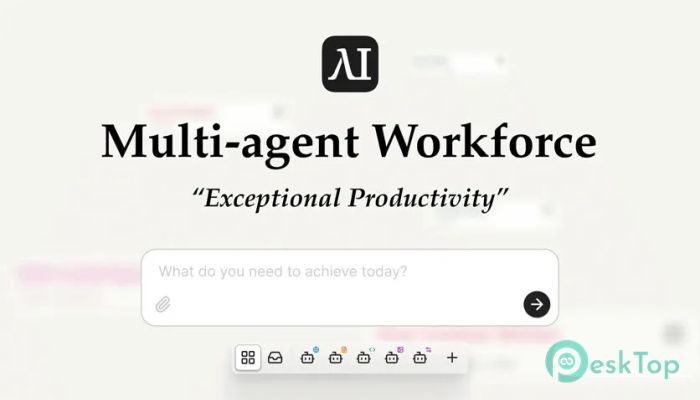
This solution introduces a fresh way to work by combining automation, collaboration, and artificial intelligence into a single desktop environment. Instead of juggling multiple tools, it brings everything together like a well-organized digital office. You can design intelligent agents, assign them tasks, and let them handle repetitive or time-consuming work while you stay focused on decisions that actually matter. Because it is open source, you are not locked into a closed ecosystem. You can host it yourself, use your own API keys, or even connect local models. That flexibility makes it attractive for individuals, teams, and businesses that value control, transparency, and cost efficiency.Features of Eigent AI
Open Source Freedom and Full Control
One of the strongest points is the tool's open-source nature. Think of it like owning the keys to your workspace, rather than renting a desk in a crowded office. You can inspect the code, customize features, and adapt the environment to your exact needs.
Self-hosting also means better privacy and data ownership. Sensitive workflows stay in your hands, not on third-party servers. For developers and tech-savvy users, this level of control feels empowering and future-proof.
Building a Custom AI Workforce
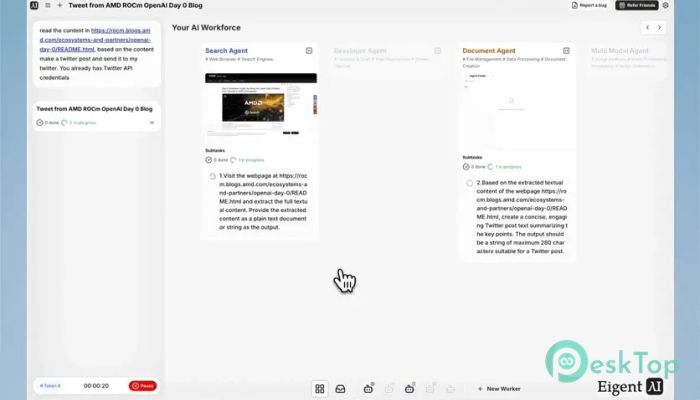
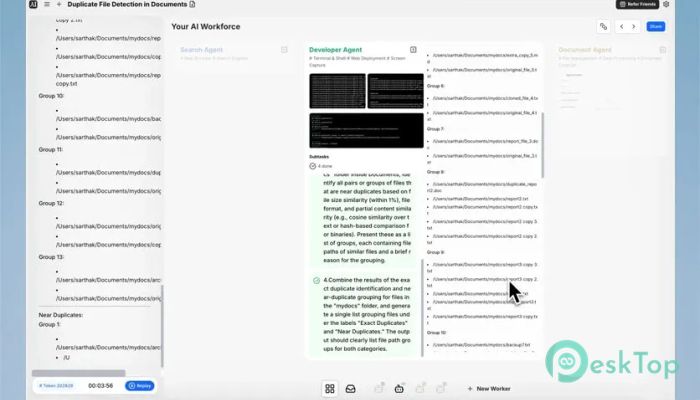
The core idea is to create a digital team that works alongside you. Instead of a single assistant, you can design multiple agents, each with a specific role. One might handle research, another could manage content tasks, and a third could focus on automation.
This setup feels similar to managing a small team where everyone knows their responsibility. Tasks are assigned, progress is tracked, and results are delivered without constant supervision. Over time, this approach can save hours of manual effort.
Workflow Automation Made Simple
Automation here is not about complicated scripts or confusing dashboards. The interface focuses on clarity and ease of use. You define workflows step by step, and the system handles execution.
Imagine setting up a chain reaction in which one completed task automatically triggers the next. Like dominoes falling in perfect order, routine processes run smoothly without repeated input from you.
Flexible Hosting Options
Another major advantage is flexibility in hosting. You can run everything locally, connect to cloud-based APIs, or mix both approaches. This adaptability allows you to balance performance, privacy, and cost based on your situation.
For users who prefer offline or low-latency setups, local models provide a reliable alternative. On the other hand, cloud integrations offer scalability when workloads grow.
User-Friendly Desktop Experience
The desktop-focused design makes daily interaction feel natural. Instead of switching between browser tabs, everything lives in one dedicated workspace. This reduces distractions and keeps your attention where it belongs.
The layout is clean, intuitive, and approachable, even for newcomers. Buttons, panels, and controls are arranged logically, so learning the basics does not feel overwhelming.
Productivity That Grows With You
As your needs evolve, the platform evolves too. You can start small with basic automation and gradually build more advanced workflows. This growth-friendly design suits freelancers, startups, and larger teams alike.
It is like planting a seed that grows into a full tree over time. Early gains are quick, but long-term benefits become even more impressive as you expand your setup.
Use Cases Across Different Fields
This tool fits many scenarios. Content creators can automate research and drafting tasks. Developers can manage repetitive coding or testing processes. Businesses can streamline internal operations without hiring extra staff.
The versatility makes it useful across industries, from education and marketing to software development and operations management.
Community-Driven Improvements
Being open source also means being community-driven. Users contribute ideas, fixes, and enhancements that improve the platform over time. This shared effort fosters collaboration beyond the software itself.
System Requirements and Technical Details
Operating System: Windows 11 / 10
Processor: Minimum 1 GHz Processor (2.4 GHz recommended)
RAM: 2GB (4GB or more recommended)
Free Hard Disk Space: 2GB or more is recommended

-
Program size994.29 MB
-
Version1.0.2
-
Program languagemultilanguage
-
Last updatedBefore 3 Month
-
Downloads36Ralated programs
![Operant Peak Spectroscopy]() Operant Peak Spectroscopy
Operant Peak Spectroscopy ![NeverWrite]() NeverWrite
NeverWrite![FluentCleaner]() FluentCleaner
FluentCleaner![Snippai]() Snippai
Snippai![ChillShot AI]() ChillShot AI
ChillShot AI![Splunk Enterprise]() Splunk Enterprise
Splunk Enterprise
 Operant Peak Spectroscopy
  NeverWrite
 FluentCleaner
 Snippai
 ChillShot AI
 Splunk Enterprise