
 Arabic
  English
  Turkish
  Chinese
  Japanese
  Russian
  Spanish
  German
  French
  Hindi
Hindi Download Elgato Control Center 1.8.2.714 for Windows
Download Elgato Control Center 1.8.2.714 for Windows.
Elgato Control Center Overview
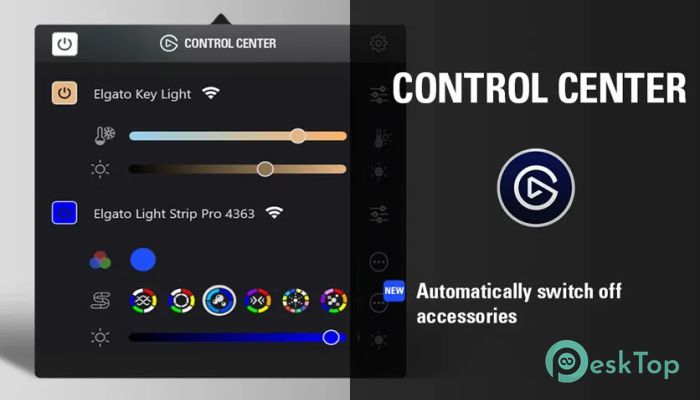
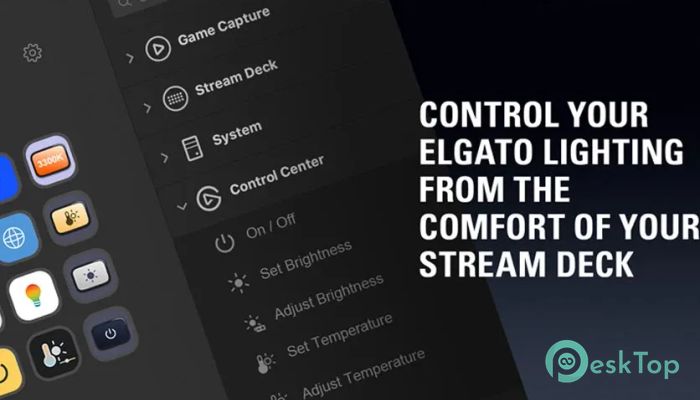
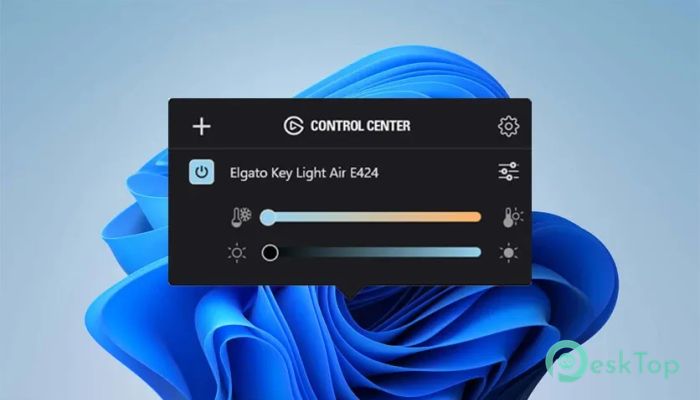
Elgato has built an ecosystem that content creators love, and this tool fits right in. It brings lighting control to your fingertips by linking directly with Stream Deck. Instead of adjusting your lights manually or switching between apps, now everything is possible with a single key press. Whether you’re streaming, working, or want to vibe, this solution makes life easier and your setup smarter. Lighting Control Made Easy This plugin is designed to support all Elgato lighting products, including the Ring Light, Key Light, Key Light Air, Key Light Mini, and Light Strip. It offers quick and smooth access to core functions such as power, brightness, temperature, and color settings. No need to open any separate app or adjust physical knobs.Features of Elgato Control Center
Turning lights on or off individually or all at once.
Setting brightness to specific levels or gradually adjusting it.
Controlling temperature to get the perfect tone for your environment.
Changing the color of the Light Strip with ease.
Displaying battery status for portable devices like the Key Light Mini.
Dial Actions for Smooth Adjustments
If you’re using a Stream Deck with dials, you get even more control. Turn the dial to adjust brightness or temperature, and tap to toggle the light. These physical gestures feel natural and fast, making them perfect for live settings where speed matters.
Real-Time Feedback
Each action not only controls your lights but also updates the key icon on your Stream Deck to reflect the current state. You’ll always know whether your lights are on, off, dimmed, or fully lit. That real-time feedback helps you stay on top of things without second-guessing.
Combine with Multi Actions
One of the most exciting features is how this plugin works with multiple actions. Imagine hitting one button and triggering a full routine — lights on, mic unmuted, camera launched, and app opened. That’s productivity and creativity unlocked at another level.
Custom Scene Setup
This plugin empowers you to craft specific lighting moods. Whether it’s a warm look for interviews or a calm tone for gaming nights, it gives you flexibility. Save different lighting setups and toggle between them as your content or mood changes.
For All Types of Users
Even if you're not a full-time content creator, this tool can make your daily work more enjoyable. Remote workers, podcasters, or casual gamers can all benefit. It removes the hassle of dealing with lighting manually and replaces it with simple commands.
System Requirements and Technical Details
Operating System: Windows 11/10/8.1/8/7
Processor: Minimum 1 GHz Processor (2.4 GHz recommended)
RAM: 2GB (4GB or more recommended)
Free Hard Disk Space: 200MB or more is recommended

-
Program size20.46 MB
-
Version1.8.2.714
-
Program languagemultilanguage
-
Last updatedBefore 3 Month
-
Downloads5Ralated programs
![Operant Peak Spectroscopy]() Operant Peak Spectroscopy
Operant Peak Spectroscopy ![NeverWrite]() NeverWrite
NeverWrite![FluentCleaner]() FluentCleaner
FluentCleaner![Snippai]() Snippai
Snippai![ChillShot AI]() ChillShot AI
ChillShot AI![Splunk Enterprise]() Splunk Enterprise
Splunk Enterprise
 Operant Peak Spectroscopy
  NeverWrite
 FluentCleaner
 Snippai
 ChillShot AI
 Splunk Enterprise