
 Arabic
  English
  Turkish
  Chinese
  Japanese
  Russian
  Spanish
  German
  French
  Hindi
Hindi Download Encrypto 1.0 for Windows
Download Encrypto 1.0 for Windows.
Encrypto Overview
Keeping files safe has become more important than ever. Whether you're sharing personal documents, business files, or private data, security should always come first. This software provides a simple, reliable way to protect files with strong encryption before sending them to others. The tool allows you to drop any file or folder into its interface, set a password, and create a secure, encrypted package. Once encrypted, only someone with the correct password can open and access the content. This makes file sharing safer, especially when sending files through email, cloud storage, or messaging platforms. It uses AES-256 encryption, which is widely considered one of the strongest encryption standards available today. This means your files are protected by high-level security trusted by professionals and organizations worldwide.Features of Encrypto
Simple and User-Friendly Interface
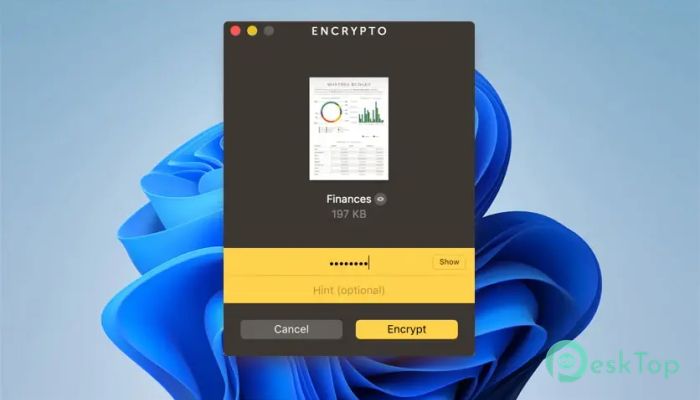
One of the best things about this tool is how easy it is to use. You don't need to be a tech expert to protect your files. The interface is clean, simple, and designed for quick use. Just drag and drop your file, set a password, and encrypt it within seconds.
This simplicity makes it perfect for beginners and professionals alike. Instead of navigating through complex settings, you can secure your files in just a few clicks. The process is smooth and feels natural, like locking a digital safe.
Strong AES-256 Encryption
Security is the core strength of the software. It uses AES-256 encryption, which is considered military-grade security. This level of encryption makes it extremely difficult for unauthorized users to access protected files.
Think of it like placing your file inside a vault with a highly secure lock. Without the correct password, no one can access the contents. This makes it ideal for sensitive documents, financial files, and confidential business information.
Encrypt Files and Folders Easily
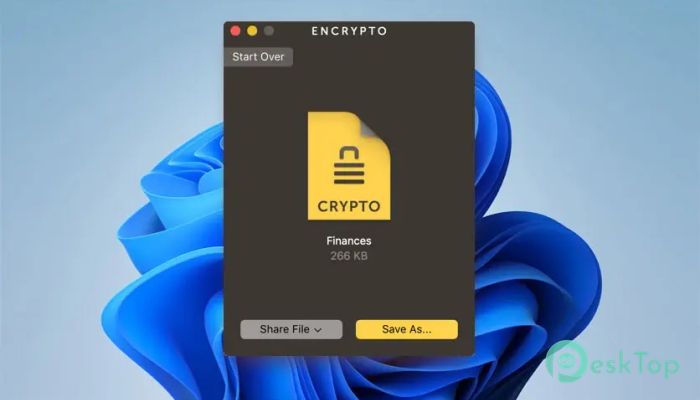
The software allows you to encrypt both individual files and entire folders. This flexibility makes it useful for different situations. Whether you want to protect a single document or multiple files, you can secure them quickly.
You simply drag and drop the content into the window, create a password, and the tool handles the rest. The encrypted file can then be safely shared or stored without worrying about unauthorized access.
Create a Password Hint
Remembering passwords can sometimes be difficult, especially when sharing files with others. To make things easier, the tool allows you to create a password hint. This hint is embedded within the encrypted file.
The recipient can view the hint and use it to recall the password. This eliminates the need to send passwords through separate messages, which can sometimes be insecure. It adds convenience without compromising security.
Send Files Securely
Once files are encrypted, you can send them through any method you prefer. Whether you use email, cloud storage, messaging apps, or external drives, your files remain protected during transfer.
This flexibility means you don't need to change your usual workflow. You simply encrypt the file first, then send it as you normally would. The added layer of protection ensures your data stays safe at all times.
Save Encrypted Files to Disk
Besides sharing files, the tool also allows you to store encrypted files on your computer. This is useful when you want to protect files locally. Simply encrypt them and save them to your disk.
This works like creating a locked folder on your computer. Even if someone gains access to your system, the files remain secure. It's a simple way to protect sensitive data from unauthorized access.
Lightweight and Fast Performance
The software is lightweight and doesn't slow down your system. Encryption happens quickly, even for larger files. This ensures you can secure data without waiting long or affecting productivity.
It runs smoothly on most Windows computers and doesn't require powerful hardware. This makes it accessible for users with older systems as well.
Why Use File Encryption
File encryption is like putting your documents inside a sealed envelope. Even if someone intercepts the file, they can't read it without the password. This is especially useful when sharing files over the internet.
Whether you're sending personal photos, financial documents, or confidential files, encryption adds peace of mind. It ensures that only the intended recipient can access your content.
Best Use Cases
This tool is useful in many scenarios. You can protect business documents, send private files to friends, secure backups, or store sensitive information. It works well for both personal and professional use.
Students, professionals, and businesses can all benefit from this simple encryption solution. It provides security without complexity.
System Requirements and Technical Details
Operating System: Windows 11 / 10 / 8.1 / 7
Processor: Minimum 1 GHz Processor (2.4 GHz recommended)
RAM: 2GB (4GB or more recommended)
Free Hard Disk Space: 200MB or more is recommended

-
Program size3.08 MB
-
Version1.0
-
Program languagemultilanguage
-
Last updatedBefore 6 Month
-
Downloads24
 Trellix Endpoint Security
 Abelssoft KeyDepot 2026
 Bitdefender Antivirus Free
 PDFZilla SecureDrive
 Passbolt
 RoboForm Password Manager