
 Arabic
  English
  Turkish
  Chinese
  Japanese
  Russian
  Spanish
  German
  French
  Hindi
Hindi Download FATXplorer 2.5.4.15047 for Windows
Download FATXplorer 2.5.4.15047 for Windows.
FATXplorer Overview
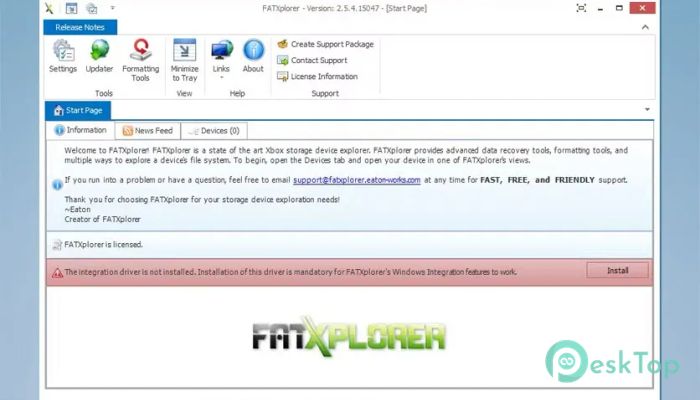
Managing Xbox 360 storage devices can feel like trying to read a locked book without a key. That is where this software steps in and simplifies everything. It allows users to explore Xbox 360 storage devices with full access to files, partitions, and system folders that are normally hidden from standard operating systems. The software is designed with speed, compatibility, and reliability at its core. Whether you want to browse files, recover deleted content, or reformat a device, everything becomes straightforward and accessible. Instead of dealing with complex binary formats, users can interact with storage devices like a regular USB drive. This makes it useful for both beginners and experienced Xbox users. From hobbyist gamers to advanced modders, everyone can benefit from having complete control over their console storage devices.Features of FATXplorer
Explore Xbox Storage Like Never Before
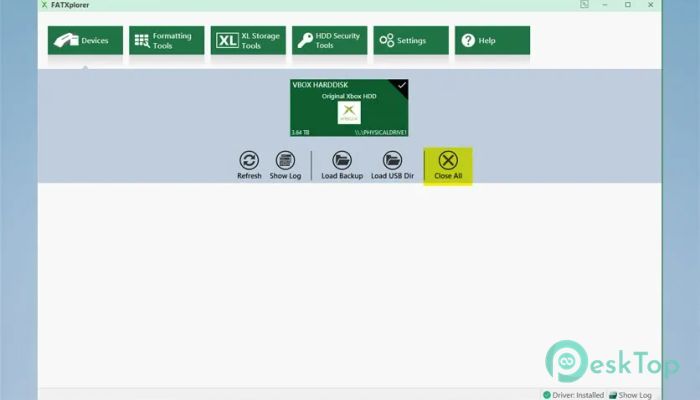
Xbox storage devices use unique file systems that Windows cannot normally read. This tool bridges that gap and gives users full visibility into their data. Once connected, the device appears like a regular drive, making navigation simple and intuitive.
Users can browse through folders, copy files, move content, and open data directly from Windows Explorer. This seamless integration makes managing Xbox storage feel natural and familiar.
Instead of relying on complicated third-party tools, everything works smoothly within the Windows environment. It saves time and removes the learning curve.
Full Partition Support for Maximum Compatibility
One of the standout strengths of the software is its full partition support. It recognizes every partition across multiple Xbox storage devices. This includes internal drives, USB storage, and memory units.
With this level of compatibility, users can access hidden system files and explore advanced storage areas. This opens the door to deeper control and customization of Xbox content.
Whether you want to analyze system folders or prepare a device for new data, everything is possible with minimal effort.
Recovery View for Deleted Files
Accidentally deleting saved games or important files can be frustrating. Fortunately, the built-in recovery feature helps restore lost content.
The recovery view displays deleted files and allows users to restore them easily. This feature acts like a safety net, protecting valuable game saves and downloaded content.
Instead of worrying about losing progress, users can confidently manage files knowing that recovery options are available.
Windows Integration for Seamless Experience
Unlike traditional file explorers that require separate interfaces, this software integrates directly into Windows. With the included driver, storage devices appear as regular drives.
This means users can perform common tasks such as copying, pasting, dragging, dropping, and renaming files. Everything works just like handling a USB flash drive.
This integration speeds up the entire process and makes it more comfortable. Users do not need to learn complex navigation systems or unfamiliar controls.
Easy to Use Interface
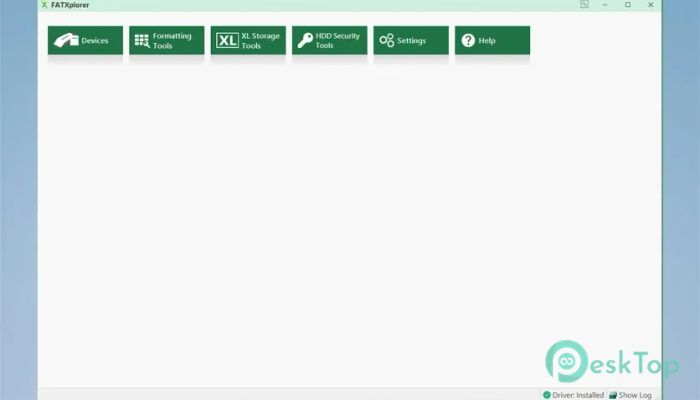
The interface is designed to be clean, simple, and user-friendly. Colorful icons and helpful tooltips guide users through each feature.
Even beginners can quickly understand how to use the software. Each function is clearly labeled and easy to access.
The layout feels natural, allowing users to focus on managing their files rather than navigating complex menus.
Powerful Formatting and Device Management
Users can reformat storage devices to start fresh. This feature is useful when preparing drives for new content or fixing storage issues.
The tool also helps optimize system folders, potentially improving performance during use. This gives users more control over how their storage behaves.
Managing multiple devices becomes easier thanks to the structured interface and quick access features.
Perfect for Gamers and Modders
Whether you are a casual gamer or a console enthusiast, this software offers something valuable. Casual users can manage saved games and downloadable content.
Advanced users can dive deeper into system folders and customization options. The flexibility makes it suitable for a range of expertise levels.
It removes technical barriers and gives everyone access to powerful storage management tools.
Fast Performance and Reliable Operation
Speed matters when dealing with large storage devices. The software is optimized to handle files quickly and efficiently.
Users can transfer content, scan partitions, and recover files without delays. This ensures smooth operation even when working with large data volumes.
Reliability also plays a major role. The software is built to prevent data corruption and maintain stability during use.
System Requirements and Technical Details
Operating System: Windows 11 / 10 / 8.1 / 7
Processor: Minimum 1 GHz Processor (2.4 GHz recommended)
RAM: 2GB (4GB or more recommended)
Free Hard Disk Space: 200MB or more is recommended

-
Program size18.67 MB
-
Version2.5.4.15047
-
Program languagemultilanguage
-
Last updatedBefore 3 Month
-
Downloads57Ralated programs
![Operant Peak Spectroscopy]() Operant Peak Spectroscopy
Operant Peak Spectroscopy ![NeverWrite]() NeverWrite
NeverWrite![FluentCleaner]() FluentCleaner
FluentCleaner![Snippai]() Snippai
Snippai![ChillShot AI]() ChillShot AI
ChillShot AI![Splunk Enterprise]() Splunk Enterprise
Splunk Enterprise
 Operant Peak Spectroscopy
  NeverWrite
 FluentCleaner
 Snippai
 ChillShot AI
 Splunk Enterprise