
 Arabic
  English
  Turkish
  Chinese
  Japanese
  Russian
  Spanish
  German
  French
  Hindi
Hindi Download FreeFileSync 4 14.9 Donation Edition for Windows
Download FreeFileSync 4 14.9 Donation Edition for Windows.
FreeFileSync 4 Overview
It is a reliable folder comparison and synchronization tool designed for Windows users. With it, you can create automated backups and manage your file versions without hassle. The software detects changes in folders and only transfers updated files, saving time and resources. This version includes special features to thank contributors and supporters. It was built to simplify the backup process and reduce redundancy. Instead of copying entire directories, the tool smartly analyzes and transfers just the changes. This approach not only speeds up the sync but also minimizes the risk of errors during large-scale backups.Features of FreeFileSync 4
Folder Syncing and Comparison
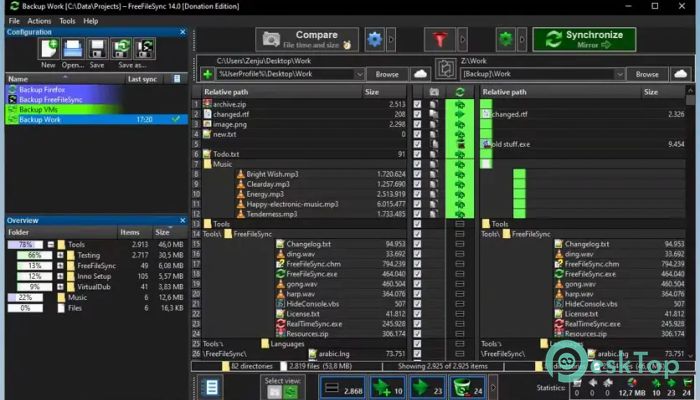
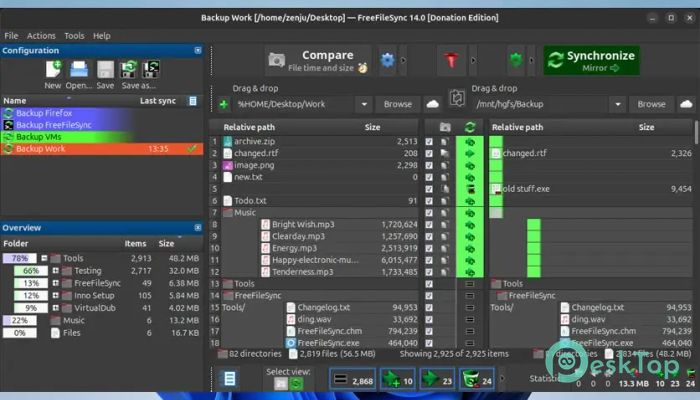
One of the best features is its ability to compare folders side-by-side and highlight what's new, missing, or changed. Whether you’re updating a USB drive or mirroring a server, it ensures that files are the same in both locations.
You can also filter files based on time, size, or file type. The tool shows a clean layout where you can confirm sync decisions before executing, which gives you complete control of the process.
Backup Automation and Scheduling
This software isn’t just for manual use; it supports automated syncing through batch jobs. These can be triggered using Task Scheduler or other automation tools, letting you set up daily or weekly backups.
This is particularly helpful for professionals and organizations managing multiple devices or servers. It saves time and helps avoid human error by running automatically in the background.
Secure FTP and Cloud Support
With FTP, FTPS, and SFTP support, the tool connects safely to remote servers. You can also sync with cloud services or NAS devices, making it versatile for modern needs.
Recent updates have fixed issues like the “dh key too small” FTP error. The program now integrates the latest versions of third-party libraries, improving overall stability and compatibility.
Intuitive Interface
Despite its powerful functions, the software has a simple and user-friendly interface. Even beginners can figure it out without reading a manual. Tooltips, previews, and color-coded comparisons make it approachable and visual.
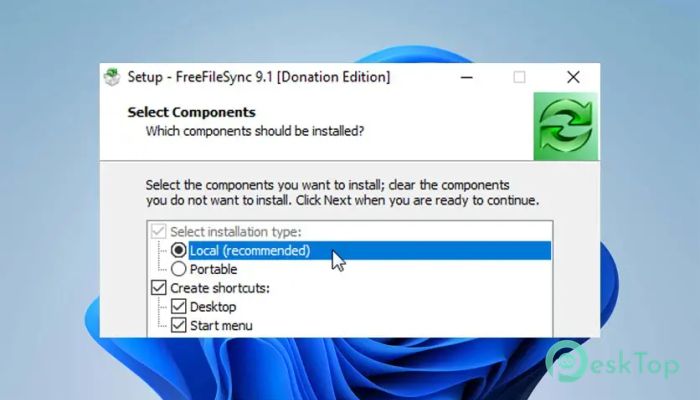
There’s also a portable version you can run from a USB stick, perfect for users on the go.
What’s Included in the Donation Edition
The Donation Edition includes bonus features like an auto-updater and parallel file copying. These enhancements improve performance and provide added value for supporters. You also get early access to the latest versions and priority in support.
Supporting the project not only helps you unlock more features but also contributes to ongoing development and improvements.
System Requirements and Technical Details
Operating System: Windows 11 / 10 / 8.1 / 7
Processor: Minimum 1 GHz Processor (2.4 GHz recommended)
RAM: 2GB (4GB or more recommended)
Free Hard Disk Space: 200MB or more is recommended

-
Program size28.94 MB
-
Version14.9 Donation Edition
-
Program languagemultilanguage
-
Last updatedBefore 6 Month
-
Downloads47Ralated programs
![Operant Peak Spectroscopy]() Operant Peak Spectroscopy
Operant Peak Spectroscopy ![NeverWrite]() NeverWrite
NeverWrite![FluentCleaner]() FluentCleaner
FluentCleaner![Snippai]() Snippai
Snippai![ChillShot AI]() ChillShot AI
ChillShot AI![Splunk Enterprise]() Splunk Enterprise
Splunk Enterprise
 Operant Peak Spectroscopy
  NeverWrite
 FluentCleaner
 Snippai
 ChillShot AI
 Splunk Enterprise