
 Arabic
  English
  Turkish
  Chinese
  Japanese
  Russian
  Spanish
  German
  French
  Hindi
Hindi Download GoodbyeDPI 0.2.2 for Windows
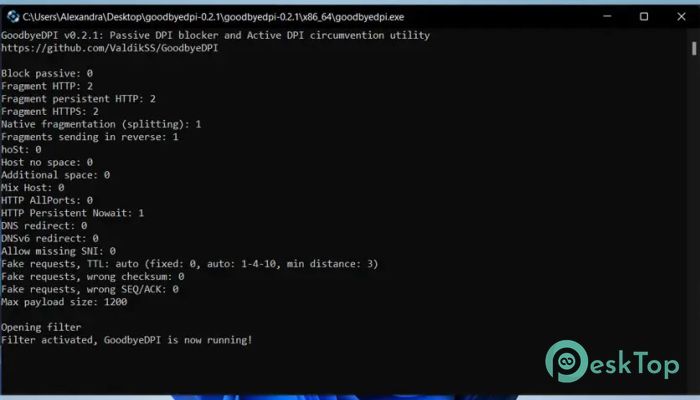
Free download GoodbyeDPI 0.2.2 full version standalone offline installer for Windows PC,
GoodbyeDPI Overview
This software is designed to defeat Deep Packet Inspection systems used by many Internet Service Providers. These systems analyze internet traffic and often restrict access to certain websites. The tool works by manipulating network packets in a clever way, making it harder for filtering systems to detect and block traffic. Think of it like speaking in code while passing through a guarded checkpoint. Instead of stopping you, the guard gets confused and lets you through. That is exactly how this tool behaves when dealing with strict network monitoring systems. How It Works The software operates by modifying how data packets are sent across the network. It targets both passive and active DPI systems. Passive DPI usually monitors traffic and responds faster than the destination server to block access. Active DPI, on the other hand, directly interferes with the connection. The tool tricks these systems by splitting packets, modifying headers, or delaying responses slightly. This makes the filtering systems fail to recognize blocked requests. As a result, users can access restricted content without noticeable delays.Features of GoodbyeDPI
One of the strongest points of this tool is its simplicity combined with powerful functionality. It does not overload the system and works silently in the background.
It supports bypassing both passive and active DPI systems, which makes it versatile. Many similar tools handle only one type, but this one handles both with ease. It also works without requiring a complex setup, making it beginner-friendly.
Another important feature is its lightweight nature. It consumes very few system resources, so it runs smoothly even on older machines. You can keep it running without worrying about performance drops.
Performance and Speed
When using this tool, the internet speed remains stable. Unlike VPNs that route traffic through distant servers, this method works locally. That means there is no significant drop in speed.
It feels like opening a door instead of taking a long detour. Websites load normally, and streaming remains smooth. This makes it a great option for users who want access without sacrificing performance.
User Experience
The tool is extremely easy to use. There is no complicated interface or confusing settings. Once launched, it starts working immediately. This makes it ideal for users who are not tech-savvy.
Even advanced users will appreciate its flexibility. They can tweak parameters and adjust how packets are handled. It offers both simplicity and control in a balanced way.
Security and Privacy
This software does not act like a traditional VPN. It does not reroute your entire traffic through external servers. Instead, it focuses only on bypassing restrictions.
This approach reduces exposure and keeps your browsing closer to your original network. It does not store personal data, which adds a layer of privacy. However, it is still important to understand that it is not a full privacy solution.
Use Cases
It is especially useful in regions where certain websites are blocked. Students, researchers, and general users can benefit from it when accessing educational or informational content.
It also helps in environments such as workplaces or campuses where network restrictions are in place. With this tool, users can regain access without complex configuration.
Compatibility
The software is built specifically for Windows systems. It works well across different versions and does not require special hardware. Installation is quick, and setup takes only a few moments.
It integrates smoothly with most browsers and applications. You can continue using your favorite tools without making any changes.
Advantages Over Other Methods
Compared to VPNs, this tool offers faster performance. There is no need to connect to remote servers, which reduces latency. It also avoids subscription costs, making it a budget-friendly option.
Unlike proxy services, it does not rely on third-party servers. This reduces dependency and improves reliability. It feels more like fixing the road instead of taking a different route.
Limitations
While it is powerful, it is not a complete replacement for all privacy tools. It focuses mainly on bypassing DPI restrictions. Users looking for full anonymity may still need additional solutions.
Also, its effectiveness can vary depending on the level of network filtering. In some cases, advanced restrictions may require additional configurations.
System Requirements and Technical Details
Operating System: Windows 11 / 10 / 8.1 / 7
Processor: Minimum 1 GHz Processor (2.4 GHz recommended)
RAM: 2GB (4GB or more recommended)
Free Hard Disk Space: 200MB or more is recommended

-
Program size590.45 KB
-
Version0.2.2
-
Program languagemultilanguage
-
Last updatedBefore 3 Month
-
Downloads100
 Cyotek WebCopy
 Linphone
 Cinny
Cinny AllMapSoft Bing Maps Downloader
  AllMapSoft Yandex Maps Downloader
  AllMapSoft google earth images downloader