
 Arabic
  English
  Turkish
  Chinese
  Japanese
  Russian
  Spanish
  German
  French
  Hindi
Hindi Download HSX StudioFlow Pro 1.0.1 for Windows
Download HSX StudioFlow Pro 1.0.1 for Windows.
HSX StudioFlow Pro Overview
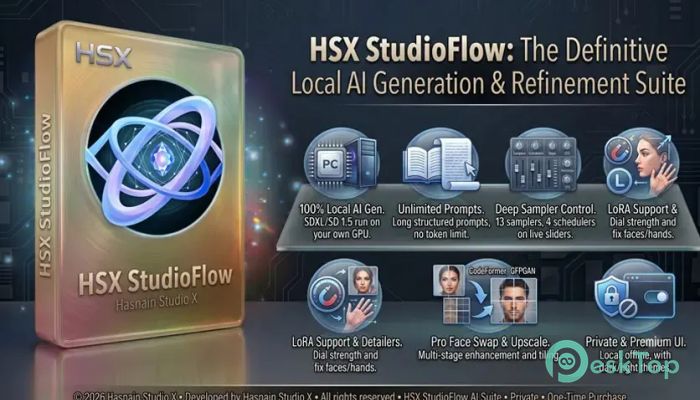
It is a complete AI image creation platform built for Windows users who want speed, privacy, and full creative control. Instead of sending your prompts and images to online servers, everything runs directly on your PC. Every image stays on your hardware, giving you complete ownership of your work. The software supports Stable Diffusion XL and Stable Diffusion 1.5 while automatically detecting the correct model type. It applies smart settings in the background so you can spend less time configuring options and more time creating stunning artwork.Features of HSX StudioFlow Pro
Complete Offline AI Image Studio
The software is designed for people who value privacy. Since everything works locally, there is no need to upload images to the cloud or create an online account. Your prompts, generated artwork, and personal projects never leave your computer.
This offline approach is ideal for artists, designers, photographers, businesses, and professionals who handle sensitive content. Even without an internet connection, the tool continues to perform at full speed.
GPU-Accelerated AI Image Generation
The tool takes full advantage of NVIDIA GPUs to produce AI-generated images quickly and efficiently. Instead of relying on expensive cloud computing services, it uses your graphics card to create artwork in seconds or minutes, depending on your hardware.
Whether you are generating concept art, digital illustrations, realistic portraits, fantasy scenes, or creative graphics, GPU acceleration keeps the workflow smooth and responsive.
Unlimited Prompt Freedom
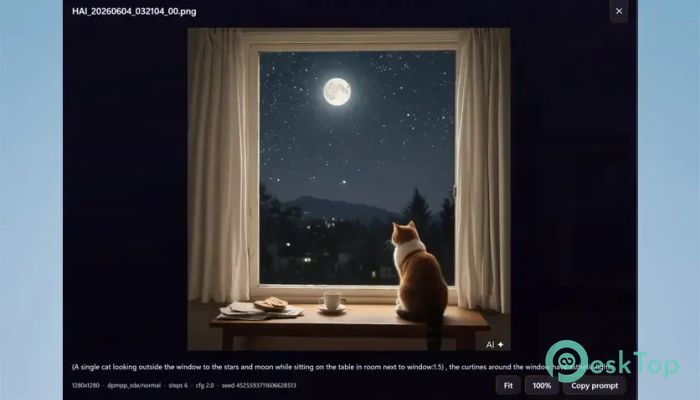
Many AI image generators limit the number of words you can use in a prompt. This software removes that restriction by allowing long, detailed prompts without the traditional 77-token limit.
This means you can describe every small detail of your vision. Think of it as giving clear directions to an artist instead of only providing a few keywords. The result is better image quality and greater creative accuracy.
Supports SDXL and Stable Diffusion
The software automatically determines whether your selected checkpoint is from Stable Diffusion XL or Stable Diffusion 1.5. It then applies the most suitable configuration without requiring manual adjustments.
This automatic setup saves valuable time and eliminates confusion, especially for beginners who may not be familiar with the settings of different AI models.
Advanced Image Enhancement Tools
Creating new images is only one part of the experience. The software also includes several powerful enhancement tools that improve existing artwork without needing third-party applications.
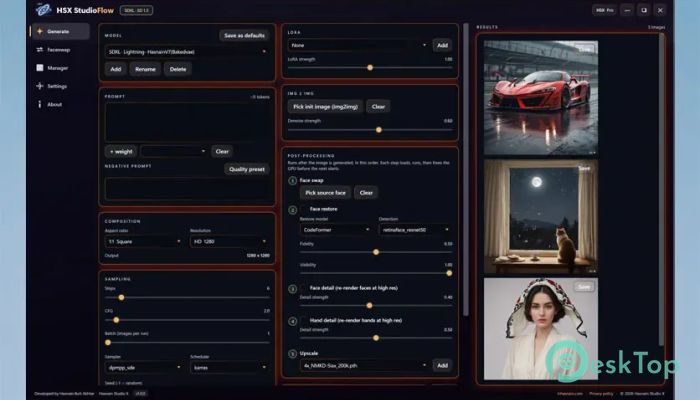
Users can upscale images using tiled ESRGAN technology to produce larger, sharper results while preserving fine details. Face restoration is available through CodeFormer and GFPGAN, making portraits appear cleaner and more natural. Face and hand detailing can also re-render important areas at higher quality for improved realism.
Built-In Face Swap and Video Processing
The software includes a face swap feature for both photos and videos. Users can replace faces in individual images or automatically process every frame of a video.
Once processing is complete, videos are re-encoded into MP4 format while preserving the original audio track. This creates a smooth editing workflow without requiring extra software.
Flexible Generation Controls
Creative users often want full control over the image generation process, and the software delivers exactly that. It provides 13 different samplers, four scheduling methods, adjustable CFG values, and live step controls.
LoRA models are fully supported, allowing you to load additional styles and customize their influence for every generation. You can also drop new AI checkpoints into the program, and it automatically prepares them for use.
Optimized for Different GPU Configurations
Not everyone owns the latest high-end graphics card. The software is optimized to run across a wide range of NVIDIA GPUs, including systems with as little as 4GB of VRAM.
Auto, Low VRAM, and Full VRAM modes help balance memory usage based on your hardware. Whether you use a laptop GPU or a powerful RTX graphics card, the software adjusts to deliver reliable performance.
Batch Export and Smart Workflow
Managing hundreds of generated images becomes much easier with batch export support. Users can export multiple images at once and apply custom file-naming templates to keep projects organized.
The Smart Manager simplifies installation by preloading essential models for offline use at first launch. Additional models can be installed with a single click, making expansion quick and effortless.
Modern Interface Designed for Creators
The software combines powerful functionality with a clean and elegant interface. Premium glass panels, glowing accent edges, and responsive controls create a modern workspace that feels both attractive and productive.
Dark and Light themes allow users to personalize the appearance according to their preferences. The layout remains intuitive whether you are a beginner learning AI image generation or an experienced digital artist.
No Subscription or API Keys Required
Unlike many online AI services, the software does not require a monthly subscription, an API key, or a cloud account. After installation, everything runs entirely on your computer.
This approach gives users complete freedom to create as many images as they want without worrying about credits, internet speed, or recurring fees.
System Requirements and Technical Details
OS: Windows 10 version 19041.0 or higher
DirectX: DirectX 12 API, Hardware Feature Level 11 (Minimum), DirectX 12 API, Hardware Feature Level 12 (Recommended)
Memory: 16 GB (Minimum), 20 GB (Recommended)
Video Memory: 4 GB (Minimum), 6 GB (Recommended)
Processor: Multi-core x64 CPU, 2.5 GHz or faster (Intel Core i5 / AMD Ryzen 5 or better) (Minimum), Quad-core x64 CPU, 3.0 GHz or faster (Intel Core i7 / AMD Ryzen 7 or better) (Recommended)
Graphics Processor: NVIDIA GPU with CUDA, 4 GB VRAM (GTX 1650 or newer). Runs in Low VRAM mode. (Minimum), NVIDIA RTX GPU with 6 GB+ VRAM (RTX 3060 or newer) for fast generation (Recommended)
Storage: 20GB or more

-
Program size8.77 GB
-
Version1.0.1
-
Program languagemultilanguage
-
Last updatedBefore 2 Month
-
Downloads39Ralated programs
![Operant Peak Spectroscopy]() Operant Peak Spectroscopy
Operant Peak Spectroscopy ![NeverWrite]() NeverWrite
NeverWrite![FluentCleaner]() FluentCleaner
FluentCleaner![Snippai]() Snippai
Snippai![ChillShot AI]() ChillShot AI
ChillShot AI![Splunk Enterprise]() Splunk Enterprise
Splunk Enterprise
 Operant Peak Spectroscopy
  NeverWrite
 FluentCleaner
 Snippai
 ChillShot AI
 Splunk Enterprise