
 Arabic
  English
  Turkish
  Chinese
  Japanese
  Russian
  Spanish
  German
  French
  Hindi
Hindi Download Input Director 2.3 for Windows
Download Input Director 2.3 for Windows.
Input Director Overview
This software is designed for users who run two or more computers side by side and want them to behave as a single workspace. Instead of constantly switching between different keyboards or mice, it enables seamless movement between systems. Think of it like sliding your chair from one desk to another, except everything happens digitally and instantly.Features of Input Director
Designed for Multi-Computer Setups
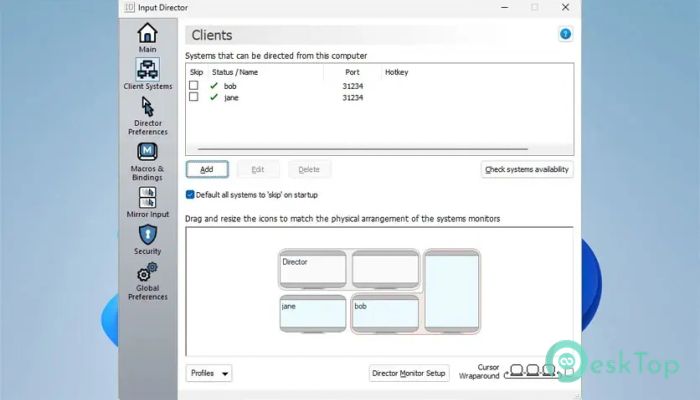
It works best in home or office environments where multiple Windows PCs are running simultaneously. If you have a primary machine and a secondary machine for testing, monitoring, or additional tasks, this tool bridges the gap. The experience feels natural, as if all systems are connected to a single brain.
Single Keyboard and Mouse Control
The biggest strength is the ability to use one keyboard and mouse across all connected computers. No more cluttered desks or tangled wires. You stay focused on your work instead of managing hardware. Switching control feels effortless and quick.
Smooth Switching Between Systems
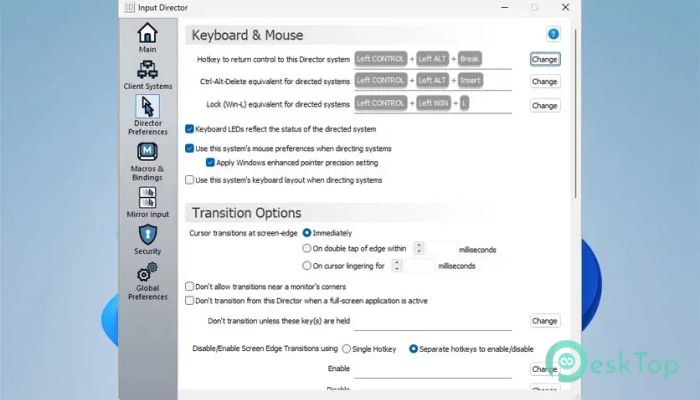
Control can be switched in two simple ways. You can press a defined hotkey or move the cursor to the edge of the screen. When the pointer reaches the edge, it jumps to the next computer, like crossing a bridge. This feels intuitive, similar to moving between multiple monitors.
Shared Clipboard for Easy Copy and Paste
One of the most practical features is the shared clipboard. You can copy text, links, or small amounts of data from one system, switch control, and paste it into another. It eliminates the need to email yourself notes or use external storage for small transfers.
Perfect for Daily Workflows
For users who regularly slide between systems, it saves time and mental energy. Whether you are coding on one machine and testing on another, or browsing on one and working on the other, everything feels connected. It keeps your flow intact.
Simple Setup and User-Friendly Design
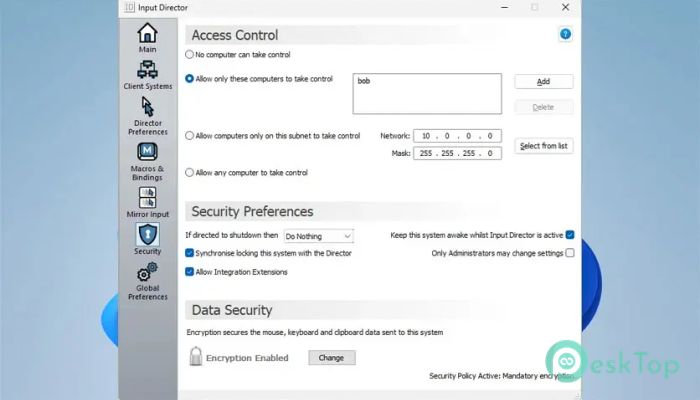
The setup process is straightforward and does not require deep technical knowledge. Once configured, it runs quietly in the background. You can forget it is even there until you need to move between systems, where it shines instantly.
Reliable and Stable Performance
It focuses on doing one job well, which makes it stable and dependable. There are no flashy extras to distract you. Instead, it delivers consistent performance that you can trust during long work sessions.
Ideal for Home and Small Offices
This tool is especially useful for people working from home or managing small office setups. It turns multiple computers into a unified workspace. The result is a cleaner desk, smoother workflow, and less frustration.
System Requirements and Technical Details
Operating System: Windows 11 / 10 / 8.1 / 7
Processor: Minimum 1 GHz Processor (2.4 GHz recommended)
RAM: 2GB (4GB or more recommended)
Free Hard Disk Space: 200MB or more is recommended

-
Program size41.63 MB
-
Version2.3
-
Program languagemultilanguage
-
Last updatedBefore 8 Month
-
Downloads18Ralated programs
![Operant Peak Spectroscopy]() Operant Peak Spectroscopy
Operant Peak Spectroscopy ![NeverWrite]() NeverWrite
NeverWrite![FluentCleaner]() FluentCleaner
FluentCleaner![Snippai]() Snippai
Snippai![ChillShot AI]() ChillShot AI
ChillShot AI![Splunk Enterprise]() Splunk Enterprise
Splunk Enterprise
 Operant Peak Spectroscopy
  NeverWrite
 FluentCleaner
 Snippai
 ChillShot AI
 Splunk Enterprise