
 Arabic
  English
  Turkish
  Chinese
  Japanese
  Russian
  Spanish
  German
  French
  Hindi
Hindi Download iPXE ISO EFI MBR SecureBoot Support 1.0 for Windows
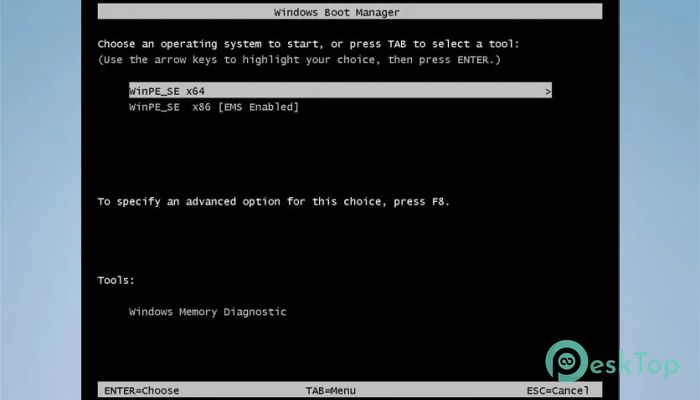
Download iPXE ISO EFI MBR SecureBoot Support 1.0 for Windows.
iPXE ISO EFI MBR SecureBoot Support Overview
This tool is designed to simplify network booting across different firmware environments. Whether your system uses old-school MBR or modern UEFI, it bridges the gap smoothly. Think of it like a universal key that unlocks boot access on almost any machine without forcing you to change your setup. It allows users to boot directly into an iPXE environment using an ISO file. That means no complicated setups or external dependencies. Just boot the ISO and connect instantly to your existing iPXE server. One standout feature of this solution is its support for Secure Boot. Many tools fail when Secure Boot is enabled, but this one works with it after a simple one-time certificate setup. Once configured, you are good to go on that system forever.Features of iPXE ISO EFI MBR SecureBoot Support
Cross Compatibility with MBR and UEFI
This software works seamlessly across both MBR and UEFI systems. That means you do not have to worry about your machine’s firmware type. Whether you are dealing with older BIOS-based setups or newer UEFI systems, it handles both with ease.
It’s like having a universal adapter. No matter what environment you plug into, it just fits and works without friction.
Secure Boot Support Made Simple
Secure Boot can often feel like a locked door, especially when dealing with custom boot tools. But here, the process is surprisingly straightforward. You only need to add a Secure Boot certificate file to your BIOS once.
After that initial setup, the tool runs smoothly even with Secure Boot enabled. No repeated steps, no constant reconfiguration. It becomes a one-time effort that saves you time in the long run.
The certificate file itself is not directly visible in the ISO. Instead, it is embedded inside the EFI boot sector. During the boot process, it appears automatically and guides you through the setup if needed.
Direct Access to iPXE Server
The main purpose of this ISO is to connect you to your existing iPXE server without complications. Once booted, it instantly provides access to your network boot environment.
This is especially useful for system administrators and advanced users who rely on network-based installations or maintenance tools. Instead of juggling multiple boot methods, everything is centralized into one clean solution.
It’s like having a remote control for your entire network boot setup, right at your fingertips.
Works with Popular Multiboot Managers
Another strong advantage is compatibility with popular multiboot tools. You can easily integrate it with solutions like Grub2FM, Ventoy, or AIO Boot.
This flexibility makes it perfect for users who already use multiboot USB drives. Just add the ISO, and it becomes part of your existing toolkit without any extra effort.
No need to rebuild your setup. Just plug it in and expand your capabilities instantly.
Embedded Certificate Handling
The Secure Boot certificate is cleverly embedded in the EFI boot file. This means you do not have to manage separate files manually. Everything is packed neatly inside the ISO.
During boot, the system automatically displays the certificate, making the process user-friendly even for those who are not deeply technical.
This design reduces errors and confusion, keeping things clean and efficient.
Lightweight and Efficient Design
Despite its powerful capabilities, the tool remains lightweight. It does not demand heavy system resources or complex configurations.
It runs quickly and does its job without slowing down your system. That makes it ideal for both modern machines and older hardware.
You get performance without unnecessary bloat, which is always a win.
Easy Setup and Usage
Getting started is simple. Just boot the ISO using your preferred method, whether it is a USB drive or a multiboot manager.
If Secure Boot is enabled, introduce the certificate once, and you are done. After that, every boot becomes smooth and hassle-free.
It removes the usual headaches associated with boot environments and offers a clean, user-friendly experience.
System Requirements and Technical Details
Operating System: Windows 11 / 10 / 8.1 / 7
Processor: Minimum 1 GHz Processor (2.4 GHz recommended)
RAM: 2GB (4GB or more recommended)
Free Hard Disk Space: 200MB or more is recommended

-
Program size2.53 MB
-
Version1.0
-
Program languagemultilanguage
-
Last updatedBefore 3 Month
-
Downloads9Ralated programs
![Operant Peak Spectroscopy]() Operant Peak Spectroscopy
Operant Peak Spectroscopy ![NeverWrite]() NeverWrite
NeverWrite![FluentCleaner]() FluentCleaner
FluentCleaner![Snippai]() Snippai
Snippai![ChillShot AI]() ChillShot AI
ChillShot AI![Splunk Enterprise]() Splunk Enterprise
Splunk Enterprise
 Operant Peak Spectroscopy
  NeverWrite
 FluentCleaner
 Snippai
 ChillShot AI
 Splunk Enterprise