
 Arabic
  English
  Turkish
  Chinese
  Japanese
  Russian
  Spanish
  German
  French
  Hindi
Hindi Download kage 0.3.12 for Windows
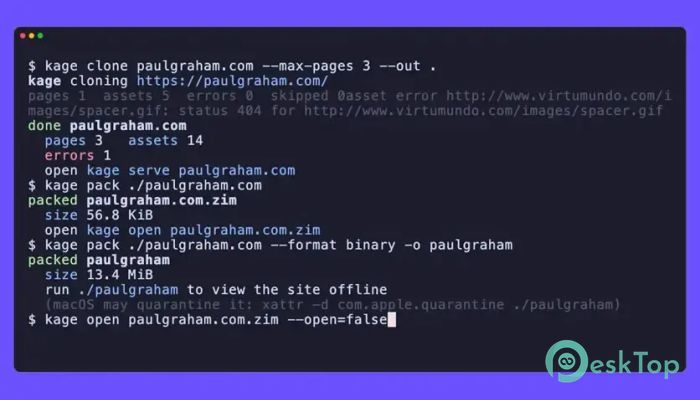
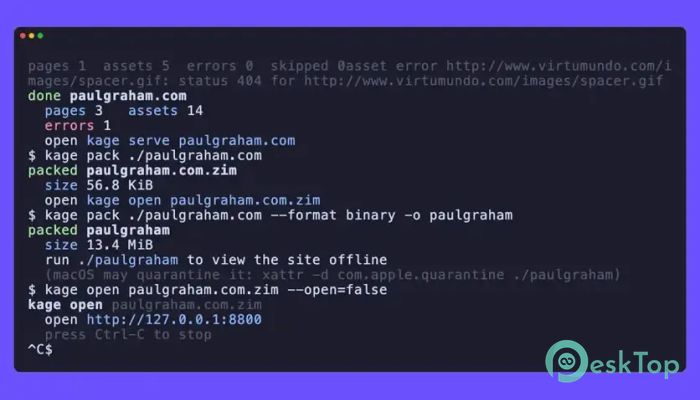

Download kage 0.3.12 for Windows.
kage Overview
kage is a lightweight yet powerful utility designed to create complete static copies of modern websites. Instead of simply saving the page source, it opens every webpage inside a headless Chrome browser, waits until everything is fully loaded, and then captures the final version exactly as a visitor sees it. After that, it removes all JavaScript, event handlers, and tracking scripts while downloading the required CSS, images, and fonts. The result is a clean folder filled with HTML files that can be opened directly from your computer without needing an internet connection or a web server. This makes it ideal for archiving websites, preserving documentation, sharing static content, and viewing pages without unwanted scripts running in the background.Features of kage
Captures the Final Rendered Page
Most websites today rely heavily on JavaScript to build their content. If you simply use your browser's "Save As" feature, you often end up with an incomplete page that refuses to display correctly once you disconnect from the internet.
The software solves this problem by rendering every page inside headless Chrome first. It waits until everything finishes loading before taking a snapshot of the final Document Object Model (DOM). This ensures the saved page looks almost identical to the original website.
Creates Fully Static HTML Files
One of the biggest strengths of the tool is its ability to transform dynamic websites into completely static files. After rendering the page, it strips away every script, JavaScript event, and interactive code that could execute later.
The generated HTML files become simple documents that display exactly like the live page but contain no active code. You can copy them anywhere, store them for years, or open them directly from your hard drive without installing anything.
Downloads Every Required Resource
A webpage is much more than HTML. It also depends on stylesheets, fonts, icons, images, and many other assets to appear correctly.
The software automatically downloads these resources and rewrites their paths so everything works locally. Since every required asset stays inside the output folder, the page remains complete even when there is no internet connection.
Removes Scripts and Tracking Code
Modern websites usually include analytics, advertisements, tracking pixels, cookies, and numerous background scripts. These components continue communicating with remote servers even after saving the page.
The tool removes every script and event handler during the conversion process. This creates a much cleaner archive while preventing analytics, trackers, and unnecessary background activity from running.
Better Than Browser Save As
The traditional Save As feature often saves only the original HTML source instead of the final rendered page. As a result, websites built with modern JavaScript frameworks may appear blank or broken after being opened offline.
The software takes a completely different approach. It behaves like a real visitor using Chrome, waits for everything to finish loading, and only then creates the archive. This produces much more reliable results for modern websites.
Perfect for Website Archiving
Whether you want to preserve online documentation, create offline tutorials, save research material, or archive websites before they disappear, the software offers an easy solution.
Its static output is portable, lightweight, and future-proof. You can move the folder to another computer, back it up, or even host it later without worrying about missing resources.
Easy Offline Viewing
Once the conversion is complete, opening the archived website is as simple as double-clicking an HTML file. No server configuration, browser extensions, or special software is required.
This convenience makes it useful for students, researchers, developers, and anyone who frequently needs access to web content while traveling or working without an internet connection.
Simple and Reliable Workflow
The software keeps the entire process straightforward. Enter the website, let headless Chrome render the page, and allow the tool to collect all necessary assets. Within moments, you receive a complete offline version that closely matches the live website.
This automated workflow saves significant time compared to manually downloading files and fixing broken links. Everything is handled behind the scenes, allowing you to focus on the content instead of technical details.
Privacy-Friendly Static Archives
Because all scripts are removed, the archived pages become much safer to open. They no longer contact external servers, load advertisements, or send usage information back to analytics services.
This makes the generated files ideal for long-term storage, educational use, internal documentation, and secure offline browsing where privacy matters.
System Requirements and Technical Details
Operating System: Windows 11 / 10 / 8.1 / 7
Processor: Minimum 1 GHz Processor (2.4 GHz recommended)
RAM: 2GB (4GB or more recommended)
Free Hard Disk Space: 200MB or more is recommended

-
Program size6.35 MB
-
Version0.3.12
-
Program languagemultilanguage
-
Last updatedBefore 2 Month
-
Downloads5
 Cyotek WebCopy
 Linphone
 Cinny
Cinny AllMapSoft Bing Maps Downloader
  AllMapSoft Yandex Maps Downloader
  AllMapSoft google earth images downloader