
 Arabic
  English
  Turkish
  Chinese
  Japanese
  Russian
  Spanish
  German
  French
  Hindi
Hindi Download Link Shell Extension 1.0 for Windows
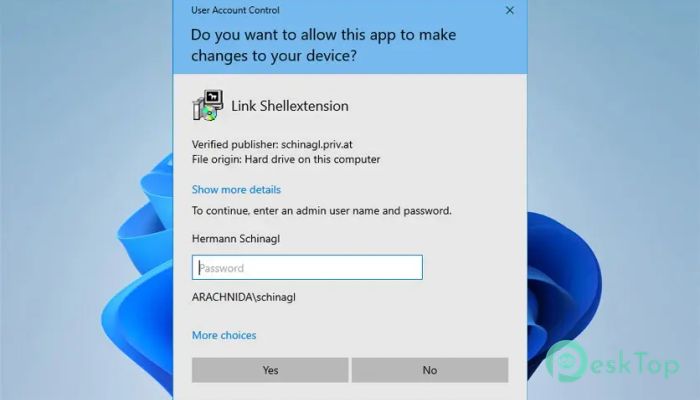
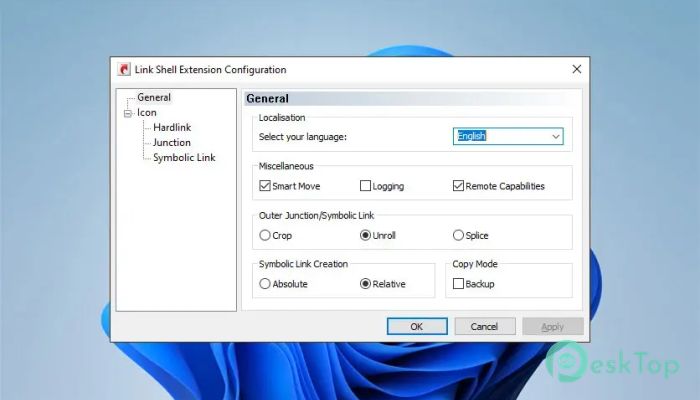
Download Link Shell Extension 1.0 for Windows.
Link Shell Extension Overview
It is a smart Windows Explorer enhancement that helps users work with advanced file system links without using complex command-line tools. It integrates directly into the right-click context menu, allowing smooth creation and management of hard links, junctions, symbolic links, and volume mount points. Everything feels native, fast, and easy to understand, even if you are new to these concepts.Features of Link Shell Extension
Hardlinks Made Simple
Hardlinks are powerful but often misunderstood. With this tool, creating them becomes a right-click operation rather than a technical chore. When you create a hard link, multiple file entries point to the same physical data. Change one, and all linked versions update instantly. It feels like having multiple doors leading into the same room.
Working with Junctions and Folder Redirection
Junctions are perfect for redirecting folders without breaking applications. The software allows seamless creation of these links so programs believe files are still in their original place. This is extremely helpful when moving large folders to another drive while keeping software behavior unchanged.
Symbolic Links Without the Headache
Symbolic links normally require special permissions and command-line syntax. Here, they are created visually through Explorer. It feels like drawing a shortcut, but with much deeper system-level behavior. This makes advanced file structures accessible even to non-technical users.
Volume Mount Points Explained Simply
Instead of assigning a drive letter, the tool allows attaching entire volumes to folders. This creates clean directory structures and avoids running out of drive letters. It is especially useful for systems with multiple storage devices and organized workflows.
Folder Cloning That Saves Space
One standout feature is folder cloning. Instead of duplicating thousands of files, the software creates linked copies using hardlinks or symbolic links. Think of it like mirroring a bookshelf without buying extra books. You get the same content with almost no extra storage usage.
Visual Overlay Icons for Easy Identification
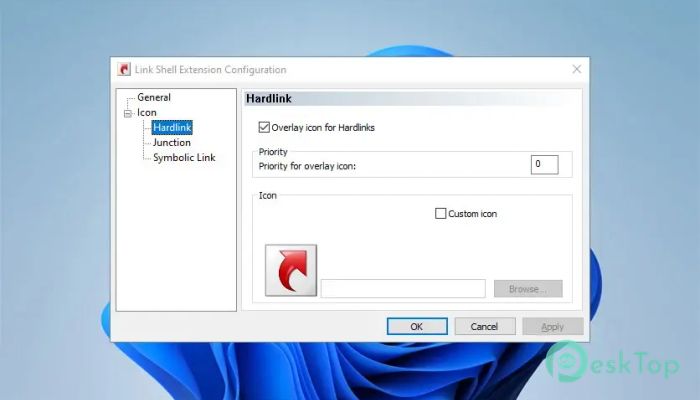
To avoid confusion, built-in overlay icons visually mark junctions, hardlinks, and symbolic links. You can tell at a glance what type of link you are dealing with. Since everyone has different visual preferences, these icons can be customized to match personal taste.
Customizable Explorer Integration
The tool blends naturally into Windows Explorer. You can control how and where options appear in context menus. Adjusting overlay icon settings is straightforward, and any changes politely request an Explorer restart to apply updates correctly.
Performance and Stability
Despite its deep system integration, the software remains lightweight. It runs silently in the background and does not slow down Explorer. Links are created instantly, and stability remains solid even on older systems.
System Requirements and Technical Details
Operating System: Windows 11 / 10 / 8.1 / 7
Processor: Minimum 1 GHz Processor (2.4 GHz recommended)
RAM: 2GB (4GB or more recommended)
Free Hard Disk Space: 200MB or more is recommended

-
Program size3.20 MB
-
Version1.0
-
Program languagemultilanguage
-
Last updatedBefore 8 Month
-
Downloads11Ralated programs
![Operant Peak Spectroscopy]() Operant Peak Spectroscopy
Operant Peak Spectroscopy ![NeverWrite]() NeverWrite
NeverWrite![FluentCleaner]() FluentCleaner
FluentCleaner![Snippai]() Snippai
Snippai![ChillShot AI]() ChillShot AI
ChillShot AI![Splunk Enterprise]() Splunk Enterprise
Splunk Enterprise
 Operant Peak Spectroscopy
  NeverWrite
 FluentCleaner
 Snippai
 ChillShot AI
 Splunk Enterprise