
 Arabic
  English
  Turkish
  Chinese
  Japanese
  Russian
  Spanish
  German
  French
  Hindi
Hindi Download MacSonik MBOX Viewer 1.0 for Windows
Download MacSonik MBOX Viewer 1.0 for Windows.
MacSonik MBOX Viewer Overview
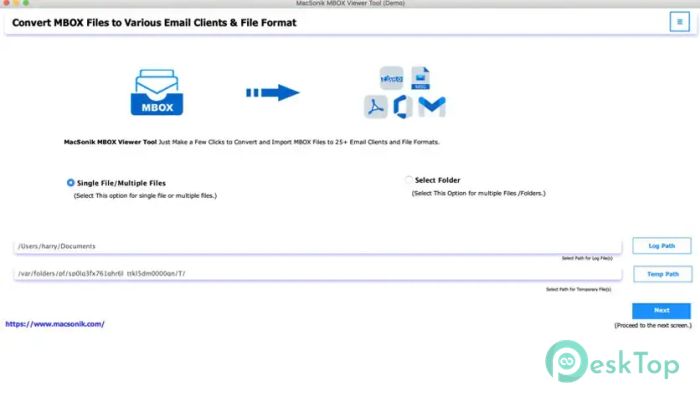
It is a lightweight yet powerful utility designed to open and view files with ease. It allows users to access complete mailbox data, including emails, folders, and attachments, in a clean, readable format. The software is especially useful for users who want to check email data without installing heavy email applications like Thunderbird or Apple Mail. It works as a standalone solution, allowing users to simply load their tool files and instantly browse email content. Whether the file comes from a backup or an email client, the tool makes the reading process smooth and hassle-free. Everything is displayed in an organized structure so users can quickly find what they need.Features of MacSonik MBOX Viewer
Simple Tool File Access
The tool makes it extremely easy to open tool files without technical steps. You just load the file and start viewing emails right away. It eliminates the need for configuration or additional email software, making it suitable for beginners and advanced users alike.
This simple approach saves time and avoids the confusion of setting up email clients just to read old messages. It works like opening a digital mailbox where everything is already arranged for you.
Support for Multiple Email Clients
It supports the files created by various email platforms, including Mozilla Thunderbird, Apple Mail, and other tool-supported services. This wide compatibility ensures that users can access data from various sources without conversion issues.
No matter where the file originated, the tool reads it smoothly and presents the content in a structured format. This makes it highly flexible for users dealing with multiple email accounts or backups.
Preview Emails and Attachments
One of the most useful features is the ability to preview emails and attachments directly. Users can click any email to view its full content, including the sender details, subject, and message body.
Attachments can also be previewed without opening external applications. This helps users quickly check important files and understand email content without extra effort or software switching.
Open Corrupted or Damaged Files
Sometimes the files become slightly damaged or fail to open in regular email programs. This tool helps users access such files and recover readable email content.
Even if the file is not working in an email client, the viewer tries to load available data and display it in a readable format. This makes it useful for recovering important information from problematic files.
Batch File Loading and Folder Support
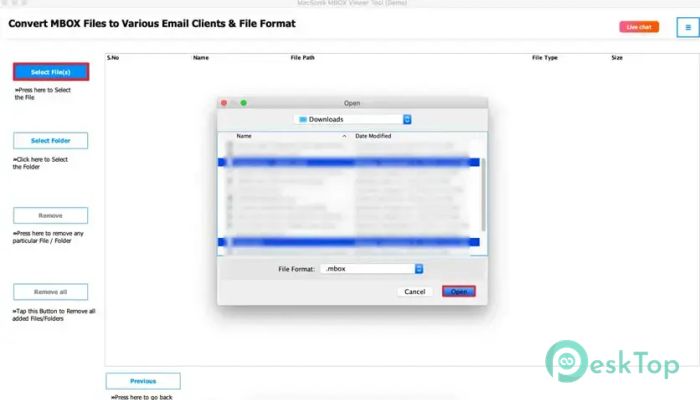
The software allows users to open multiple tool files at once. You can also load an entire folder containing multiple mailbox files, making it easier to manage large datasets.
This feature is especially helpful for professionals who deal with bulk email backups. Instead of opening files one by one, everything can be accessed in a single workspace for better productivity.
User-Friendly Interface
The interface is designed with a clean, simple layout so users can easily understand how to navigate. All options are clearly visible, and there are no complicated menus or settings.
This makes the tool feel smooth and beginner-friendly. Even users with no technical background can quickly open and browse their email files without confusion.
Cross-Platform Compatibility
The software runs smoothly on both Windows and Mac systems. This flexibility allows users to access their tool files regardless of the operating system they use.
It ensures consistent performance across platforms, making it a reliable choice for individuals and professionals working in mixed environments.
System Requirements and Technical Details
Operating System: Windows 11 / 10 / 8.1 / 7
Processor: Minimum 1 GHz Processor (2.4 GHz recommended)
RAM: 2GB (4GB or more recommended)
Free Hard Disk Space: 500MB or more is recommended

-
Program size214.42 MB
-
Version1.0
-
Program languagemultilanguage
-
Last updatedBefore 3 Month
-
Downloads11Ralated programs
![Operant Peak Spectroscopy]() Operant Peak Spectroscopy
Operant Peak Spectroscopy ![NeverWrite]() NeverWrite
NeverWrite![FluentCleaner]() FluentCleaner
FluentCleaner![Snippai]() Snippai
Snippai![ChillShot AI]() ChillShot AI
ChillShot AI![Splunk Enterprise]() Splunk Enterprise
Splunk Enterprise
 Operant Peak Spectroscopy
  NeverWrite
 FluentCleaner
 Snippai
 ChillShot AI
 Splunk Enterprise