
 Arabic
  English
  Turkish
  Chinese
  Japanese
  Russian
  Spanish
  German
  French
  Hindi
Hindi Download MacSonik OLM Converter 1.0 for Windows
Download MacSonik OLM Converter 1.0 for Windows.
MacSonik OLM Converter Overview
It is a professional migration tool designed to make OLM file conversion simple, fast, and accurate. It helps users export Mac Outlook mailbox data into various file formats and email clients without affecting the original content. Whether you want to switch email platforms or create secure backups, the software handles the entire process with ease. The software supports emails, contacts, calendars, tasks, notes, and other mailbox items while preserving folder hierarchy, attachments, formatting, and metadata. Its modern interface and optimized performance make it suitable for both beginners and IT professionals.Features of MacSonik OLM Converter
Convert OLM Files into Multiple Formats
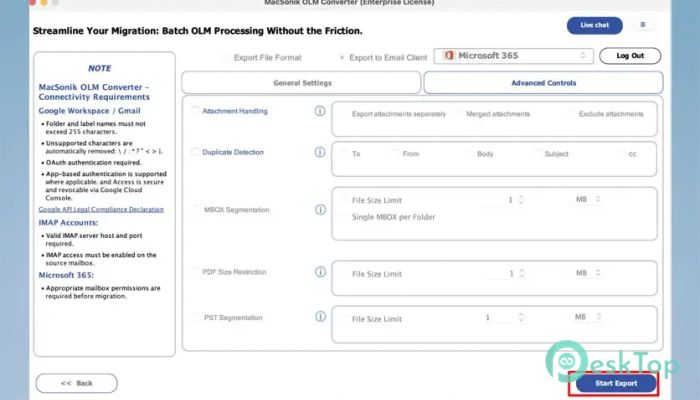
The software supports a wide range of output formats, allowing users to access their Outlook for Mac data almost anywhere. It can convert OLM files into PST, PDF, MBOX, EML, MSG, CSV, DOCX, and several other popular formats.
This flexibility makes it easy to migrate data between different platforms without worrying about compatibility. Whether you are moving to another email client or simply creating archives, the conversion process remains smooth and accurate.
Direct Migration to Email Services
The tool is not limited to local file conversion. It also supports direct migration to popular email services, including Gmail, Microsoft 365, Yahoo Mail, and other supported accounts.
Instead of exporting files first and importing them later, users can transfer mailbox data directly to their preferred email platform. This saves valuable time and minimizes manual work.
Complete Data Integrity
Data safety is one of the software's strongest features. During the conversion process, it preserves every email, attachment, contact, calendar event, and task exactly as they appear in the original mailbox.
The software also preserves folder structure, email properties, timestamps, sender information, recipient details, and metadata. This ensures that no important information is lost during data transfer.
Advanced Preview Option
Before starting the conversion, the tool allows users to preview mailbox items in detail. This feature helps verify emails, contacts, calendars, and attachments before exporting them.
The preview option works like looking through a photo album before printing your favorite pictures. It gives users complete confidence that the correct data is being converted.
Powerful Email Filters
The software includes advanced filtering options that help users export only the data they actually need. Instead of converting the entire mailbox, selected emails can be filtered by date range, folder, or other criteria.
This feature saves storage space and significantly reduces conversion time, especially when working with large Outlook mailboxes.
Enhanced Performance and Speed
The latest version comes with performance improvements that make conversion faster and more stable. Even large OLM files are processed efficiently without slowing down the system.
Its optimized conversion engine delivers reliable results while maintaining excellent accuracy throughout the migration process.
User-Friendly Interface
The software is designed with simplicity in mind. Every feature is organized in a clean layout, allowing users to complete conversions in just a few simple steps.
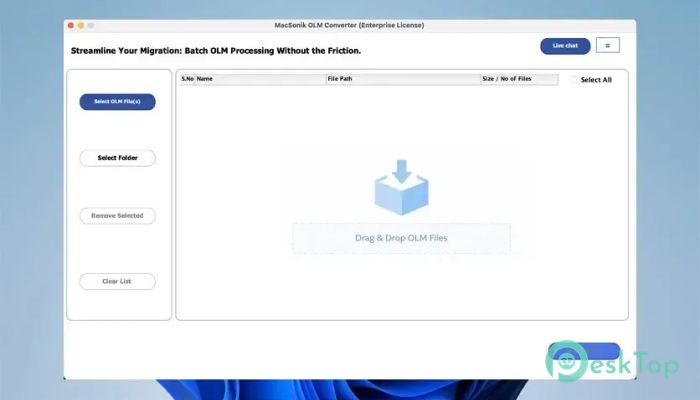
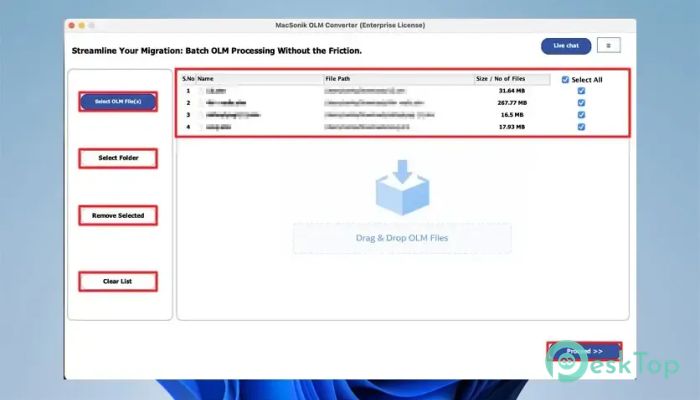
Even someone using a converter for the first time can quickly load mailbox files, choose an output format, adjust settings, and complete the conversion without technical knowledge.
Reliable Backup and Migration Solution
The tool serves as both a conversion utility and a reliable backup solution. Users can create copies of their important Outlook for Mac mailbox data in different formats for long-term storage.
It is especially useful for businesses, professionals, and home users who frequently migrate between email platforms or need secure offline backups of important communications.
Broad Compatibility
The software works smoothly with various versions of Outlook for Mac OLM files and supports exporting data to modern email platforms and document formats. Its wide compatibility makes migration easier regardless of the destination platform.
This flexibility allows users to switch email clients confidently while keeping all important mailbox information safe and accessible.
System Requirements and Technical Details
Operating System: Windows 11 / 10 / 8.1 / 7
Processor: Minimum 1 GHz Processor (2.4 GHz recommended)
RAM: 2GB (4GB or more recommended)
Free Hard Disk Space: 500MB or more is recommended

-
Program size242.21 MB
-
Version1.0
-
Program languagemultilanguage
-
Last updatedBefore 3 Month
-
Downloads6Ralated programs
![Operant Peak Spectroscopy]() Operant Peak Spectroscopy
Operant Peak Spectroscopy ![NeverWrite]() NeverWrite
NeverWrite![FluentCleaner]() FluentCleaner
FluentCleaner![Snippai]() Snippai
Snippai![ChillShot AI]() ChillShot AI
ChillShot AI![Splunk Enterprise]() Splunk Enterprise
Splunk Enterprise
 Operant Peak Spectroscopy
  NeverWrite
 FluentCleaner
 Snippai
 ChillShot AI
 Splunk Enterprise