
 Arabic
  English
  Turkish
  Chinese
  Japanese
  Russian
  Spanish
  German
  French
  Hindi
Hindi Download Materialgram 7.0.5.1 for Windows
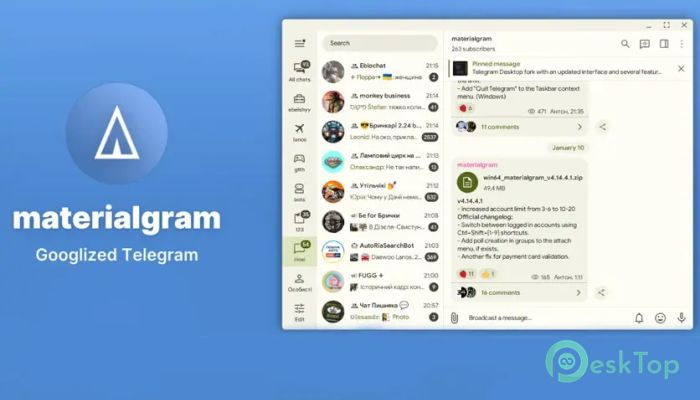
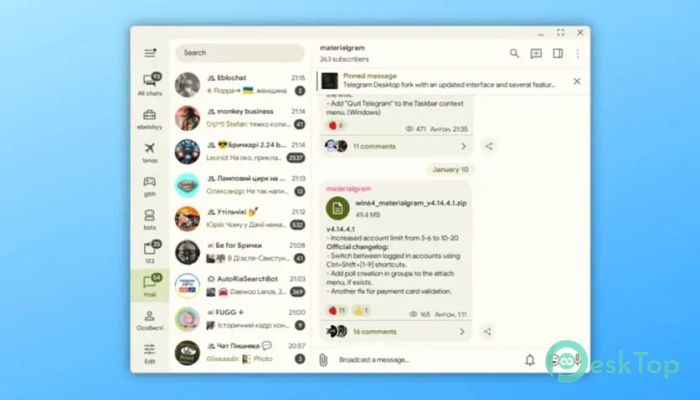
Download Materialgram 7.0.5.1 for Windows.
Materialgram Overview
It is a redesigned desktop messaging client built on the Telegram API and the MTProto secure protocol. While the original messaging platform already offers speed and security, this tool adds a stylish interface and several practical improvements, making chatting smoother and more enjoyable. The main goal of the software is to deliver the same reliable messaging experience while introducing a clean Material Design layout inspired by modern mobile apps. The interface looks polished and minimal, yet it keeps all the powerful features people expect from a desktop messenger. Unlike many simple themes or modifications, this tool changes multiple parts of the interface and functionality. From faster uploads to redesigned icons and fonts, everything feels thoughtfully crafted. The result is a messaging client that feels both familiar and refreshingly new.Features of Materialgram
Material Design Interface
One of the most noticeable improvements is the visual redesign. The interface follows Material Design principles, focusing on simplicity, clarity, and a smooth visual flow. Everything feels organized, clean, and easy to navigate.
The tool includes its own Material You theme system with built-in color customization. Users can switch between Day and Dark themes and adjust the colors to match their style. This gives the application a modern look that feels similar to many popular mobile apps.
Using the software feels like walking into a newly renovated room. Everything is in the same place as before, but the environment feels brighter, cleaner, and easier on the eyes.
Improved Fonts and Icons
The software replaces the default fonts with Google Sans across the interface. This small change makes the text clearer and more comfortable to read during long conversations.
For Arabic characters, the Vazir font is used instead. This ensures that languages with different writing styles still look natural and readable.
The icons have also been redesigned using Material icons. These icons are simple, modern, and visually balanced. The result is an interface that feels lighter and more organized.
Better Video and Media Controls
Media sharing is a huge part of messaging, and this tool improves the experience in several ways. One of the most interesting additions is the ability to seek round videos.
Round videos are those circular clips that appear inside chats. Normally, they play from start to finish without control, but the software lets users move through them like a regular video.
This small improvement makes media playback more flexible. Instead of replaying the entire clip, users can jump directly to the part they want to watch.
Image compression has also been reduced. This means pictures maintain better quality when shared through chats. Photos appear sharper and clearer compared to standard compression.
Performance and Speed Improvements
The developers focused not only on appearance but also on performance. The tool introduces several tweaks that make the messaging experience faster and smoother.
Upload speed has been increased, allowing files to be sent more quickly. This is especially helpful when sharing large documents, photos, or videos.
Timeout values have also been reduced. This makes the application feel more responsive when loading messages or connecting to servers.
These improvements may seem small individually, but together they create a smoother workflow. Messaging feels more fluid and less interrupted.
Cleaner Chat Interface
The chat layout has also received thoughtful changes. Message bubble tails have been removed, and the padding has been adjusted to restore a classic layout style.
This creates a cleaner appearance, with messages aligning neatly on the screen. Conversations look more organized and easier to read.
All system sounds have been replaced as well. Notifications feel fresh and slightly softer, making them less distracting during daily work.
The minimum window size has been reduced as well. This allows the application to fit comfortably even on smaller displays or multitasking setups.
Enhanced Sticker and Profile Features
Sticker packs are a fun part of messaging, and this tool improves how they are managed. The sticker pack menu now follows a layout similar to the mobile version.
Buttons are arranged more conveniently, making it easier to browse and select stickers quickly.
Another useful addition is the ability to copy the author's ID directly from sticker packs. This makes it easier for creators or users to find and share pack creators.
The profile section also shows the approximate date of account creation. While it is only an estimate, it adds an interesting detail about user accounts.
User Interface Refinements
Many small design adjustments make the application feel more polished. Buttons now use sentence case, improving readability.
Spoiler animations have also been improved. When hidden text or images are revealed, the animation looks smoother and more satisfying.
These refinements are like polishing a piece of glass. The structure remains the same, but the overall experience becomes clearer and more enjoyable.
System Requirements and Technical Details
Operating System: Windows 11 / 10 / 8.1 / 7
Processor: Minimum 1 GHz Processor (2.4 GHz recommended)
RAM: 2GB (4GB or more recommended)
Free Hard Disk Space: 200MB or more is recommended

-
Program size51.75 MB
-
Version7.0.5.1
-
Program languagemultilanguage
-
Last updatedBefore 2 Month
-
Downloads33
 Cyotek WebCopy
 Linphone
 Cinny
Cinny AllMapSoft Bing Maps Downloader
  AllMapSoft Yandex Maps Downloader
  AllMapSoft google earth images downloader