
 Arabic
  English
  Turkish
  Chinese
  Japanese
  Russian
  Spanish
  German
  French
  Hindi
Hindi Download Micron Storage Executive 11.08.082025.00 for Windows
Download Micron Storage Executive 11.08.082025.00 for Windows.
Micron Storage Executive Overview
The software is built to help users monitor, manage, and improve the way their Micron SSD performs. It provides system insights, firmware updates, and useful features that enhance overall speed. With a clean, simple interface, it's easy for both beginners and professionals to track drive health and optimize performance.Features of Micron Storage Executive
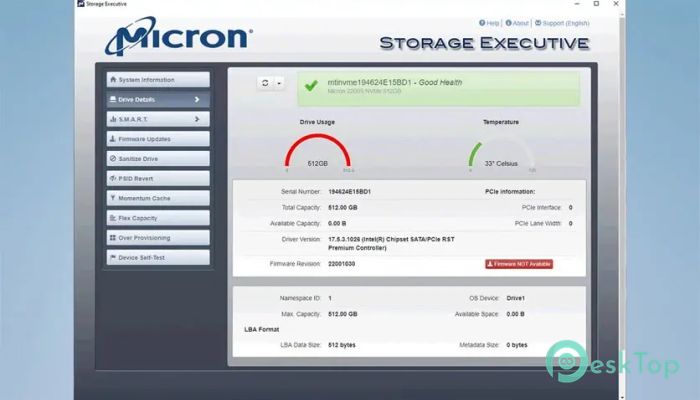
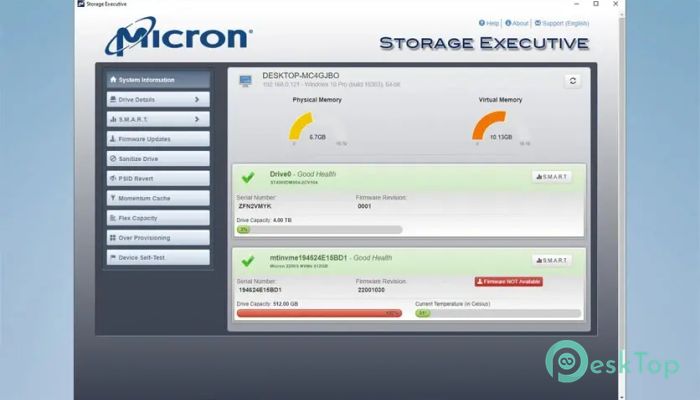
One of the main features of the tool is its ability to show detailed information about your SSD. You can view drive health, temperature, remaining storage space, and more. The software also lets you update your firmware quickly, keeping your drive up to date with the latest improvements.
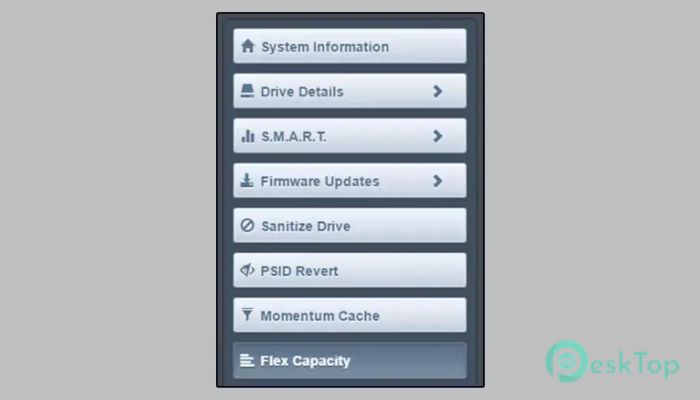
Another highlight is the Momentum Cache feature, which boosts many SSD operations by up to 10x. It works by using system memory to accelerate read and write performance. This makes your SSD feel more responsive, especially when opening apps or loading files.
The tool also includes options for secure management. You can reset your encryption password, precise all data stored on the drive, and verify SSD details for warranty purposes.
Drive Monitoring Tools
The application makes monitoring simple. You can check drive temperature, total storage usage, and remaining life. Having these details ensures you can maintain your SSD properly and avoid sudden failures. It feels like having a personal health report for your drive, giving you peace of mind.
Performance Boosting Tools
To improve speed, the tool uses features like Momentum Cache and firmware updates. Momentum Cache works like giving your SSD a temporary turbo boost, making everyday operations faster. Firmware updates bring new improvements, bug fixes, and better stability, ensuring your drive runs smoothly.
Security and Maintenance
For users who need better control over data, the tool provides secure erase options. This allows you to safely wipe all data from the SSD. You can also reset encryption passwords if needed. These tools are helpful when preparing your drive for selling or reuse.
Ease of Use
The interface is user-friendly and straightforward. Even if you're not tech-savvy, you can navigate through menus easily. Everything is clearly labeled, making it comfortable to monitor and manage your storage device. The tool provides quick access to essential features without overwhelming users.
Compatibility and Support
This tool works smoothly on Windows systems and supports many Micron SSD models. Whether you have a new drive or an older one, the tool recognizes it and displays accurate information. With continuous updates from Micron, you also get long-term support to keep your SSD in good shape.
System Requirements and Technical Details
Operating System: Windows 11 / 10 / 8.1 / 7
Processor: Minimum 1 GHz Processor (2.4 GHz recommended)
RAM: 2GB (4GB or more recommended)
Free Hard Disk Space: 500MB or more is recommended

-
Program size202.88 MB
-
Version11.08.082025.00
-
Program languagemultilanguage
-
Last updatedBefore 8 Month
-
Downloads45
 Bravely Diskaroo
 DiskGenius Free
 Disk Pulse
 DiskGenius Professional
 Disk Sorter
 Hasleo Disk Clone Free