
 Arabic
  English
  Turkish
  Chinese
  Japanese
  Russian
  Spanish
  German
  French
  Hindi
Hindi Download Namtuk Automatic Email Manager 1.0 for Windows
Download Namtuk Automatic Email Manager 1.0 for Windows.
Namtuk Automatic Email Manager Overview
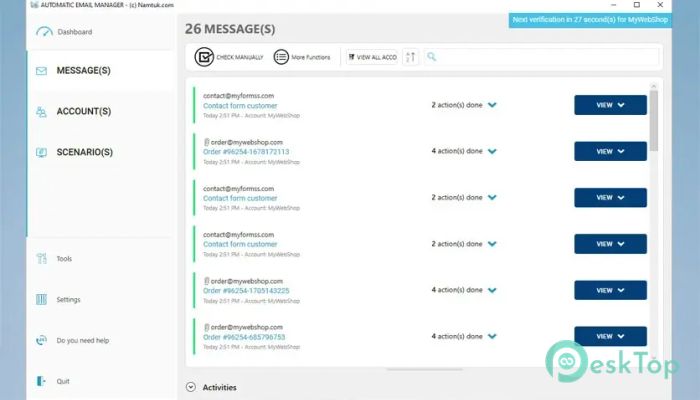
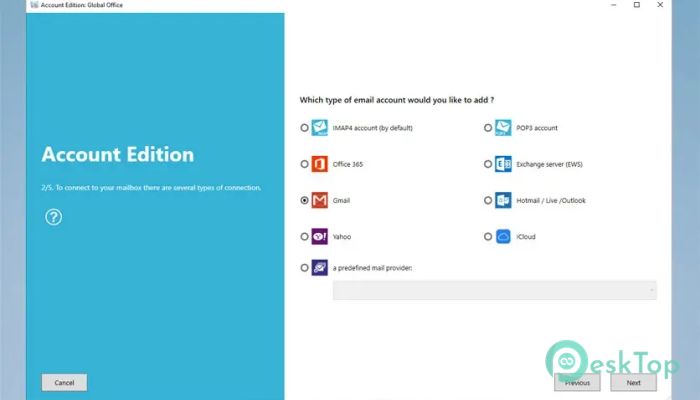
This reliable solution helps users manage daily email operations without manual effort. It monitors inboxes, handles attachments, and processes messages according to custom rules. With support for primary email services and advanced automation options, the software makes routine email tasks faster and stress-free.Features of Namtuk Automatic Email Manager
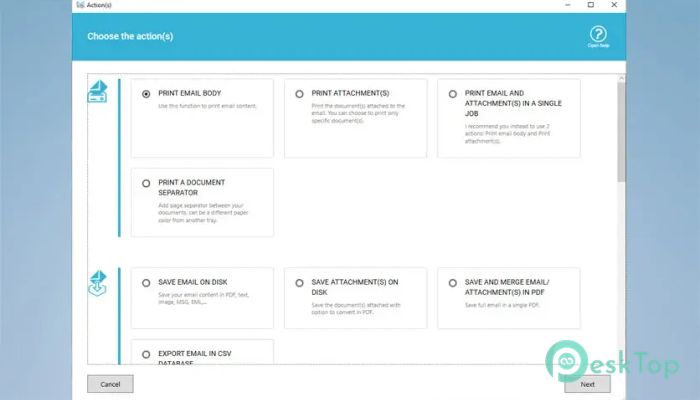
The tool offers a wide range of actions that streamline everyday tasks. Users can automate printing, convert emails to PDF, forward messages, reply automatically, send alerts to chat platforms, and more. These features allow you to manage communication in the background while focusing on other essential tasks.
You can also save emails as PDF, EML, MSG, TXT, or image files. If you prefer everything in one place, you can merge attachments into a single PDF. It supports local and network drives, providing flexibility for storage and archiving.
Email Monitoring and Smart Processing
The software constantly monitors your inbox for new messages. When an item arrives, it executes the scenario you have defined. This can include downloading files via links, executing scripts, exporting content to CSV, collecting email addresses, and moving or deleting messages. Think of it like having a personal assistant that never stops working.
Conditions help filter unwanted messages, ensuring only legitimate content is processed. You stay in control because the system is designed to avoid unknown or unsafe attachment types.
Top-Level Security and Local Processing
One of the most significant advantages of this tool is its security. All actions happen locally on your computer. Your information is never sent to external servers or third-party systems. This provides peace of mind when handling confidential emails, financial documents, and sensitive reports.
Your data stays in your hands, processed only on the device where the software runs. This approach ensures privacy and complete control.
Smart Printing and Document Handling
The program can automatically print invoices, reports, alerts, orders, and other essential documents—saving you from manual printing. You can print attachments such as PDF, Word, Excel, PowerPoint, images, and more.
Additional options let you add page numbers, timestamps, and even specific email data. You can also extract selected details from messages to print only what matters. This level of control makes document management effortless.
Independent Operation
The tool runs quietly in the background, even when no user is logged in. It does not require Outlook or any external email reader to function, making it a completely standalone solution. It is reliable, fast, and designed for continuous operation.
Backup and archiving capabilities help you securely store older messages. By automatically organizing everything, the software reduces clutter and keeps your workflow smooth.
Productivity Benefits
Using the software feels like having an intelligent assistant handling repetitive tasks. Instead of spending hours printing, saving attachments, changing categories, or exporting information, you can let the automated system do everything on its own. It saves time, boosts productivity, and removes unnecessary stress from your daily routine.
System Requirements and Technical Details
Operating System: Windows 11 / 10 / 8.1 / 7
Processor: Minimum 1 GHz Processor (2.4 GHz recommended)
RAM: 2GB (4GB or more recommended)
Free Hard Disk Space: 200MB or more is recommended

-
Program size52.05 MB
-
Version1.0
-
Program languagemultilanguage
-
Last updatedBefore 9 Month
-
Downloads9
 Cyotek WebCopy
 Linphone
 Cinny
Cinny AllMapSoft Bing Maps Downloader
  AllMapSoft Yandex Maps Downloader
  AllMapSoft google earth images downloader