
 Arabic
  English
  Turkish
  Chinese
  Japanese
  Russian
  Spanish
  German
  French
  Hindi
Hindi Download NormCap 0.6.0 for Windows
Download NormCap 0.6.0 for Windows.
NormCap Overview
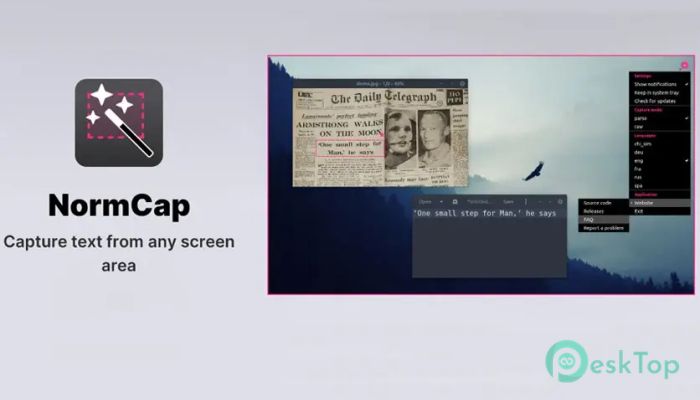
It is built for people who copy text from screens more often than they take screenshots. Instead of grabbing an image and pasting it, it reads the text on your screen and sends clean, editable text directly to the clipboard. Think of it like turning your screen into a live document scanner that works instantly.Features of NormCap
Powered by Reliable OCR
At its core, it relies on the trusted Tesseract OCR engine. This means it can recognize text in many languages with impressive accuracy. Whether you are copying a paragraph from a PDF, a code snippet from a video, or numbers from an image, the results feel surprisingly natural and usable.
Privacy Comes First
One of the biggest strengths is how it handles privacy. All processing happens offline on your computer. Nothing is uploaded, tracked, or stored remotely. It feels like using a calculator on your desk instead of sending numbers to an online service.
Simple and Fast Workflow
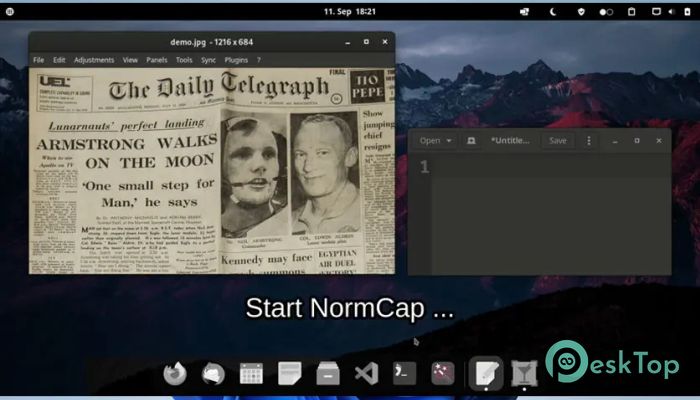
The workflow is smooth and beginner-friendly. You trigger the capture, draw a box around the text, and the words are ready to paste. There is no learning curve, no cluttered menus, and no distractions. It blends into your daily routine like a familiar keyboard shortcut.
Multi-Monitor Friendly
If you work with multiple screens, it fits right in. It handles multi-monitor setups without confusion, allowing you to capture text from any display. This is especially useful for developers, designers, and researchers who spread their work across screens.
QR Code Scanning Support
Beyond regular text, it can also read QR codes. Instead of opening your phone camera, you can scan codes directly from your screen and copy the embedded information. It is a small feature, but it saves time when those moments add up.
Open Source and Free
The software is free and open-source. That means the community can inspect, improve, and trust its operation. There are no locked features or paid upgrades waiting behind a button. What you install is exactly what you get.
System Requirements and Technical Details
Operating System: Windows 11 / 10 / 8.1 / 7
Processor: Minimum 1 GHz Processor (2.4 GHz recommended)
RAM: 2GB (4GB or more recommended)
Free Hard Disk Space: 200MB or more is recommended

-
Program size111.83 MB
-
Version0.6.0
-
Program languagemultilanguage
-
Last updatedBefore 8 Month
-
Downloads16Ralated programs
![Operant Peak Spectroscopy]() Operant Peak Spectroscopy
Operant Peak Spectroscopy ![NeverWrite]() NeverWrite
NeverWrite![FluentCleaner]() FluentCleaner
FluentCleaner![Snippai]() Snippai
Snippai![ChillShot AI]() ChillShot AI
ChillShot AI![Splunk Enterprise]() Splunk Enterprise
Splunk Enterprise
 Operant Peak Spectroscopy
  NeverWrite
 FluentCleaner
 Snippai
 ChillShot AI
 Splunk Enterprise