
 Arabic
  English
  Turkish
  Chinese
  Japanese
  Russian
  Spanish
  German
  French
  Hindi
Hindi Download NTFS Permissions Reporter 5.0.631.0 for Windows
Download NTFS Permissions Reporter 5.0.631.0 for Windows.
NTFS Permissions Reporter Overview
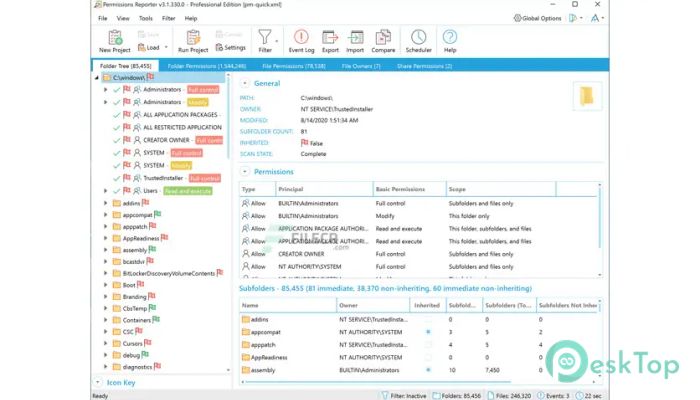
This is the ultimate network-enabled NTFS permissions reporter for Windows. It allows you to quickly and efficiently validate the security posture of entire file systems. All with multiple export formats, command-line support, built-in scheduling, advanced filtering, and much more. You can quickly and easily schedule the creation and export of folder, file, owner, and share permissions reports. Includes support for all export file types, email integration, and more. It can export permissions report data in HTML, XML, MS Excel, and CSV formats. Data exported in XML format can be reimported later for further analysis.Features of NTFS Permissions Reporter
Robust, built-in report scheduling, email delivery support
Directory permissions analysis with tree and table views
Flexible command-line interface for integration & automation
File owner report with hierarchical treemap visualization
Strong performance and scalability – analyze file systems with confidence
Network share permissions reporting for servers or entire domains
Powerful report filters make it easy to find files
Report on files with permissions differing from their parent folders
Explore the permissions associated with every user with file system access
Export reports to MS Excel, XML, HTML, and CSV file formats
Reload XML report data at a later date for review or comparison
System Requirements and Technical Details
Supported OS: Windows 11, Windows 10, Windows 8.1, Windows 7
RAM (Memory): 2 GB RAM (4 GB recommended)
Free Hard Disk Space: 200 MB or more

-
Program size62.04 MB
-
Version5.0.631.0
-
Program languagemultilanguage
-
Last updatedBefore 8 Month
-
Downloads12
 Trellix Endpoint Security
 Abelssoft KeyDepot 2026
 Bitdefender Antivirus Free
 PDFZilla SecureDrive
 Passbolt
 RoboForm Password Manager