
 Arabic
  English
  Turkish
  Chinese
  Japanese
  Russian
  Spanish
  German
  French
  Hindi
Hindi Download Orkana 1.0.5 for Windows
Download Orkana 1.0.5 for Windows.
Orkana Overview
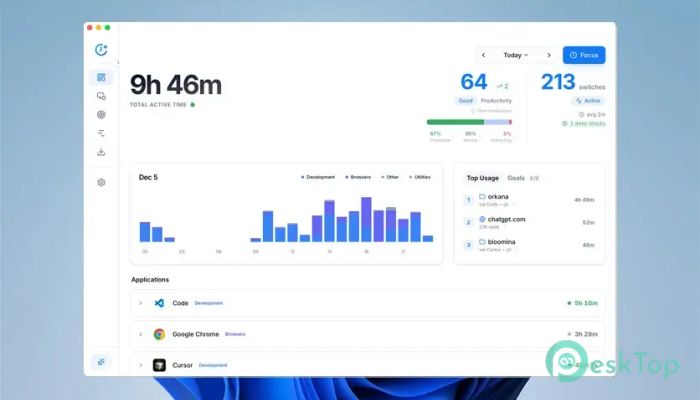
This solution is designed for people who want clarity in their daily digital life. It quietly watches how time is spent across work tools and browsers, then turns that activity into valuable insights. Everything runs locally, so personal information stays on your own machine. Think of it as a private mirror for your workday, highlighting patterns you often miss.Features of Orkana
Smart Tracking That Feels Effortless
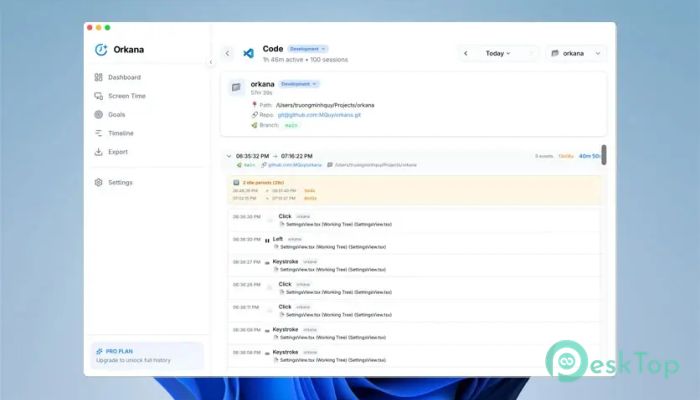
It automatically tracks projects inside your development environment and activity across browser tabs. This is not limited to one editor or one browser. The idea is simple: wherever real work happens, it is noticed. You do not need to press the start or stop buttons. Like a good assistant, it stays in the background and collects the details for you.
Clear Timeline View of Your Day
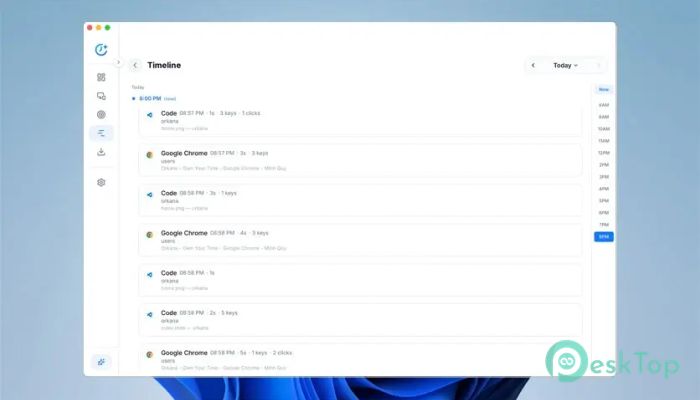
The timeline view breaks your day into clear sessions. You can scroll back and see what you worked on, when you switched tasks, and how long each activity lasted. It feels like flipping through a diary of your digital day. This view makes it easy to spot wasted time or understand why a day felt busy but unproductive.
Goals and Streaks for Motivation
Setting time goals helps turn intention into action. You can set how long you want to focus on specific tasks and track progress over time. Streaks add a light sense of challenge, like keeping a workout routine alive. Missing a day is not a failure; it is simply feedback that helps you adjust.
Screen Time Limits That Keep You Honest
Distractions sneak in quietly. To address this, daily limits can be set for apps or websites that tend to divert attention. Before you cross the line, a notification reminds you to pause. It works like a speedometer warning in a car, telling you when to slow down before things get out of control.
Pomodoro Focus Sessions
For deep work, built-in focus sessions block distracting apps during set intervals. Short breaks are included to give your mind a rest without drifting away. This approach is similar to closing the door while studying and opening it only during breaks. It creates a rhythm that makes long tasks feel lighter.
Export Data for Deeper Insights
All tracked information can be exported in Markdown or JSON formats. This makes it easy to paste data into AI tools for further analysis. You can ask questions, look for trends, or generate summaries of your work habits. It turns raw activity into meaningful understanding without locking you into a closed system.
Privacy Comes First
A key idea behind the tool is local data ownership. Nothing is sent to external servers. There is no cloud storage involved. Everything stays on your computer at all times. This approach builds trust and ensures that sensitive work patterns remain private, just as they should.
Who Can Benefit the Most
Developers, writers, designers, and students can all gain value from this approach. Anyone who spends long hours on a computer and wonders where the time went will find clarity here. It is like turning on the lights in a room that was always slightly dim.
Easy Learning Curve
The interface is clean and understandable. You do not need a manual or a lengthy setup process. Most people can start using it right away. Features reveal themselves naturally as you explore, making the experience feel friendly rather than overwhelming.
System Requirements and Technical Details
Operating System: Windows 11 / 10 / 8.1 / 7
Processor: Minimum 1 GHz Processor (2.4 GHz recommended)
RAM: 2GB (4GB or more recommended)
Free Hard Disk Space: 200MB or more is recommended

-
Program size4.56 MB
-
Version1.0.5
-
Program languagemultilanguage
-
Last updatedBefore 9 Month
-
Downloads9Ralated programs
![Operant Peak Spectroscopy]() Operant Peak Spectroscopy
Operant Peak Spectroscopy ![NeverWrite]() NeverWrite
NeverWrite![FluentCleaner]() FluentCleaner
FluentCleaner![Snippai]() Snippai
Snippai![ChillShot AI]() ChillShot AI
ChillShot AI![Splunk Enterprise]() Splunk Enterprise
Splunk Enterprise
 Operant Peak Spectroscopy
  NeverWrite
 FluentCleaner
 Snippai
 ChillShot AI
 Splunk Enterprise