
 Arabic
  English
  Turkish
  Chinese
  Japanese
  Russian
  Spanish
  German
  French
  Hindi
Hindi Download OVRLEY 2.34.1 for Windows
Download OVRLEY 2.34.1 for Windows.
OVRLEY Overview
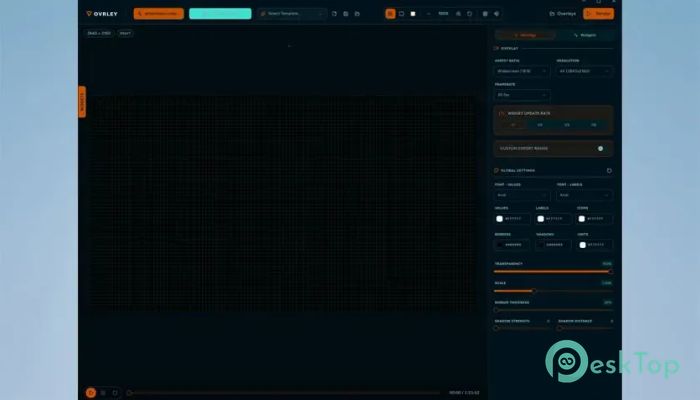
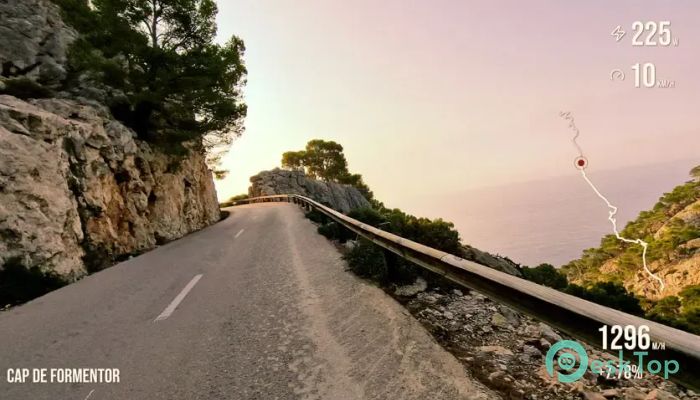
It is a powerful yet easy-to-use desktop application designed for creators who want to display speed, altitude, distance, routes, and other telemetry information directly on their videos. Whether you record adventures with a GoPro, Insta360, DJI, or another action camera, the software helps you turn raw activity files into eye-catching overlays that make every clip more engaging. The software works entirely on your computer, so your files stay private throughout the editing process. Simply import your activity data, customize the look of your widgets, synchronize everything with your footage, and export either a transparent overlay or a fully rendered video ready to share.Features of OVRLEY
Import Activity Data with Ease
Getting started is refreshingly simple. Just drag and drop a supported activity file into the software, and it automatically prepares the data for editing. It supports popular telemetry formats such as FIT, GPX, and SRT, making it compatible with many GPS devices, fitness trackers, drones, and action cameras.
This smooth import process removes unnecessary steps, allowing you to focus on creativity instead of technical setup. Within moments, your recorded information is ready to be incorporated into your video.
Create Beautiful Custom Overlays
The software lets you design overlays exactly the way you want. You can arrange widgets anywhere on the screen, resize them, change fonts, adjust colors, and create a style that matches your personal brand or video theme.
Think of it as decorating a blank canvas. Every widget can be positioned precisely, giving your final video a polished, professional appearance without requiring advanced editing skills.
Perfect for Action Camera Videos
The tool is built with adventure creators in mind. It works perfectly with footage captured using GoPro, Insta360, DJI, and many other action cameras. Whether you are cycling through mountains, riding motorcycles, hiking trails, running marathons, or flying drones, it adds valuable information that helps viewers follow your journey.
Showing live speed, elevation, coordinates, and distance can make simple footage feel much more exciting and informative.
Flexible Widget Customization
Every creator has a unique editing style, and the software makes customization incredibly flexible. You can adjust widget size, spacing, typography, colors, and placement until everything fits naturally within your video.
This flexibility allows you to create clean, minimal overlays or colorful, data-rich layouts depending on the story you want to tell. Even small design changes can dramatically improve the overall viewing experience.
Fast and High-Quality Export
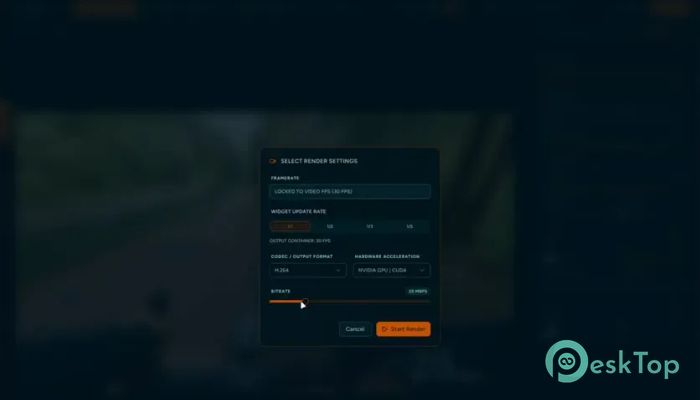
After finishing your design, exporting is quick and straightforward. The software allows you to render overlays at the same resolution and frame rate as your footage, ensuring everything stays smooth and perfectly synchronized.
You can export transparent overlays for use in professional video editors or create a fully rendered video ready for YouTube, social media, or personal archives. This flexibility fits both beginners and experienced editors.
Keep Your Data Private
Privacy is one of its strongest advantages. Since all processing happens locally on your computer, your activity files never need to be uploaded to online services.
This gives you complete control over your recordings and personal GPS information. If privacy matters to you, the software offers peace of mind while delivering professional-quality results.
Simple Workflow from Start to Finish
The entire process follows three easy steps: load your activity data, design your overlay, and export the finished result. There are no confusing menus or complicated settings standing in your way.
This streamlined workflow saves valuable editing time and lets you focus on creating memorable videos rather than learning complex software.
Supports Multiple Creative Projects
The software is suitable for many different activities beyond extreme sports. Travel vloggers, cyclists, runners, drone pilots, hikers, sailors, racers, and outdoor enthusiasts can all benefit from detailed telemetry overlays.
Adding accurate data makes every recording more engaging and helps viewers better understand the adventure. It transforms ordinary footage into a visual story backed by real performance information.
System Requirements and Technical Details
Operating System: Windows 11 / 10 / 8.1 / 7
Processor: Minimum 1 GHz Processor (2.4 GHz recommended)
RAM: 2GB (4GB or more recommended)
Free Hard Disk Space: 200MB or more is recommended

-
Program size88.96 MB
-
Version2.34.1
-
Program languagemultilanguage
-
Last updatedBefore 2 Month
-
Downloads22Ralated programs
![ChrisPC VideoTube Downloader Pro]() ChrisPC VideoTube Downloader Pro
ChrisPC VideoTube Downloader Pro![TranscribeKit]() TranscribeKit
TranscribeKit![Vision Search]() Vision Search
Vision Search![DVDFab]() DVDFab
DVDFab![Crynet Showcase]() Crynet Showcase
Crynet Showcase![OVRLEY]() OVRLEY
OVRLEY
 ChrisPC VideoTube Downloader Pro
 TranscribeKit
 Vision Search
 DVDFab
 Crynet Showcase
 OVRLEY