
 Arabic
  English
  Turkish
  Chinese
  Japanese
  Russian
  Spanish
  German
  French
  Hindi
Hindi Download TranscribeKit 1.2.0 for Windows
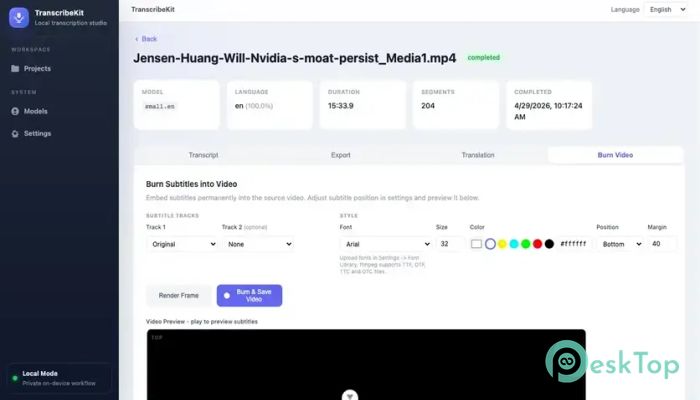
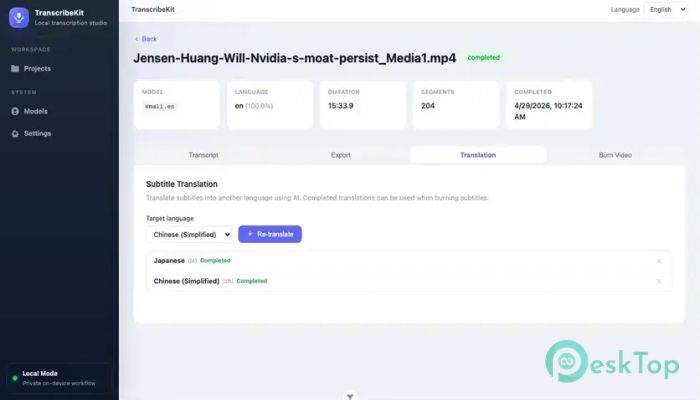
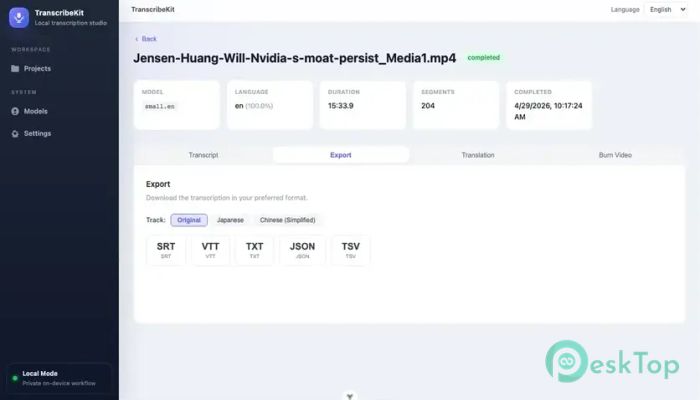
Download TranscribeKit 1.2.0 for Windows.
TranscribeKit Overview
Imagine having a personal transcription assistant that works tirelessly to provide precise subtitles for your audio and video files. That's exactly what TranscribeKit does. It's like having a super-smart, highly skilled employee who handles all your transcription needs, freeing you to focus on more important tasks. With TranscribeKit, you can easily convert your audio and video files into various subtitle formats, including SRT, VTT, and TXT. Managing multimedia files can be daunting, especially when it comes to transcription. TranscribeKit steps in like a breath of fresh air, simplifying the process and making it incredibly easy to get accurate subtitles. Whether you're a content creator, a teacher, or a student, this tool is a game-changer. It's designed to work locally, keeping your files secure and private with no cloud upload required.Features of TranscribeKit
Accurate Transcription with Whisper AI
The tool uses advanced Whisper AI technology to recognize speech patterns and provide incredibly accurate subtitles. It's like having a team of expert transcriptionists working for you, but without the hefty price tag. With TranscribeKit, you can expect high-quality subtitles that are nearly indistinguishable from those produced by human transcribers.
One of the most impressive features of TranscribeKit is its ability to handle a wide range of audio and video formats. It's like having a Swiss Army knife for transcription, capable of tackling even the most challenging files with ease. Whether you're working with MP3, MP4, or AVI files, TranscribeKit can handle them all with precision and accuracy.
100% Local and Private
Privacy is a major concern in transcription, especially when handling sensitive or confidential materials. TranscribeKit ensures that all your files remain secure and private, with no cloud upload or internet connection required. It's like having a locked vault for your transcription needs, where your files are completely safe and protected.
This 100% local approach also means that you can work on your transcription projects even without an internet connection. It's perfect for those who need to work on the go or in areas with limited internet access. With TranscribeKit, you can take your transcription work anywhere, without worrying about data breaches or security risks.
One-Time Purchase and Affordable
Unlike other transcription tools that require monthly or yearly subscriptions, TranscribeKit is a one-time purchase. It's like buying a book or a software package, where you pay once and own it forever. This approach makes it an incredibly affordable option, especially for those who regularly need to transcribe files.
The best part? TranscribeKit is available for just $2, making it an absolute steal. It's like getting a premium transcription service at a fraction of the cost. With its advanced features and accurate results, TranscribeKit is an unbeatable value for anyone looking for a reliable transcription tool.
Support for Multiple Languages
TranscribeKit is not just limited to English; it also supports translation into 19 different languages. It's like having a team of linguists working for you, capable of translating your subtitles into a wide range of languages. Whether you need to transcribe files in Spanish, French, German, or Chinese, TranscribeKit can handle it with ease.
This feature is particularly useful for content creators who need to cater to a global audience. With TranscribeKit, you can easily translate your subtitles and make your content more accessible to viewers worldwide. It's a powerful tool for anyone looking to expand their reach and engage with a broader audience.
Export Options and File Formats
TranscribeKit offers a range of export options, letting you save your subtitles in various formats. It's like having a flexible transcription tool that can adapt to your specific needs. With TranscribeKit, you can export your subtitles as SRT, VTT, or TXT files, making it easy to integrate them into your video editing software or content management system.
The tool also supports a wide range of file formats, including MP3, MP4, AVI, and more. It's like having a universal transcription tool that can handle any type of audio or video file. With TranscribeKit, you can easily transcribe and export your files without worrying about compatibility issues or technical glitches.
System Requirements and Technical Details
Operating System: Windows 11 / 10
Processor: Minimum 1 GHz Processor (2.4 GHz recommended)
RAM: 2GB (4GB or more recommended)
Free Hard Disk Space: 2GB or more is recommended

-
Program size289.89 MB
-
Version1.2.0
-
Program languagemultilanguage
-
Last updatedBefore 1 Month
-
Downloads103Ralated programs
![ChrisPC VideoTube Downloader Pro]() ChrisPC VideoTube Downloader Pro
ChrisPC VideoTube Downloader Pro![TranscribeKit]() TranscribeKit
TranscribeKit![Vision Search]() Vision Search
Vision Search![DVDFab]() DVDFab
DVDFab![Crynet Showcase]() Crynet Showcase
Crynet Showcase![OVRLEY]() OVRLEY
OVRLEY
 ChrisPC VideoTube Downloader Pro
 TranscribeKit
 Vision Search
 DVDFab
 Crynet Showcase
 OVRLEY