
 Arabic
  English
  Turkish
  Chinese
  Japanese
  Russian
  Spanish
  German
  French
  Hindi
Hindi Download PassQuantum 1.0 for Windows
Download PassQuantum 1.0 for Windows.
PassQuantum Overview
It is a modern password management solution built for users who want complete control over their digital security. Unlike many cloud-based alternatives, it follows a local-first approach where all data remains on the user's device. The software combines advanced cryptography, encrypted vaults, password analysis tools, browser autofill support, and biometric monitoring into a single package. The tool is designed with future security challenges in mind. As quantum computing continues to evolve, traditional encryption methods may face new risks. To address this, it uses post-quantum cryptographic technologies to help protect passwords and sensitive information against current and future threats.Features of PassQuantum
Post-Quantum Security Architecture
Security is the foundation of the software. It uses a hybrid encryption model that combines multiple cryptographic layers to create a highly secure environment for storing sensitive data. Think of it as placing your valuables inside several reinforced vaults rather than a single locked box.
The encryption system is built using native Go cryptographic libraries and incorporates technologies based on modern post-quantum standards. This approach provides protection against traditional attacks while also preparing for future developments in quantum computing.
Multiple Encrypted Vaults
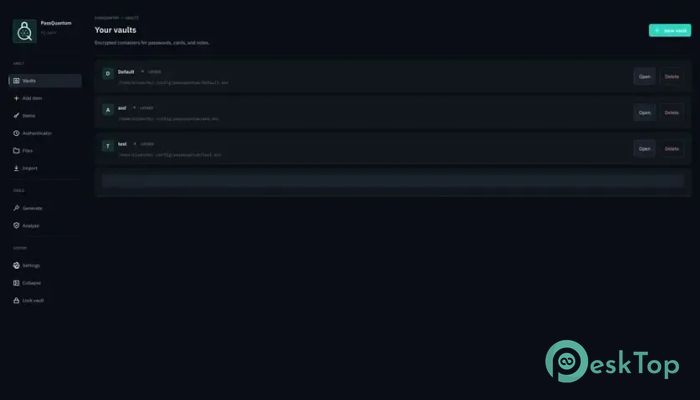
The software allows users to create and manage multiple encrypted vaults. This feature makes it easy to separate personal accounts, business credentials, financial information, and other sensitive data into organized containers.
Each vault remains protected through strong encryption and can only be accessed after successful authentication. This structure helps improve organization while maintaining a high level of security.
Global Master Password Protection
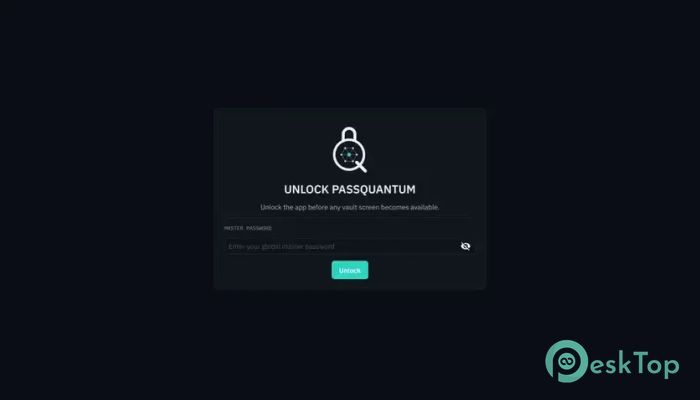
A master password acts as the main gatekeeper for all stored information. Instead of remembering dozens of complex passwords, users need only one strong credential to access their secure vaults.
This centralized protection system simplifies account management while ensuring that sensitive information remains inaccessible to unauthorized individuals.
Continuous Passive Biometric Monitoring
One of the most unique features is its continuous facial monitoring capability. A separate Python-powered process works quietly in the background and watches for the authorized user's presence.
If the software fails to detect a recognized face for several seconds, it automatically locks itself. This creates an additional layer of protection that works even if someone walks away from their computer without manually locking the application.
Automatic Face Lock Technology
The built-in face guard functions like a digital security officer standing next to your desk. Whenever the authorized user leaves the screen, the system locks access to sensitive information.
This automatic response helps reduce the risk of unauthorized access in offices, shared workspaces, educational institutions, and home environments.
Liveness Detection Support
Facial recognition becomes more effective when combined with liveness detection. The software includes blink-based verification to help confirm that a real person is present instead of a static image or photograph.
This additional verification process strengthens security and helps prevent certain types of spoofing attempts targeting biometric systems.
Zero-Knowledge Local-First Design
Privacy remains a top priority throughout the platform. It follows a zero-knowledge philosophy, meaning sensitive information never leaves the user's device. There are no cloud services storing passwords and no remote servers processing personal information.
Everything remains encrypted locally inside dedicated database files. Users maintain complete ownership and control over their data at all times.
No Telemetry or Cloud Tracking
Many modern applications collect analytics and usage information in the background. This software takes a different path by avoiding telemetry, cloud synchronization, and network-based tracking.
Because information stays offline, users gain an additional layer of privacy and reduce exposure to potential external data breaches.
Password Analysis and Security Insights
Strong passwords are one of the most important defenses against cyber threats. The software includes password analysis tools that help users identify weak, reused, or potentially vulnerable credentials.
Highlighting security weaknesses encourages better password habits and helps users strengthen their overall digital security posture.
Browser Extension Autofill Integration
Managing login credentials becomes faster through browser autofill support. The application can communicate with compatible browser extensions, allowing users to quickly fill login forms without manually typing credentials.
This feature saves time while maintaining strong security practices, creating a smoother and more convenient browsing experience.
Independent Cryptographic Implementation
The project uses native Go cryptographic libraries for all encryption operations. While AI assistance helped with certain development and interface components, the cryptographic implementation relies entirely on established libraries designed specifically for secure operations.
The cryptographic design has undergone manual review, although users should remember that no third-party security audit has been completed. Maintaining backups remains an important part of responsible password management.
User-Friendly Security Experience
Despite its advanced security technologies, the interface remains approachable and easy to use. Whether managing a handful of personal accounts or hundreds of professional credentials, users can organize information efficiently without dealing with unnecessary complexity.
The balance between strong protection and everyday usability makes it suitable for security-conscious individuals, professionals, developers, and privacy advocates alike.
System Requirements and Technical Details
Operating System: Windows 11 / 10 / 8.1 / 7
Processor: Minimum 1 GHz Processor (2.4 GHz recommended)
RAM: 2GB (4GB or more recommended)
Free Hard Disk Space: 200MB or more is recommended

-
Program size111.65 MB
-
Version1.0
-
Program languagemultilanguage
-
Last updatedBefore 3 Month
-
Downloads7
 Trellix Endpoint Security
 Abelssoft KeyDepot 2026
 Bitdefender Antivirus Free
 PDFZilla SecureDrive
 Passbolt
 RoboForm Password Manager