
 Arabic
  English
  Turkish
  Chinese
  Japanese
  Russian
  Spanish
  German
  French
  Hindi
Hindi Download Picocrypt 2.18 for Windows
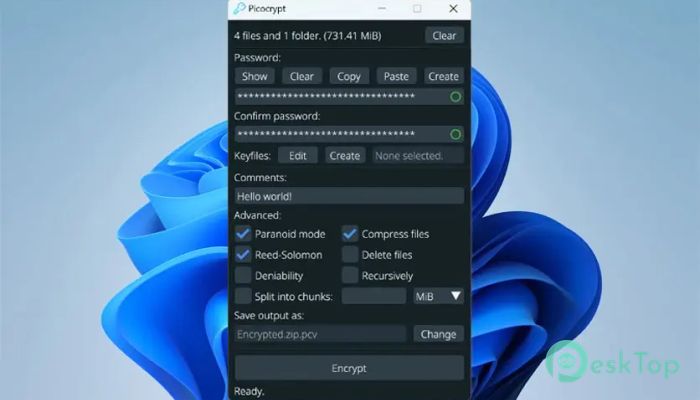
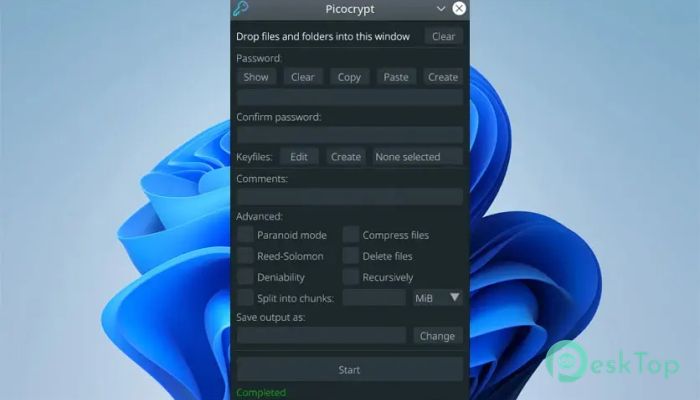
Download Picocrypt 2.18 for Windows.
Picocrypt Overview
This software is designed for users who want strong encryption without a complex setup. It focuses on simplicity, high security, and fast performance. The tool uses modern cryptographic algorithms such as XChaCha20 and Argon2id to protect your files from unauthorized access. How It Works The tool is straightforward to use. You drop your files, enter a password, and press Encrypt. To unlock them later, drop the encrypted output, enter the same password, and press Decrypt. This simple workflow helps beginners and professionals secure their data instantly.Features of Picocrypt
Password Generator
One of the best features is the built-in password generator. It creates strong, random passwords to help you avoid weak or repeated ones. You can also choose the length and characters to include, making it a reliable way to set up secure access.
Use of Comments
The tool allows you to add non-sensitive notes that stay visible without decrypting the volume. These notes help you remember what a file contains or leave quick instructions for others. They are not protected, so they should be kept informational only.
Keyfile Support
Keyfiles add an extra layer of authentication. You can use a single file or multiple files in a specific order. This makes your encrypted volumes more secure, especially if shared among several users. Each person can hold one keyfile, and all must be present for access.
Paranoid Mode
For users who need the highest level of security, paranoid mode encrypts data twice using XChaCha20 and Serpent. It also changes the authentication algorithm to SHA-3 and increases the Argon2 parameters. This mode is slower but ideal for extremely sensitive data where security is paramount.
Reed-Solomon Protection
This option adds error-correction codes to your files. Even if around 3% of the volume becomes corrupted, the tool can still fix the errors and recover the data. It is helpful for long-term file storage on cloud drives or external media.
Force Decrypt
Typically, the tool checks file integrity during decryption. If something is wrong, it automatically deletes the output to keep you safe. When force decrypt is enabled, these safeguards are bypassed, and the tool attempts to recover as much as possible. This is useful for files with partial damage.
Split Into Chunks
Large files can be divided into smaller parts for easier uploading or sharing. Select the size and unit, and the tool will split the output accordingly. When decrypting, all parts will automatically combine again.
File Compression
By default, multiple files are zipped without compression. If you want smaller outputs, enable compression with the Deflate algorithm. It helps when dealing with large folders or various documents.
Deniability Feature
In certain situations, you may want your encrypted file to look like random data. This tool allows that. When enabled, the output becomes indistinguishable from random bytes. It removes metadata, making the file appear to contain no meaningful information. Use this feature only when necessary, as it disables certain advanced protections.
Recursive Mode
If you drop an extensive collection of files and folders, recursive mode processes them in order. This is helpful when working with thousands of documents, and you want to decrypt individual files later without handling the entire volume.
System Requirements and Technical Details
Operating System: Windows 11 / 10 / 8.1 / 7
Processor: Minimum 1 GHz Processor (2.4 GHz recommended)
RAM: 2GB (4GB or more recommended)
Free Hard Disk Space: 200MB or more is recommended

-
Program size11.27 MB
-
Version2.18
-
Program languagemultilanguage
-
Last updatedBefore 3 Month
-
Downloads58
 Trellix Endpoint Security
 Abelssoft KeyDepot 2026
 Bitdefender Antivirus Free
 PDFZilla SecureDrive
 Passbolt
 RoboForm Password Manager