
 Arabic
  English
  Turkish
  Chinese
  Japanese
  Russian
  Spanish
  German
  French
  Hindi
Hindi Download Pile 0.9.9 for Windows
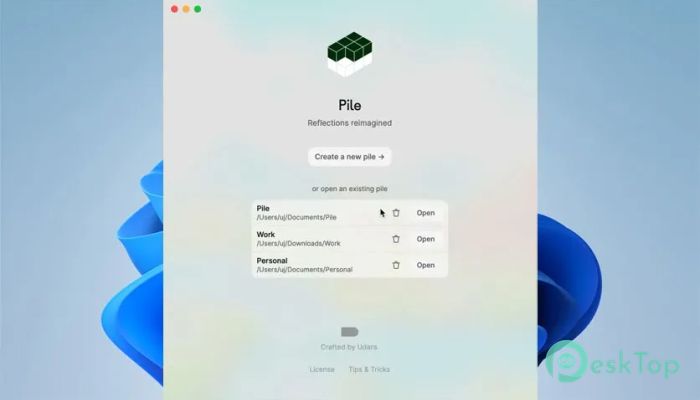

Download Pile 0.9.9 for Windows.
Pile Overview
This desktop journaling app is designed for people who want a clean and distraction-free space to think, write, and grow. Instead of forcing long, structured entries, it encourages short bursts of thoughts, like dropping ideas into a mental notebook. Over time, these small notes build into a meaningful collection of reflections. The tool keeps everything private, giving users full control over their thoughts. It also integrates AI to help analyze entries and provide deeper insights. Whether you're documenting your day, exploring emotions, or brainstorming ideas, it acts like a quiet companion that listens without judgment.Features of Pile
Simple and Clean Interface
One of the best things about this software is its minimal design. There are no distractions, no unnecessary buttons, and no complicated menus. It feels like writing on a blank page, where your thoughts can flow naturally.
This simplicity makes it perfect for both beginners and experienced writers. You don’t need to learn anything complicated. Just open it and start typing, like you would in a notebook.
Journaling in Bursts
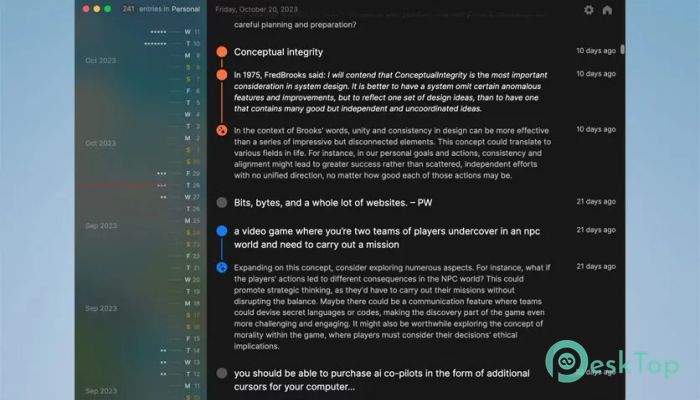
Instead of forcing long paragraphs, the tool allows you to write in small bursts. Think of it like sending yourself quick messages. You can write a thought, leave it, and come back later to expand on it.
This approach feels more natural and less stressful. It removes the pressure of writing perfectly. You just capture what’s on your mind in the moment, like catching fireflies before they disappear.
Organize Entries Easily
Managing your thoughts is simple here. You can highlight important entries using small visual markers. This makes it easy to find key ideas later without having to dig through everything.
Each entry also comes with a timestamp, allowing you to track when you wrote it. You can edit or delete entries anytime, giving you full flexibility over your journal.
AI-Powered Reflections
This is where the tool becomes truly powerful. With AI integration, it can analyze your entries and provide thoughtful reflections. It’s like having a personal assistant that helps you understand your own thoughts better.
You can connect it with an OpenAI API key to unlock advanced features. Once connected, the AI can highlight patterns, suggest ideas, or even give you a fresh perspective on what you’ve written.
Private and Secure Experience
Privacy is a big focus here. All your entries stay under your control. There’s no pressure to share anything, and your thoughts remain safe.
This makes it perfect for personal reflection. You can write freely without worrying about someone else reading it. It feels like having a locked diary, but smarter.
Flexible Editing Options
The software allows you to edit or delete any entry with ease. Just click the timestamp to make changes instantly. This flexibility helps you refine your thoughts over time.
It’s like sculpting your ideas. You start with a rough shape and slowly polish it into something meaningful.
How to Get Started
Getting started is very simple. First, create a new journal. Then, begin writing your first entry. You don’t need a plan. Just type what you feel.
Over time, revisit your entries, highlight important ones, and use AI reflections to gain deeper insights. The more you use it, the more valuable it becomes.
Who Should Use It
This tool is perfect for anyone who wants to improve self-awareness. Students, writers, thinkers, or even busy professionals can benefit from it.
If you often feel overwhelmed by thoughts, this serves as a mental organizer. It helps you slow down, reflect, and make sense of things.
System Requirements and Technical Details
Operating System: Windows 11 / 10 / 8.1 / 7
Processor: Minimum 1 GHz Processor (2.4 GHz recommended)
RAM: 2GB (4GB or more recommended)
Free Hard Disk Space: 200MB or more is recommended

-
Program size154.71 MB
-
Version0.9.9
-
Program languagemultilanguage
-
Last updatedBefore 3 Month
-
Downloads3Ralated programs
![Operant Peak Spectroscopy]() Operant Peak Spectroscopy
Operant Peak Spectroscopy ![NeverWrite]() NeverWrite
NeverWrite![FluentCleaner]() FluentCleaner
FluentCleaner![Snippai]() Snippai
Snippai![ChillShot AI]() ChillShot AI
ChillShot AI![Splunk Enterprise]() Splunk Enterprise
Splunk Enterprise
 Operant Peak Spectroscopy
  NeverWrite
 FluentCleaner
 Snippai
 ChillShot AI
 Splunk Enterprise