
 Arabic
  English
  Turkish
  Chinese
  Japanese
  Russian
  Spanish
  German
  French
  Hindi
Hindi Download Pixsnip 1.0 for Windows
Download Pixsnip 1.0 for Windows.
Pixsnip Overview
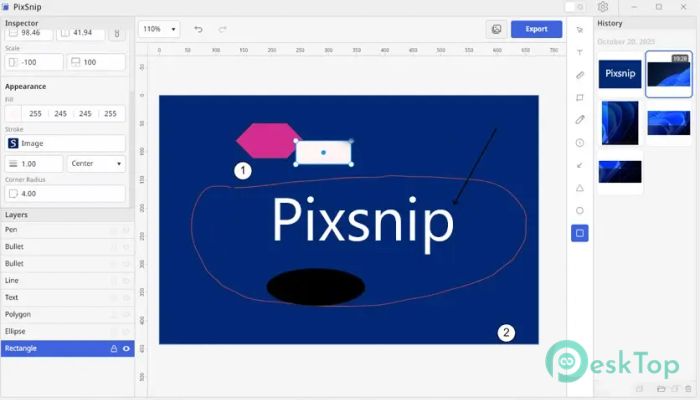
This software is a powerful desktop application designed to enhance the way users capture and edit screenshots. Built with privacy and precision in mind, it enables users to work entirely offline, ensuring complete control over their data. It’s ideal for professionals such as designers, developers, and QA engineers who need reliable and fast screenshot tools with advanced editing options.Features of Pixsnip
Complete offline functionality for secure usage without cloud dependency.
Advanced capture modes for window, region, or full-screen screenshots.
Annotation tools for adding text, arrows, highlights, and shapes.
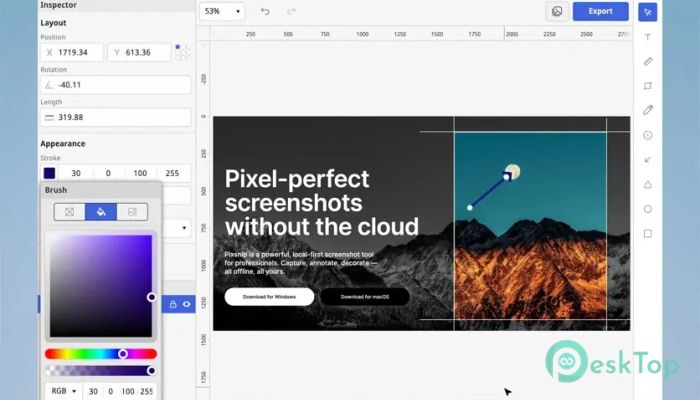
Decorative options for adding elements like borders, backgrounds, and effects.
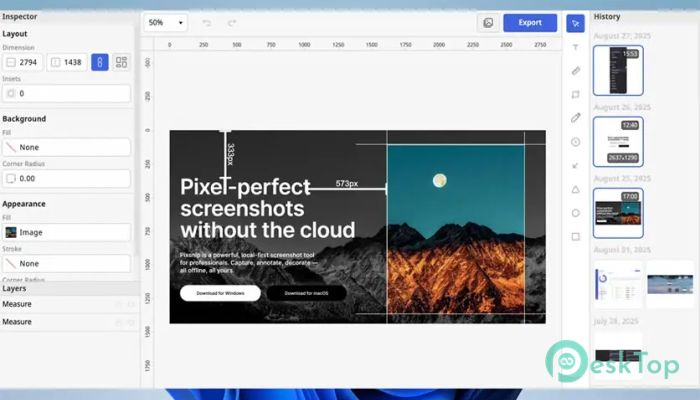
Color picker and ruler tools for precise visual editing.
Grouping and collage creation for organizing multiple screenshots.
Instant card creation for quick visual documentation.
Full local history of captures for easy access and management.
User-friendly interface with intuitive shortcuts and layout.
No login or account required, ensuring total privacy.
System Requirements and Technical Details
Operating System: Windows 11 / 10 / 8.1 / 7
Processor: Minimum 1 GHz Processor (2.4 GHz recommended)
RAM: 2GB (4GB or more recommended)
Free Hard Disk Space: 200MB or more is recommended

-
Program size14.38 MB
-
Version1.0
-
Program languagemultilanguage
-
Last updatedBefore 11 Month
-
Downloads4Ralated programs
![Operant Peak Spectroscopy]() Operant Peak Spectroscopy
Operant Peak Spectroscopy ![NeverWrite]() NeverWrite
NeverWrite![FluentCleaner]() FluentCleaner
FluentCleaner![Snippai]() Snippai
Snippai![ChillShot AI]() ChillShot AI
ChillShot AI![Splunk Enterprise]() Splunk Enterprise
Splunk Enterprise
 Operant Peak Spectroscopy
  NeverWrite
 FluentCleaner
 Snippai
 ChillShot AI
 Splunk Enterprise