
 Arabic
  English
  Turkish
  Chinese
  Japanese
  Russian
  Spanish
  German
  French
  Hindi
Hindi Download Pulover’s Macro Creator 5.4.1 for Windows
Download Pulover’s Macro Creator 5.4.1 for Windows.
Pulover’s Macro Creator Overview
It simplifies repetitive computer tasks by automating them. It works as a visual layer on top of a well-known scripting engine, allowing users to create complex routines without writing long lines of code. Think of it as a smart assistant that watches what you do and then repeats it perfectly whenever you want.Features of Pulover’s Macro Creator
Built-In Recorder for Easy Automation
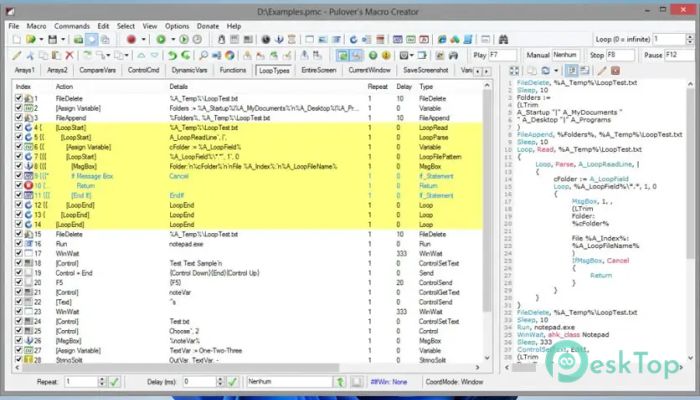
The built-in recorder is one of its strongest features. Just press record, perform your actions, and stop when you're done. Everything is captured in real time and displayed clearly in the interface. It is similar to teaching someone by example, where the software learns by watching and then follows the same routine exactly.
Wide Range of Automation Commands
Beyond recording, it offers a large collection of commands that can be added manually. These include loops, conditions, delays, window controls, and file operations. This flexibility allows users to fine-tune workflows rather than relying solely on raw recordings. It is like moving from a basic recipe to a fully customizable meal.
User-Friendly Interface
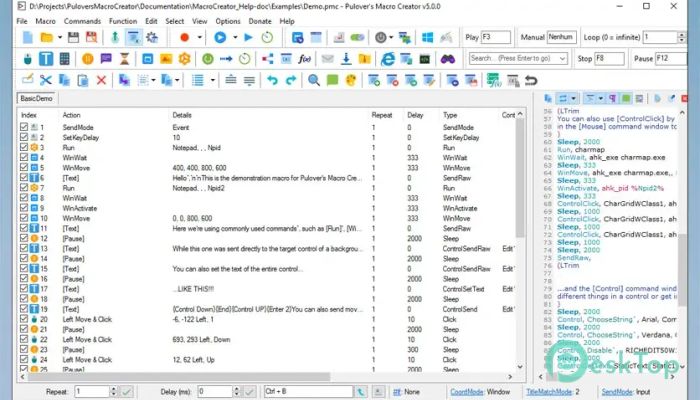
The interface is clean and organized, making it friendly for beginners. Each action appears as a readable step, so you always know what is happening. You can reorder steps, edit values, or remove parts without breaking the whole process. This visual approach lowers the learning curve and builds confidence quickly.
Exporting and Reusing Scripts
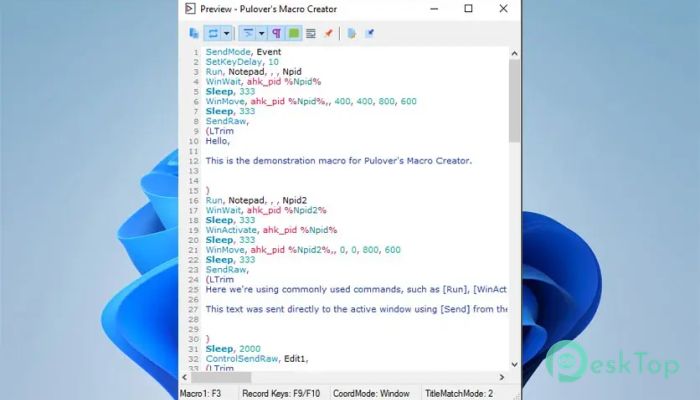
Once a macro is ready, it does not have to stay locked inside the program. You can export it into a script file and run it independently. This is useful for users who want portability or plan to integrate automation into other workflows. It is like packing your routine into a small toolbox you can carry anywhere.
Execution Options and Flexibility
Macros can be executed directly from the main window or assigned to shortcuts. This means repetitive jobs can be triggered with a single key press. Whether you want to automate data entry, manage windows, or control repetitive tasks, it adapts easily to different usage styles.
Practical Use Cases
The software fits well in many scenarios. Office users can automate form filling and report generation. Students can speed up repetitive research steps. Power users can manage system tasks more efficiently. Even simple things like organizing files or opening multiple apps in sequence become effortless.
Learning and Growth Potential
As users become more comfortable, they naturally learn more advanced automation concepts. The tool serves as a bridge between basic recording and deeper scripting. Over time, workflows become smarter, shorter, and more reliable, much like upgrading from training wheels to full control.
Performance and Reliability
It runs smoothly on most systems without heavy resource usage. Recorded actions are accurate, and timing can be adjusted for stability. This balance of performance and reliability makes it suitable for both quick tasks and longer automation chains.
System Requirements and Technical Details
Operating System: Windows 11 / 10 / 8.1 / 7
Processor: Minimum 1 GHz Processor (2.4 GHz recommended)
RAM: 2GB (4GB or more recommended)
Free Hard Disk Space: 200MB or more is recommended

-
Program size17.69 MB
-
Version5.4.1
-
Program languagemultilanguage
-
Last updatedBefore 7 Month
-
Downloads40Ralated programs
![Operant Peak Spectroscopy]() Operant Peak Spectroscopy
Operant Peak Spectroscopy ![NeverWrite]() NeverWrite
NeverWrite![FluentCleaner]() FluentCleaner
FluentCleaner![Snippai]() Snippai
Snippai![ChillShot AI]() ChillShot AI
ChillShot AI![Splunk Enterprise]() Splunk Enterprise
Splunk Enterprise
 Operant Peak Spectroscopy
  NeverWrite
 FluentCleaner
 Snippai
 ChillShot AI
 Splunk Enterprise